
Introduction
Welcome to Sibyl, the knowledge graph and task workflow that turns scattered notes, tasks, and hard-won debugging lessons into reusable project memory.
What You'll Learn
This guide teaches you how to:
- Run the memory loop: Recall, act, remember, and reflect
- Set up your prompts: Configure CLAUDE.md for effective workflows
- Use skills and hooks: Automatic context injection
- Build a knowledge repository: Centralize team patterns
- Manage knowledge: Through the web UI and CLI
- Track execution: Projects, epics, and tasks across sessions
- Synthesize artifacts: Draft verified documents from your own memory
The Philosophy
Sibyl is built on a simple insight: good work compounds when context survives the session.
The knowledge you generate while working is worth keeping, but it usually stays locked in whichever tool produced it. The OAuth gotcha you figured out in one agent never reaches the next. The pattern that finally made your tests pass gets buried in scrollback. The context exists, but it stays trapped in one tool instead of portable, structured, and searchable memory that stays yours.
Sibyl fixes this by providing:
- Persistent Memory: Knowledge stored in a SurrealDB-native graph survives forever
- The Memory Loop: Load context, act, remember what you learn, reflect on it
- Semantic Search: Find relevant patterns by meaning, not keywords
- Automatic Context: Hooks inject knowledge without manual prompting
- Source-Grounded Synthesis: Draft verified documents from your own memory
The Architecture
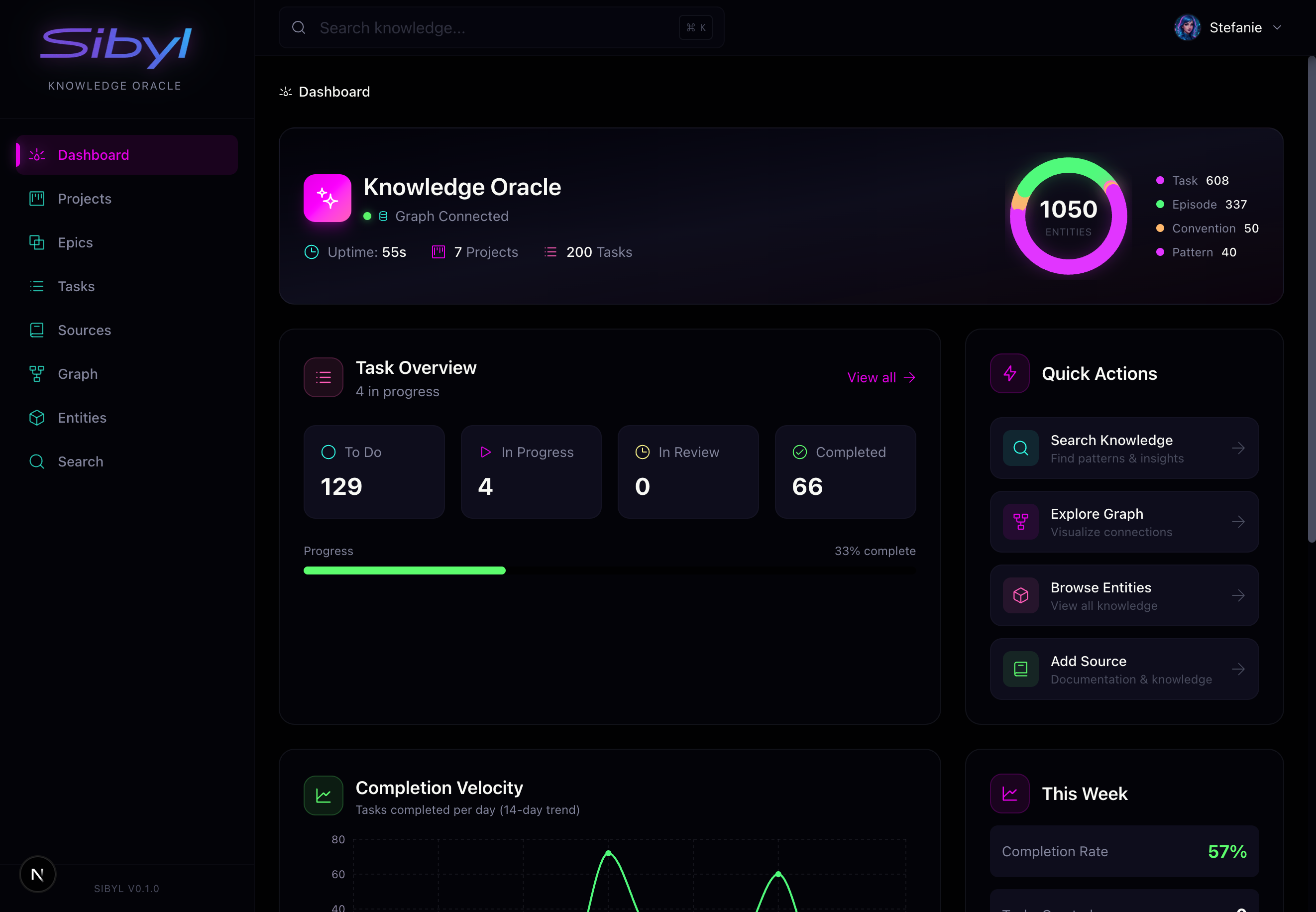
Sibyl consists of four main components: the sibyld server daemon, the sibyl CLI, the Next.js web app, and the sibyl-core Python library underneath. The three you interact with directly:
1. CLI + Skills
Skills and CLI workflows teach your tools and teammates how to work with Sibyl. When you invoke /sibyl in Claude Code, the assistant receives:
- Command reference for all CLI operations
- Workflow patterns (when to search, when to capture)
- Best practices for knowledge quality
2. Hooks (Automatic Context)
One hook fires automatically at session boundaries:
- SessionStart: Loads your active tasks and a compact session bundle when you begin a session
Per-prompt context injection lived here for a while as UserPromptSubmit, but it substituted for skill invocation rather than nudging it, so we removed it. The agent is expected to call the sibyl skill and sibyl context / sibyl search when it needs working memory.
3. Web UI
The web interface gives you visibility and control:
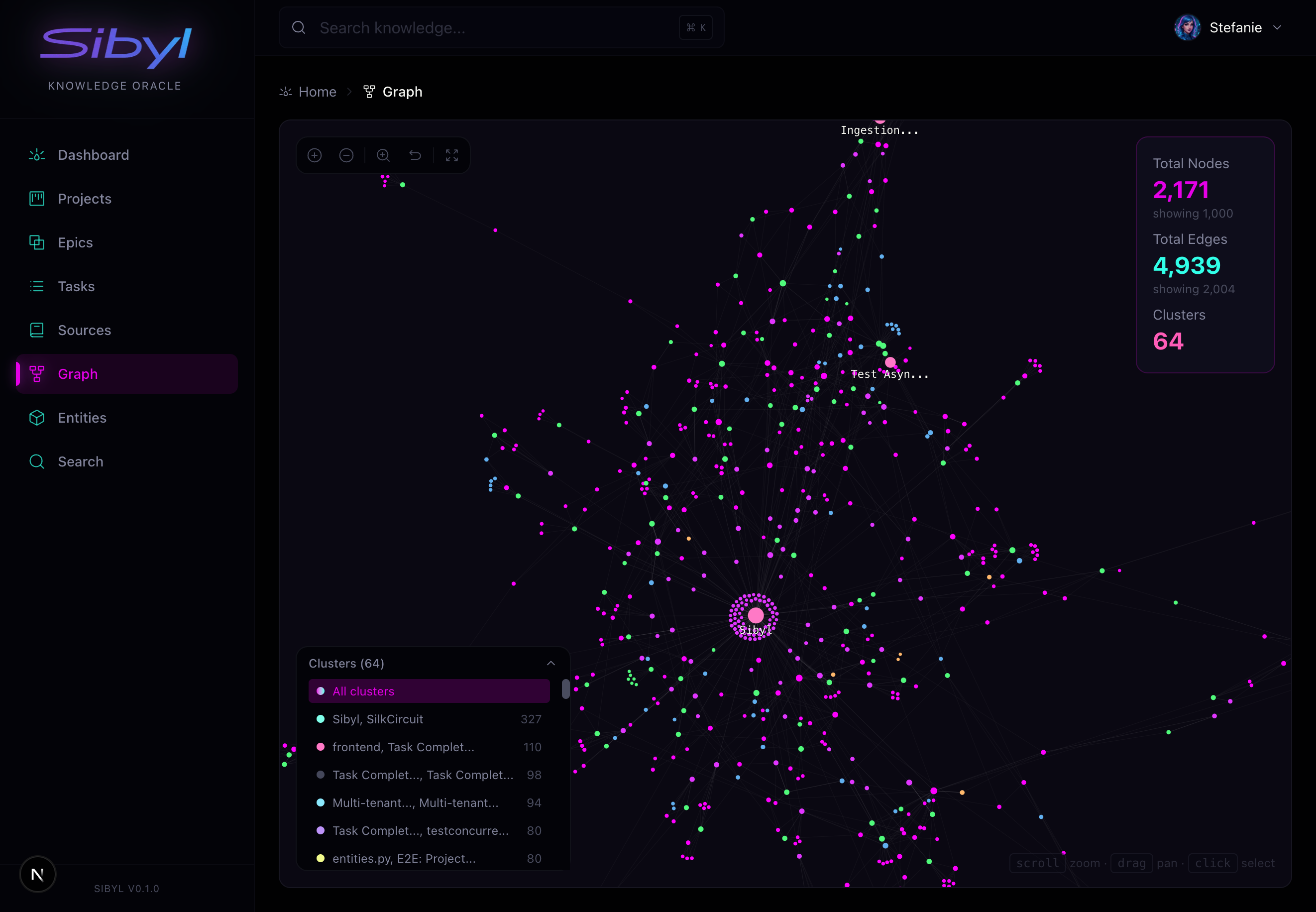
Graph Explorer: Visualize connections between entities, patterns, and learnings. See how knowledge clusters and relates.
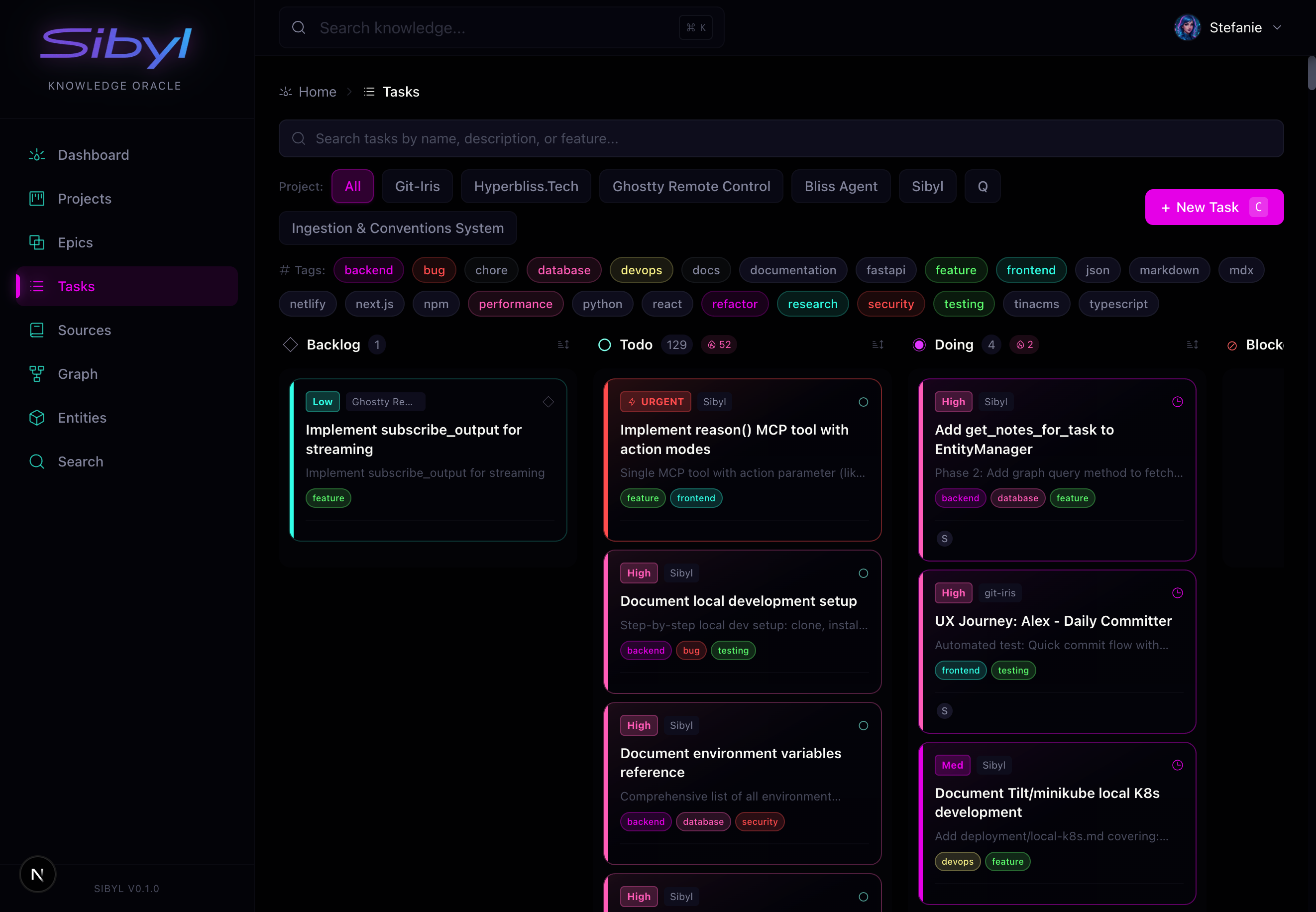
Task Management: Track work across projects with full lifecycle support. Filter by status, priority, assignee, and more.
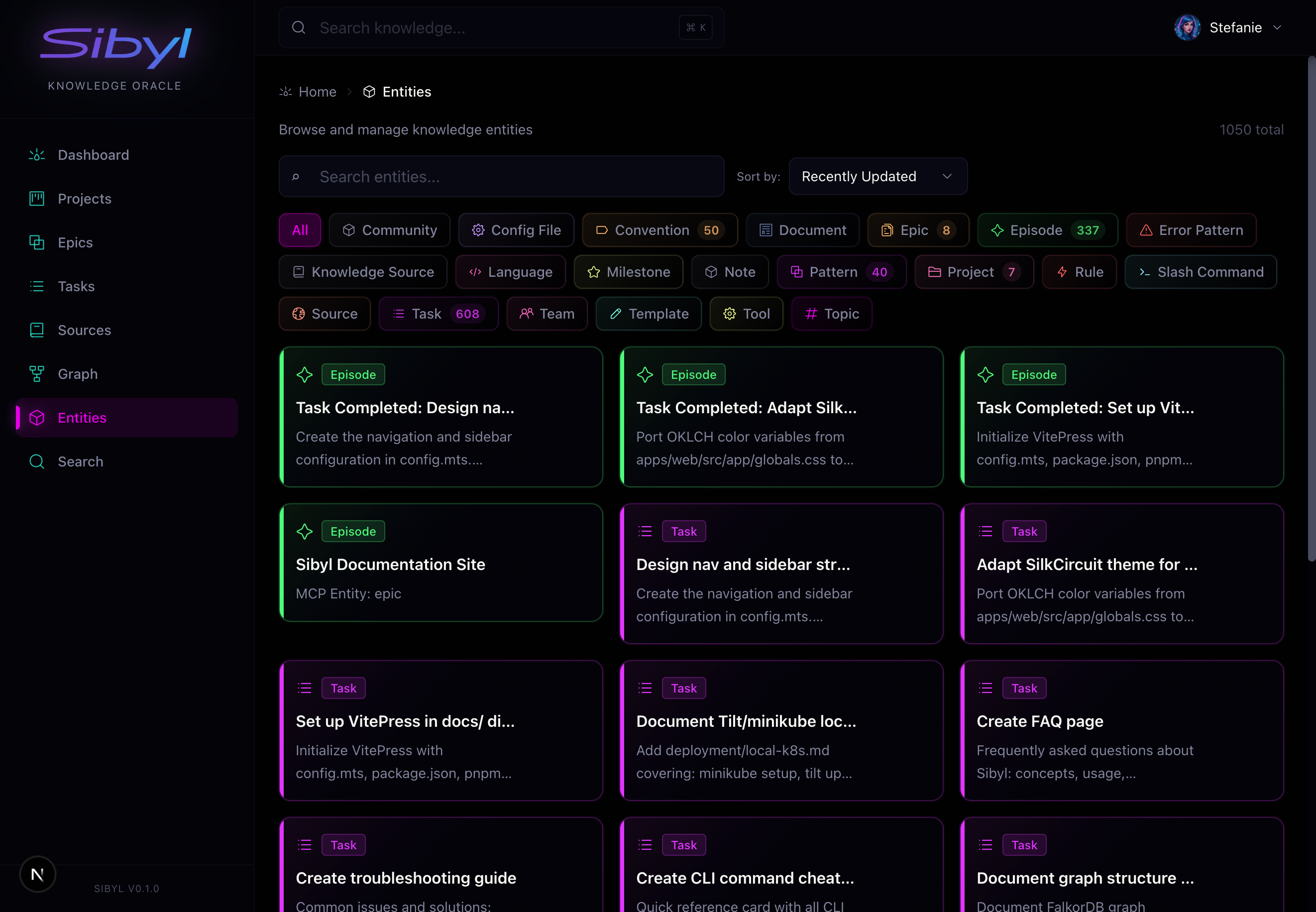
Entity Browser: Browse all knowledge types (patterns, episodes, guidance, rules). Search and filter to find what you need.
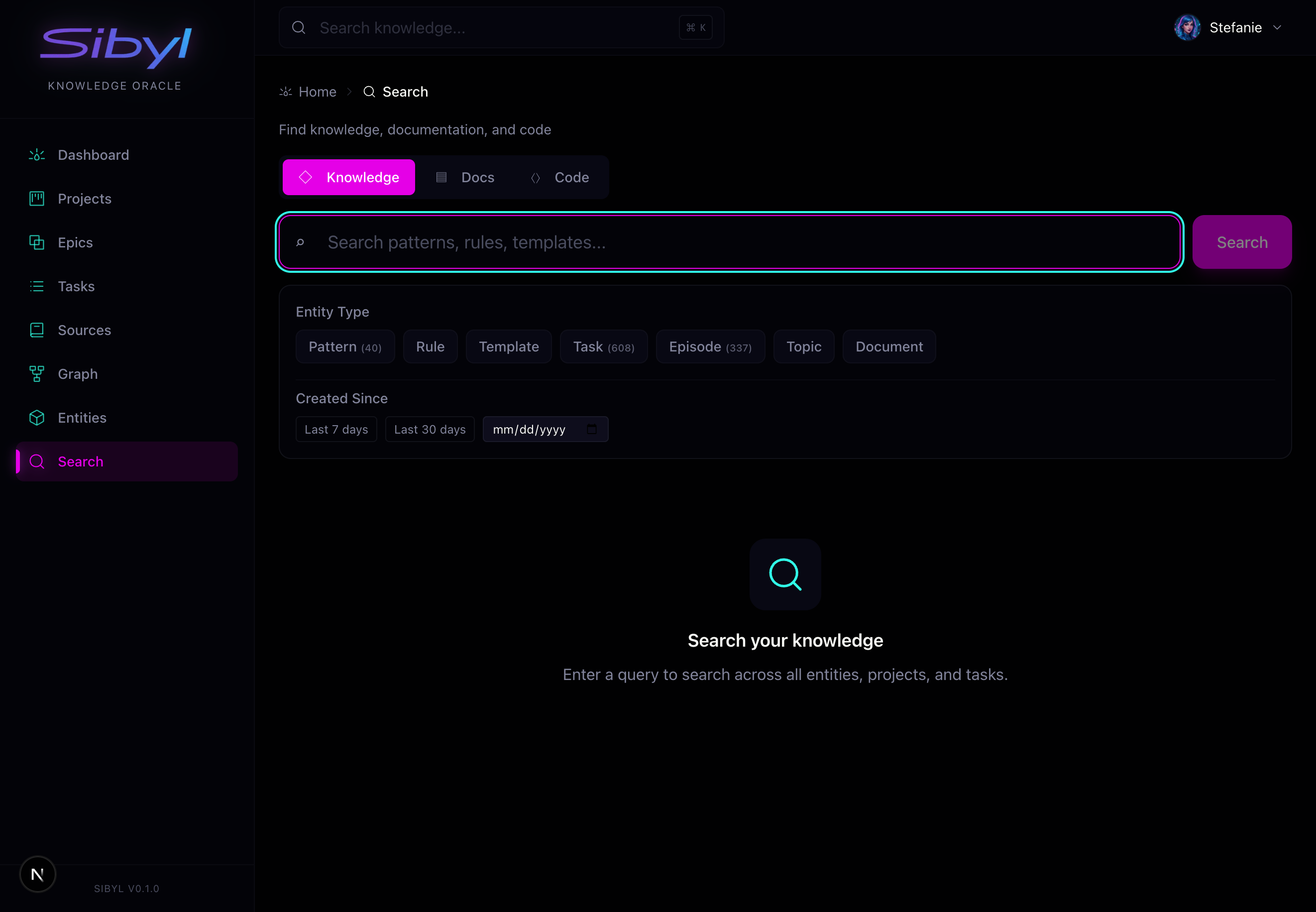
Semantic Search: Find knowledge by meaning across all entity types, documentation, and code.
The Memory Loop
Every effective Sibyl workflow follows the same cycle: recall, act, remember, reflect. Learn it once and the rest of Sibyl falls into place.
flowchart LR
    R(["CONTEXT<br/>Pull working context before you act"])
    A(["ACT<br/>Do the work with context in hand"])
    M(["REMEMBER + REFLECT<br/>Capture learnings, distill session notes"])
    R --> A --> M
    M -.->|the graph gets smarter| R
The loop runs on the CLI, through MCP tools, and from hooks. See The Memory Loop for the full cycle.
What to Capture
Not everything belongs in the knowledge graph. Focus on:
Always Capture
- Non-obvious solutions: If it took time to figure out, save it
- Gotchas and quirks: Configuration issues, platform differences
- Architectural decisions: Why you chose approach A over B
- Error patterns: Problems and their root causes
Consider Capturing
- Useful patterns: Reusable code structures
- Performance findings: What made things faster
- Integration approaches: How to connect systems
Skip
- Trivial info: Things obvious from documentation
- Temporary hacks: Quick fixes that should be replaced
- Well-documented basics: Standard library usage
Quality Bar
The knowledge graph gets smarter with every entry, but only if entries are high quality.
Bad entry:
"Fixed the auth bug"
Good entry:
"JWT refresh tokens fail silently when Redis TTL expires. Root cause: token service doesn't handle WRONGTYPE error. Fix: Add try/except with token regeneration fallback. Prevention: Always handle Redis type mismatches in token renewal logic."
The good entry includes:
- What happened
- Root cause
- How to fix it
- How to prevent it
CLI vs MCP vs Web UI
Sibyl offers three interfaces, each suited to different users:
| Interface | Best For | Token Usage |
|---|---|---|
| CLI | Scripts, workflows, quick ops | Low (text output only) |
| MCP | Direct tool invocation | Higher (full JSON schemas) |
| Web UI | Humans managing projects | N/A (visual interface) |
For routine operations, prefer the CLI. It's expressive, scriptable, and lighter-weight than MCP tool calls.
Next Steps
Getting Started
- Installation: Get Sibyl running locally
- Quick Start: Create your first knowledge entries
- Run Sibyl for Yourself: The full solo self-host path, start to finish
Working Effectively
- Setting Up Prompts: Configure your CLAUDE.md
- Skills & Hooks: Automatic context injection
- Knowledge Repository: Centralize team patterns
Core Concepts
- The Memory Loop: Recall, act, remember, reflect
- Knowledge Graph: Understand the data model
- Task Management: Track work across sessions
- Synthesis: Draft verified documents from your memory