Devices not found
USB device missing from Hypercolor? udev rules, logout/login, conflicting software, USB hubs, and the HAL discovery path explained, plus Windows and macOS notes.
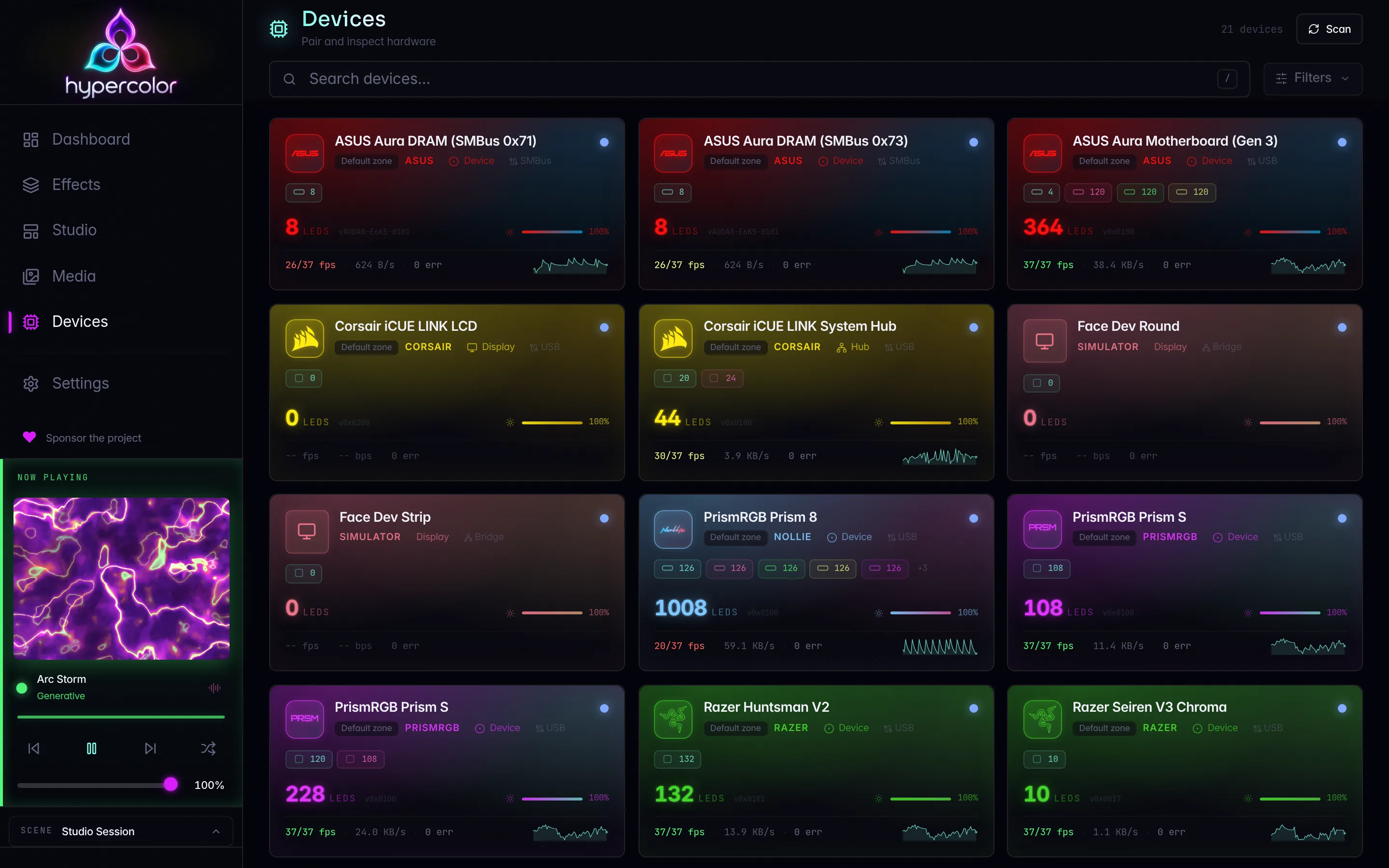
You ran hypercolor devices list (or checked the web UI) and the device you just plugged in is nowhere. Here are the five reasons that happen, in order of how often they come up.
#How Hypercolor finds USB devices
Hypercolor discovers USB devices through a HAL scan that enumerates /dev/hidraw* nodes and matches VID/PID pairs against its compiled device database. The HAL transport (hypercolor-hal) tries to open each matching node; if open() fails, the device does not appear in the registry and no error is visible at the default info log level. That makes permission problems especially silent.
#1. udev rules are not installed
This is the most common cause by a wide margin. Without the rules those nodes are root-only, and the daemon cannot open them.
Install the rules:
just udev-installThat copies both rules files (udev/99-hypercolor.rules and udev/70-hypercolor-input.rules) to /etc/udev/rules.d/, reloads the udev database, and triggers a re-evaluation for the hidraw and usb subsystems.
If you installed from a release, the installer prompts to install the rules for you, and the .deb and AUR packages install them automatically. Release payloads from 0.3.0 onward include the input rules too, under lib/udev/rules.d/ in the release directory. If you declined that prompt, or your install predates 0.3.0, grab the rules files from the Hypercolor releases page and then:
sudo cp 99-hypercolor.rules /etc/udev/rules.d/
sudo cp 70-hypercolor-input.rules /etc/udev/rules.d/
sudo udevadm control --reload-rules
sudo udevadm trigger --action=add --subsystem-match=hidraw
sudo udevadm trigger --action=add --subsystem-match=usb
Verify the file landed and check a device node:
ls -l /etc/udev/rules.d/99-hypercolor.rules
ls -l /dev/hidraw*
The rules grant access via TAG+="uaccess", so systemd-logind gives the physically logged-in user access to the device nodes. A GROUP="users" MODE="0660" fallback is also set for cases where the logind ACL replay misses an already-plugged device. Both are in the same rules file.
just udev-install re-triggers events for devices already plugged in, but on some systems the logind uaccess ACL is not replayed for existing nodes. If re-triggering does not help, re-plug the device or reboot.
#2. You have not logged out and back in
If the udev rules install added you to a new group (or if uaccess was not in effect at login time), your running session does not have the new permissions. The cleanest fix is to log out and log back in.
Confirm what groups your current session has:
idIf users is missing and the device node is GROUP=users MODE=0660, you will not be able to open it until you start a new login session.
#3. udev rules are in the wrong location
Rules placed anywhere other than /etc/udev/rules.d/ are silently ignored. Double-check the path:
ls /etc/udev/rules.d/99-hypercolor.rulesSome distributions keep distribution-installed rules in /lib/udev/rules.d/. Hypercolor’s rules belong in /etc/udev/rules.d/ so they take precedence. If you copied the file there manually, reload and re-trigger by hand:
sudo udevadm control --reload-rules
sudo udevadm trigger --action=add --subsystem-match=hidraw
Then re-plug the device.
#4. Another tool is holding the device
If the device node is accessible but Hypercolor still cannot connect, another application has likely claimed the USB interface first. When this happens the HAL transport receives a permission-denied error from the OS and surfaces it as a TransportError::PermissionDenied carrying the OS detail string. Running the daemon at debug level also shows the node-selection trace, which lists the candidate nodes the transport considered and why each was rejected.
Common offenders:
- openrazer daemon: grabs Razer USB HID interfaces on boot
- OpenRGB started by hand: detects and holds every vendor it supports. The server Hypercolor manages (
hypercolor openrgb start) skips natively owned hardware and is not a conflict; see OpenRGB fallback - ASUS Aura Sync / Armoury Crate (via Wine or native): holds ENE SMBus and ASUS USB devices
- iCUE (via a Wine layer): claims Corsair interfaces
Check whether another process has the device open:
# Which processes have a hidraw node open?
lsof /dev/hidraw*
Stop any conflicting daemon, then trigger a new discovery scan:
# openrazer
sudo systemctl stop openrazer-daemon.service

# OpenRGB you started yourself (the managed server stops with `hypercolor openrgb stop`)
pkill openrgb

# Trigger a USB rescan
hypercolor devices discover --target usb
Hypercolor has its own built-in Razer driver and communicates directly with Razer hardware over USB HID. Do not install openrazer to make Razer devices work with Hypercolor; it is unnecessary and conflicts. If openrazer is running, the two daemons fight over the same HID interface and neither behaves correctly.
#5. Passive USB hub hiding the device
Some passive (non-powered) USB hubs do not correctly enumerate device descriptors, which causes the kernel to miss VID/PID matching for udev rules. Powered hubs generally work fine. If a device works plugged directly into a motherboard port but not through a hub, the hub is the problem.
Front-panel USB headers also have marginal signal integrity on some cases. Try a rear motherboard port directly when troubleshooting.
Check for kernel-level enumeration errors:
sudo dmesg | grep -i "usb\|hid" | tail -30#Quick diagnostic flow
Run these in order to narrow down the cause:
# 1. Is the kernel aware of the device at all?
lsusb

# 2. Are hidraw nodes present?
ls /dev/hidraw*

# 3. Do you have permission to open them?
ls -l /dev/hidraw*

# 4. Is something else holding the device?
lsof /dev/hidraw*

# 5. Full daemon health check (devices, render, config)
hypercolor diagnose

# 6. Discovery with debug logging: start the daemon with the HAL target enabled
#    in one terminal, then trigger discovery from another
RUST_LOG=hypercolor_hal=debug just daemon
hypercolor devices discover --target usb
The RUST_LOG filter has to go on the daemon, not the CLI. The HAL scan runs inside the daemon process; hypercolor-cli does not link the HAL at all, so setting the filter on the CLI command produces no extra output.
The daemon exposes the same health checks via REST while it is running:
curl -s -X POST http://localhost:9420/api/v1/diagnose | jq '.data.checks'#Device visible in lsusb but still not discovered
If lsusb shows the device and the hidraw node is accessible, but hypercolor devices list is still empty, the device’s USB VID/PID may not be in Hypercolor’s device database. Run the daemon at debug level to see exactly what the scanner finds:
RUST_LOG=hypercolor_hal=debug just daemonLook for lines containing your device’s vendor or product ID. A miss looks like:
hidraw node not found for XXXX:YYYY interface 0 (serial=<none>, usb_path=<unknown>, ...)The daemon keeps the same answer in a structured form:
hypercolor devices unclaimedEvery USB device the scanner saw and no driver matched is listed with its VID:PID, strings, serial, bus path, and claimable_by. A claimable_by value names a native driver that knows the device but is disabled; enable it and rescan. An empty claimable_by means no native protocol exists. Check the compatibility matrix for the device’s status, then follow My device isn’t supported: it covers driving the device through the OpenRGB bridge today and filing a device-support request with the unclaimed row’s facts prefilled.
#SMBus / motherboard RGB not found
SMBus access (for ASUS motherboard, GPU, and DRAM lighting) is a separate transport from USB HID. It uses /dev/i2c-* nodes and requires the i2c-dev kernel module. just udev-install grants access to those nodes, but the module must be loaded:
# Load i2c-dev if not already present
sudo modprobe i2c-dev

# Persist across reboots (distro-dependent)
echo i2c-dev | sudo tee /etc/modules-load.d/i2c-dev.conf

# Verify the nodes exist
ls /dev/i2c-*
See SMBus and I2C setup for the full setup flow.
If SMBus devices are found but report wrong LED counts, or the DIMMs flicker, another process probed the same bus during discovery. The usual culprit is a hand-run openrgb (the GUI or --list-devices) while the daemon’s native SMBus drivers were enabled. Close it, rescan, and use hypercolor openrgb start for the bridge instead: the managed server never probes buses a native driver owns.
#OpenRGB is installed but Hypercolor cannot reach it
The bridge talks to an OpenRGB SDK server on 127.0.0.1:6742. Having OpenRGB installed, or its GUI open, does not start that server. Ask the daemon what it sees:
hypercolor diagnose --check openrgb
hypercolor openrgb status
The openrgb check reports whether each configured endpoint answered, the negotiated protocol version, the controller count, and every output-disabled route with its reason. openrgb status adds the detected binary and the coverage rows the bridge is involved in. Work through the outcomes:
| What you see | What it means | Fix |
|---|---|---|
| Endpoint unreachable, no binary detected | OpenRGB is not installed where Hypercolor looks | hypercolor openrgb hints prints the install command for your platform |
| Endpoint unreachable, binary detected | No server is running | hypercolor openrgb start, or run openrgb --server --server-host 127.0.0.1 --noautoconnect --config ~/.local/share/hypercolor/openrgb yourself |
| Reachable, zero controllers | OpenRGB detected nothing, usually a permissions gap | Linux: install 60-openrgb.rules and load i2c-dev; Windows: SMBus needs Administrator or the OpenRGB service |
| Reachable, controllers listed, none in Hypercolor | The bridge is disabled or its ownership mode is disabled | hypercolor config set drivers.openrgb.enabled true, set ownership.mode, then hypercolor devices discover --target openrgb |
| Reachable, controllers output-disabled | Read disabled_reason | native driver owns this device is the conflict guard doing its job; the fallback page’s troubleshooting table covers the rest |
A server started without --server-host 127.0.0.1 binds every interface with no authentication. The managed server always binds loopback.
#Network devices (Hue, Nanoleaf, WLED, Govee)
Network devices use mDNS discovery, pairing credentials, and LAN transport, not udev. If a network device is not appearing, the cause is almost always network configuration, not permissions. See network devices for setup and network discovery troubleshooting for diagnosis.
#Windows
Windows has no udev equivalent: USB HID devices need no permission setup and are discovered as soon as the daemon starts. When a device is missing on Windows, check two things:
- Conflicting vendor software. iCUE, Armoury Crate, SignalRGB, Razer Synapse, MSI Center, and similar tools hold HID devices exclusively, exactly like their Linux counterparts. A hand-run OpenRGB does the same; the desktop app’s conflict view names it. Close them and rescan. OpenRGB run through
hypercolor openrgb startis not a conflict. - SMBus hardware support (motherboard and DRAM RGB). SMBus devices need the PawnIO modules and the
HypercolorSmBusbroker service that the installer sets up.hypercolor diagnosereports the broker asdevices.smbus_broker: it fails when the broker is installed but not running, says why it last stopped, and names the remedy. Start it withStart-Service HypercolorSmBusin an elevated PowerShell, or re-run the setup from Settings → Device Discovery → Windows SMBus Support → Install support. The broker logs every start and stop totools\logs\smbus-broker.logunder the install directory, next tohardware-support.logfrom the last setup run, and the tray’s Export Diagnostics bundle includes both.
#macOS
USB HID devices work out of the box on macOS: there is no udev equivalent and no permission step for HID lighting. Network devices (Hue, Nanoleaf, WLED, Govee) work the same as on other platforms. macOS has no SMBus transport, so motherboard and DRAM RGB never appear there, natively or through the OpenRGB bridge, which lists HID controllers only on macOS.
#Related pages
- USB devices: full udev setup, transport variants, replug behavior
- Hardware compatibility: the full supported-device matrix
- Conflicting software: stopping openrazer, a hand-run OpenRGB, and other daemons
- OpenRGB fallback: the managed server, coverage view, and bridge troubleshooting
- My device isn’t supported: unclaimed hardware, the bridge, and device-support requests
- Common issues: port conflicts, systemd service failures
- Debugging and diagnostics:
RUST_LOGtargets,hypercolor diagnose, USB packet traces