OpenRGB fallback
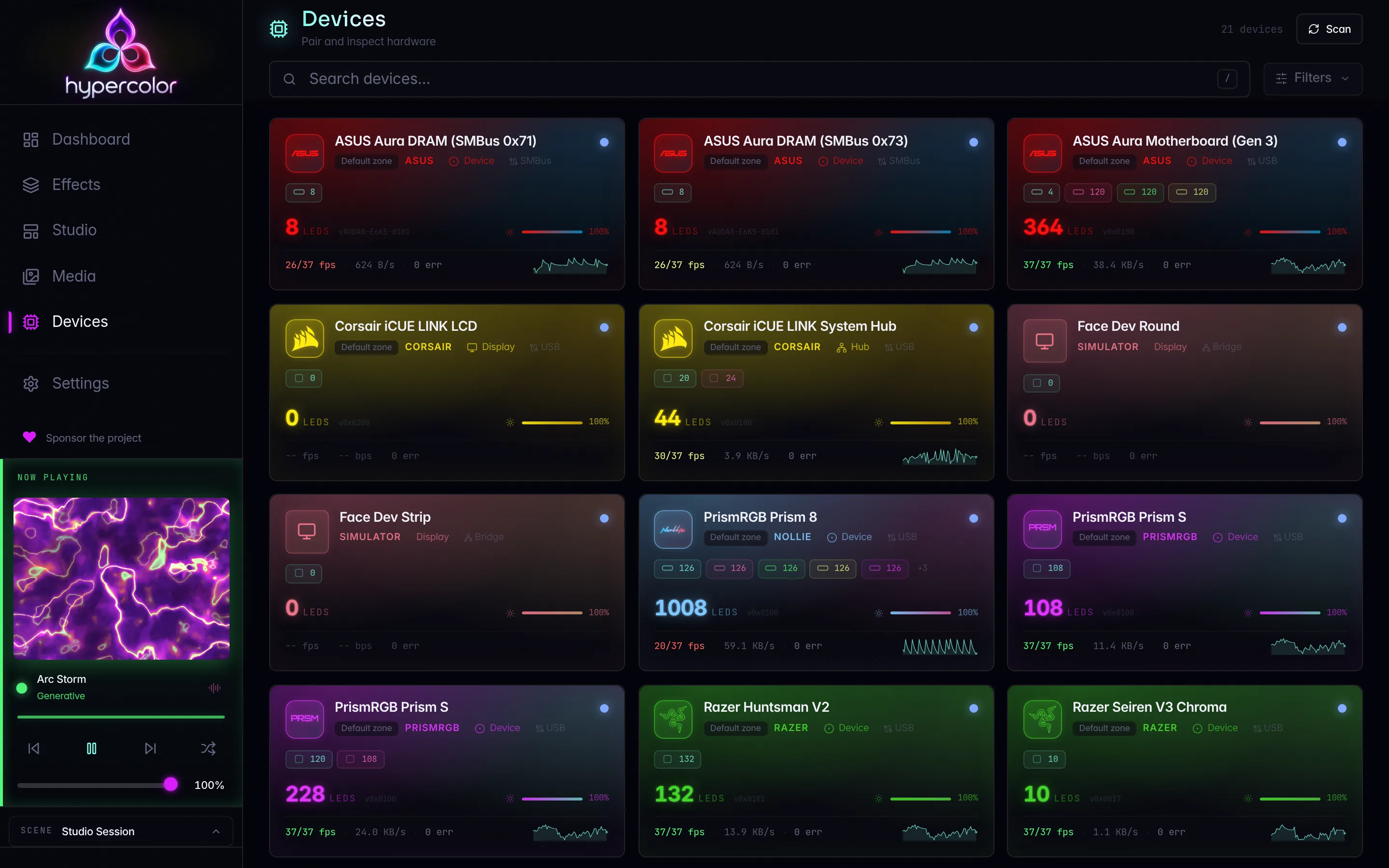
Drive hardware Hypercolor has no native driver for through a Hypercolor-managed OpenRGB server: coverage check, per-platform install, detector partition, zone sizes, and the conflict guard.
Hypercolor drives every device it supports natively. For hardware no native driver covers, it ships a bridge that talks to an OpenRGB server over the OpenRGB SDK protocol on TCP port 6742, and it can install-guide, configure, and run that server for you. By the end of this page your rig has every natively supported device on its native driver, every remaining OpenRGB-supported device on the bridge, and nothing driven by both.
OpenRGB is a fallback, not a prerequisite. Run hypercolor devices coverage first: if every device you own reads native, you never need to install OpenRGB. The bridge driver ships compiled in and disabled; Hypercolor never bundles OpenRGB binaries.
#Native first
Ownership is decided per physical device, not per driver:
| Device state | Native driver | Bridge | Result |
|---|---|---|---|
| Native protocol exists, driver enabled, device enabled | drives | does not see it | native |
| Native protocol exists, device disabled by you | released | may drive | bridge, your choice |
| Native protocol exists, driver disabled | not registered | may drive | bridge, your choice |
| No native protocol | none | drives | bridge |
| Both stacks active on the same silicon | drives | output-disabled | conflict guard, native wins |
Two mechanisms enforce this. On the OpenRGB side, Hypercolor writes a detector partition into a managed OpenRGB config directory so OpenRGB never detects hardware an enabled native driver owns. On the Hypercolor side, a conflict guard runs after every discovery pass and every bridge connect: when a device has a working native driver and an output-enabled bridge route, the bridge route is output-disabled with disabled_reason = "native driver owns this device (<driver_id>)". Native never yields on its own; you hand a device to the bridge by disabling it natively (see Hand a device to the bridge).
Native drivers connect directly, carry lower latency, keep stable device identities, and do not depend on a second process. Prefer them whenever the compatibility matrix lists your hardware as Supported.
#Step 1: check coverage
Two views tell you whether the bridge has anything to do.
# Every physical device, who owns it, and what is active
hypercolor devices coverage

# USB hardware no driver matched at all
hypercolor devices unclaimed
devices coverage (GET /api/v1/devices/coverage) joins native devices, bridge controllers, and unclaimed hardware by serial, then SMBus bus and address, then USB path. Each row reports:
| Field | Meaning |
|---|---|
identity | The match key that joined the row (serial, SMBus address, or USB path) |
native | { device_id, driver_id, state } when a native driver knows the device |
bridge | { device_id, output_enabled, disabled_reason } when OpenRGB lists it |
unclaimed | true when the USB scanner saw it and no driver matched |
active | native, bridge, none, or conflict |
devices unclaimed (GET /api/v1/devices/unclaimed) lists USB devices the scanner enumerated but no protocol matched: vendor id, product id, manufacturer and product strings, serial, bus path, interface classes, and claimable_by. A claimable_by value means a native driver has a descriptor for the device but that driver is disabled; enable the driver instead of reaching for OpenRGB. The daemon publishes unclaimed_devices_changed whenever this list changes, and the Devices page shows the same rows under Unclaimed hardware.
If every row is native and the unclaimed list is empty, stop here. If a device is unclaimed or none, continue: OpenRGB may support it. If OpenRGB does not support it either, file a device-support request.
#Step 2: install OpenRGB
hypercolor openrgb hints prints the install command for your platform and package manager, plus the permission notes below. The matrix it draws from (OpenRGB 1.0rc3 hotfix 1):
| Platform | Method | Command or download |
|---|---|---|
| Arch Linux | pacman (extra) | sudo pacman -S openrgb |
| Debian, Ubuntu | .deb (Bookworm, Trixie) | download from openrgb.org/releases, then sudo apt install ./openrgb_*.deb |
| Fedora 43 | RPM | download from openrgb.org/releases, then sudo dnf install ./openrgb-*.rpm |
| Any Linux | Flatpak | flatpak install flathub org.openrgb.OpenRGB, run as flatpak run org.openrgb.OpenRGB |
| Any Linux | AppImage (x86_64, arm64, i386, armhf) | download from openrgb.org/releases, chmod +x, run |
| Windows | winget | winget install -e --id OpenRGB.OpenRGB |
| Windows | MSI installer | download from openrgb.org/releases |
| Windows | Portable zip | download from openrgb.org/releases, extract anywhere |
| macOS | Apple Silicon zip | download from openrgb.org/releases |
| macOS | Intel zip | download from openrgb.org/releases |
#Linux permissions
OpenRGB needs its own udev rules; they are separate from Hypercolor’s 99-hypercolor.rules. Distro packages ship them at /usr/lib/udev/rules.d/60-openrgb.rules. For the AppImage, Flatpak, or a self-built binary, generate them:
# AppImage or self-built binary
sudo ./OpenRGB.AppImage --generate-udev-rules /etc/udev/rules.d/60-openrgb.rules

# Flatpak
sudo sh -c 'flatpak run org.openrgb.OpenRGB --print-udev-rules > /etc/udev/rules.d/60-openrgb.rules'

# Either way, reload and retrigger
sudo udevadm control --reload-rules && sudo udevadm trigger
SMBus hardware (motherboard, DRAM, GPU lighting) additionally needs the I2C modules loaded. Hypercolor’s own SMBus drivers need the same modules, so this may already be done:
sudo modprobe i2c-dev
sudo modprobe i2c-i801      # Intel chipsets
sudo modprobe i2c-piix4     # AMD chipsets

# Persist across reboots
printf 'i2c-dev\ni2c-i801\n' | sudo tee /etc/modules-load.d/i2c.conf   # or i2c-piix4
Some Gigabyte boards hide the SMBus controller behind ACPI; add acpi_enforce_resources=lax to the kernel command line for those.
Before starting the managed server, Hypercolor checks that the rules file is present, i2c-dev is loaded, and /dev/i2c-* and /dev/hidraw* are writable by your user. A failing check holds the start and reports the remedy command for it.
#Windows
HID devices need no elevation. SMBus devices need Administrator, or the OpenRGB service. OpenRGB 1.0rc2 and later use PawnIO for SMBus access, the same kernel driver Hypercolor’s own Windows SMBus path uses, and no longer ship WinRing0 or InpOut32. Uninstall those older drivers if a previous OpenRGB left them behind. The desktop app’s conflict view names a standalone OpenRGB instance alongside iCUE and Armoury Crate when one is holding devices.
#macOS
HID devices only. macOS has no SMBus path, so motherboard, DRAM, and GPU lighting never appears through the bridge there. The third-party macUSPCIO driver is not recommended.
#Step 3: configure and start the server
Hypercolor starts OpenRGB with its own configuration directory under the Hypercolor data directory (~/.local/share/hypercolor/openrgb on Linux). Your personal ~/.config/OpenRGB is never read or written.
# Enable the bridge before requesting its managed server
hypercolor config set drivers.openrgb.enabled true
hypercolor config set drivers.openrgb.ownership.mode open_rgb_owned

# Write the detector partition from the current coverage view
hypercolor openrgb partition

# Start the managed server
hypercolor openrgb start

# Detected binary, server probe, bridge config, and coverage rows that involve the bridge
hypercolor openrgb status
The managed directory holds an OpenRGB.json whose Detectors.detectors map keeps OpenRGB away from hardware a native driver can drive. A native driver counts once it is enabled and owns at least one enabled device, and then it withholds per device:
- An OpenRGB detector that claims any USB device in that driver’s protocol catalog is disabled, connected or not and whatever its name, so a second supported device plugged in later never races OpenRGB for it.
- Other detectors from the same brand stay enabled. With a native Razer base station, the
Razer Kraken Ultimatedetector still reaches OpenRGB when Hypercolor has no protocol for that headset. - Detectors with no USB id to match stay disabled for the whole brand prefix (
Corsair,ENE SMBus DRAM,ASUS Aura, and so on): SMBus RAM and motherboard controllers, and detector names from a different OpenRGB release than the one Hypercolor’s detector map was built from.
The server is launched as:
openrgb --server --server-host 127.0.0.1 --server-port 6742 --noautoconnect \
        --config ~/.local/share/hypercolor/openrgb --loglevel 4
Loopback is deliberate: OpenRGB’s default bind is 0.0.0.0 and the SDK protocol has no authentication. --noautoconnect stops OpenRGB from trying to reach another SDK server on startup.
The desktop app retains the server process and stops it on normal exit. Without the app, the CLI starts a background owner that retains the child after the foreground command exits. Run hypercolor openrgb stop to stop a server that Hypercolor started. An externally started server is adopted and remains under its original owner’s control. Nothing restarts an exited server until you ask.
#Running OpenRGB yourself
You can run your own server instead. Point it at the managed config so the partition still applies:
openrgb --server --server-host 127.0.0.1 --noautoconnect \
        --config ~/.local/share/hypercolor/openrgb
Confirm it is listening with ss -tlnp | grep 6742.
An OpenRGB instance started without the managed config detects every device it supports, including hardware your native drivers own. Whichever process opens a device first wins, and on SMBus both writing at once corrupts device state. The GUI you launch from a desktop menu is one of these instances.
openrgb --list-devices prints “connection attempt failed” when no server is running, then detects locally anyway. The message is benign. Do not run local detection while the Hypercolor daemon has native SMBus drivers enabled: the daemon serializes its own probes against the bridge, but a manual openrgb run can still collide with them and return garbage DRAM LED counts.
#Step 4: discover bridge devices
hypercolor devices discover --target openrgbThe driver configuration created in the previous step is equivalent to:
[drivers.openrgb]
enabled = true
endpoints = ["127.0.0.1:6742"]

[drivers.openrgb.ownership]
mode = "open_rgb_owned"
The daemon registers the bridge’s output backend the moment enabled flips, so no restart is needed. open_rgb_owned is the right mode when the managed partition is in place: the partition already keeps natively owned hardware out of OpenRGB, and the conflict guard catches anything the name-based partition misses. The other modes are described under Ownership modes.
Check the result:
hypercolor devices coverage
hypercolor diagnose --check openrgb
The openrgb diagnose check reports whether each endpoint is reachable, the negotiated protocol version, the controller count, and every output-disabled route with its reason.
#Hand a device to the bridge
Native drivers never yield automatically. If you want OpenRGB to drive a device that Hypercolor also supports natively (a controller whose native driver is missing a feature you need, for example), disable it natively first:
- Devices page: toggle the device off.
- REST:
PUT /api/v1/devices/{id}with{"enabled": false}. - Whole driver:
hypercolor config set drivers.<driver_id>.enabled false.
Disabling releases the HID or SMBus handle. The partition withholds every device a driver supports for as long as that driver owns any enabled device, so disabling one device frees its OpenRGB detector only when it was the driver’s last enabled device; otherwise disable the whole driver. Restart the managed server with the new detector partition, then discover its controllers:
hypercolor openrgb stop
hypercolor openrgb partition
hypercolor openrgb start
hypercolor devices discover --target openrgb
If you started OpenRGB yourself, stop and restart that process with the managed configuration instead. Hypercolor will not stop an adopted server.
Re-enabling the native device flips the conflict guard back: the bridge route is output-disabled again with “native driver owns this device”.
#Zone sizes
OpenRGB reports ARGB hub channels (Nollie, Lian Li Uni Hub, and similar) as resizable zones with zero LEDs until someone sizes them, and it does not persist resizes made over the SDK. Hypercolor stores the sizes you approve and re-applies them every time the bridge connects:
hypercolor openrgb resize <device> <zone> <size>The command writes drivers.openrgb.zone_sizes through the config API and reconnects the device. The config is keyed by controller fingerprint, then zone name:
[drivers.openrgb.zone_sizes."bridge:openrgb:127.0.0.1:6742:serial:NOLLIE32-0001"]
"Channel 1" = 30
"Channel 2" = 30
"Channel 3" = 12
The fingerprint appears in hypercolor devices info <id> under device metadata. Sizes are clamped to the range OpenRGB reports for the zone, and single-LED zones cannot be resized. A zone whose reported size still differs after the resize surfaces as disabled_reason = "zone shape changed (was N, now M); rescan".
OpenRGB exposes strimer cables as separate 20-LED and 27-LED zones, so the strimer attachment templates cannot bind through the bridge. Lay them out as raw rows in the layout editor instead.
#What a bridged device looks like
Bridged devices carry presentation.icon = "bridge" and a bridge block in their device summary:
| Field | Meaning |
|---|---|
endpoint | The OpenRGB server address the controller came from |
controller_index | OpenRGB’s index for the controller on that endpoint |
identity_confidence | high, medium, or low (see Identity and fingerprinting) |
detector_class | smbus, hid, virtual, or unknown |
output_enabled | Whether the bridge writes frames to it |
disabled_reason | Why not, when output_enabled is false |
protocol_version | The negotiated SDK protocol version |
The connection label names the endpoint, and the web UI shows a bridge badge on the device card and the detail drawer, with disabled_reason when output is off.
A bridged device sits in the known state until a layout targets it. That is by design: the bridge adopts and connects a controller when output is needed, so an idle controller costs nothing. hypercolor devices identify <id> works on a known bridge device: it connects, flashes, and restores the previous mode.
#Ownership modes
The ownership mode decides which OpenRGB controllers are eligible for output. The default is disabled, so no devices surface until you set one.
#disabled
Discovery short-circuits: the bridge does not contact OpenRGB and surfaces no devices.
#open_rgb_owned
Every controller OpenRGB reports is eligible, subject to confidence filtering and the conflict guard. Use this with the managed partition.
[drivers.openrgb.ownership]
mode = "open_rgb_owned"#detector_partitioned
Only controllers whose detector class appears in allowed_detector_classes are eligible. Use this when you run OpenRGB yourself without the managed config and want a hard class-level boundary in addition to the conflict guard.
[drivers.openrgb]
enabled = true
detector_partition_confirmed = true

[drivers.openrgb.ownership]
mode = "detector_partitioned"
allowed_detector_classes = ["virtual"]
detector_partition_confirmed = true is a deliberate safety gate: set it only after confirming that the OpenRGB instance you run has its detectors disabled for the hardware Hypercolor’s native drivers own. The managed server does this for you; a hand-run one does not.
#Detector classes and cadence
OpenRGB classifies each controller by the subsystem that detected it. Hypercolor maps these to detector classes used in allowed_detector_classes, native_claimed_detector_classes, controller_fps, and the default cadence table:
| Detector class | OpenRGB device types | Default output rate |
|---|---|---|
smbus | Motherboard, DRAM, GPU | matches the native SMBus backend cadence |
hid | Keyboard, mouse, cooler, strip, and most USB peripherals | 30 FPS |
virtual | Virtual and light device types | 30 FPS |
unknown | Unknown or other device type | 30 FPS |
Each controller’s writer paces to its own rate with latest-value drop, so a slow SMBus controller never runs its bus faster than the class allows and never slows the render loop.
#Reserving classes for native drivers
native_claimed_detector_classes excludes whole classes from bridge output. Controllers in the claimed classes are discovered but disabled for output. With the managed partition in place this is rarely needed; it remains useful for a hand-run OpenRGB instance.
[drivers.openrgb]
enabled = true
detector_partition_confirmed = true

[drivers.openrgb.ownership]
mode = "open_rgb_owned"
native_claimed_detector_classes = ["smbus"]
Low-confidence hid and smbus controllers are always output-disabled, regardless of allow_low_confidence. Index-based identity is not stable enough for contention-prone devices. A controller falls to low confidence when OpenRGB reports it without a serial number and without a location string, or without a usable vendor and name.
#Per-LED mode requirement
Hypercolor streams per-LED colors every render frame. A controller is ineligible for output if none of its OpenRGB modes carry the per-LED color flag (MODE_FLAG_HAS_PER_LED_COLOR). The bridge checks this on connect and on every reconnect, selects the qualifying mode, and writes it with the mode’s maximum brightness when the mode advertises a brightness range.
Mode selection is tunable through two bitmasks matched against OpenRGB mode flags. A mode qualifies for realtime output when its flags intersect mode_per_led_mask (default 32, the per-LED color bit), its flags avoid every bit in mode_persistent_mask (default 0, which rejects nothing), and the mode reports per-LED color mode.
#Frame rate
Override the class defaults globally with default_target_fps, or per controller with controller_fps, a map from fingerprint string or detector class name to FPS:
[drivers.openrgb]
enabled = true
default_target_fps = 30

[drivers.openrgb.controller_fps]
"hid" = 60
"bridge:openrgb:127.0.0.1:6742:serial:KB001" = 45#Teardown policy
When Hypercolor disconnects from a controller, the teardown policy controls what the device does next:
| Value | Behavior |
|---|---|
restore_previous_or_leave | Restore the pre-connect mode if known; otherwise leave the last frame. This is the default. |
restore_previous_or_blackout | Restore the pre-connect mode if known; otherwise write black. |
blackout | Always write black before disconnecting. |
leave_last_frame | Leave whatever frame was last sent. |
The bridge never sends OpenRGB’s SAVEMODE: that writes device NVRAM and stays off the table.
#Identity and fingerprinting
Each OpenRGB controller gets a stable fingerprint so Hypercolor can re-identify it across OpenRGB restarts and controller reorders. The strategy depends on what OpenRGB reports, in priority order:
- Serial number: confidence high
- Location string (for example
hidraw0): confidence high - Vendor, name, zone count, and LED count shape: confidence medium
- Controller index only: confidence low (output disabled for
hidandsmbus)
Discovery metadata carries the verbatim OpenRGB location and serial so you can see which rule applied. When two controllers produce the same fingerprint, for example identical devices with no serial, both are discovered but disabled and annotated with “collides with another controller.” Resolve this by assigning unique serial numbers or ensuring OpenRGB enumerates only one.
#Multiple endpoints
You can bridge multiple OpenRGB instances. Fingerprints include the endpoint address, so the same physical controller on two endpoints gets two distinct device IDs:
[drivers.openrgb]
enabled = true
endpoints = ["127.0.0.1:6742", "192.168.1.20:6742"]
allow_insecure_remote = true

[drivers.openrgb.ownership]
mode = "open_rgb_owned"
The bridge holds one SDK connection per endpoint, shared by every controller on it, and reconnects with bounded backoff (1 s doubling to a 60 s cap with jitter) if the server goes away. When OpenRGB announces a device-list change, the endpoint re-enumerates once and updates every route.
The OpenRGB SDK protocol carries no authentication or encryption. Never expose port 6742 to untrusted networks without a firewall rule or VPN tunnel. Setting allow_insecure_remote = true is required for any non-loopback endpoint and is an explicit opt-in to the associated risk.
#Protocol version
Hypercolor negotiates the OpenRGB SDK protocol version on connect, supporting versions 1 through 5 (OpenRGB 1.0). Protocol version 5 is required for the startup_rescan option, which asks OpenRGB to re-probe hardware on connection. The negotiated version for each controller is shown in the device summary as bridge.protocol_version.
#Full configuration reference
[drivers.openrgb]
enabled = false                          # disabled by default
endpoints = ["127.0.0.1:6742"]          # OpenRGB SDK server addresses
allow_insecure_remote = false            # must be true for non-loopback endpoints
connect_timeout_ms = 750
read_timeout_ms = 750
write_timeout_ms = 750
startup_rescan = false                   # send rescan request on connect (protocol v5+)
auto_connect = true                      # auto-connect output-enabled controllers on discovery
detector_partition_confirmed = false     # required for partitioned or native-claimed ownership
default_target_fps = 30                  # overrides the detector-class cadence table
mode_per_led_mask = 32                   # mode-flag bits that qualify a mode as per-LED writable
mode_persistent_mask = 0                 # mode-flag bits that disqualify a mode (default: none)
teardown_policy = "restore_previous_or_leave"

[drivers.openrgb.controller_fps]
# "hid" = 60
# "bridge:openrgb:127.0.0.1:6742:serial:SER123" = 45

[drivers.openrgb.zone_sizes]
# Fingerprint, then zone name, then LED count; restored on every connect
# "bridge:openrgb:127.0.0.1:6742:serial:NOLLIE32-0001" = { "Channel 1" = 30 }

[drivers.openrgb.ownership]
mode = "disabled"                        # disabled | detector_partitioned | open_rgb_owned
allowed_detector_classes = []            # used with detector_partitioned
native_claimed_detector_classes = []     # classes reserved for native Hypercolor drivers
allow_low_confidence = false # allow output for low-confidence non-HID/non-SMBus devices#Automation and agents
The hypercolor openrgb status payload is also available as the MCP tool openrgb_status, and the MCP prompt openrgb_setup walks an agent through the same flow as this page: coverage, install hints, partition, enable, discover, zone sizes, then layout. The shipped rig-setup skill runs that coverage phase between its inventory and interview steps.
For a guided setup of the whole PC, follow agent rig setup. The agent checks coverage before asking about wiring, saves bridged hub zone sizes in your rig spec, and places native and bridged devices in the same spatial layout.
#Troubleshooting
OpenRGB is installed but Hypercolor cannot reach it. Run hypercolor diagnose --check openrgb. If the endpoint is unreachable, no server is running: hypercolor openrgb start, or check ss -tlnp | grep 6742 for a hand-run one. If you started OpenRGB yourself without --server, the GUI alone does not listen. If the port differs, match endpoints in config. Driver-level detail comes from RUST_LOG=hypercolor_driver_openrgb=debug.
No devices appear after enabling the driver. The ownership mode defaults to disabled. Set mode = "open_rgb_owned" and run hypercolor devices discover --target openrgb.
Controller discovered but output-disabled. Read bridge.disabled_reason in hypercolor devices info <id>:
| Reason | Fix |
|---|---|
native driver owns this device (<driver_id>) | Working as intended. Disable the device natively if you want the bridge to drive it. |
zone shape changed (was N, now M); rescan | Rescan; if the controller is a hub channel, set its zone size. |
| collides with another controller | Two controllers share a fingerprint; give them unique serials. |
| low identity confidence | OpenRGB reports no serial or location for a hid or smbus controller; index identity is refused for those classes. |
| no per-LED mode | The controller has no mode with per-LED color. Check its modes in the OpenRGB UI. |
| ownership mode excludes the detector class | Adjust allowed_detector_classes or native_claimed_detector_classes. |
DRAM or motherboard LED counts are wrong or the sticks flicker. OpenRGB detection ran while another process was on the same SMBus bus. Stop the hand-run openrgb, rewrite the partition (hypercolor openrgb partition), restart the managed server, and rescan. See conflicting software.
A hub channel shows zero LEDs. OpenRGB reports unsized resizable zones as empty. Set the size with hypercolor openrgb resize.
Strimer templates will not bind. The bridge sees strimers as separate 20-LED and 27-LED zones. Use raw rows in the layout.
A GPU is missing from OpenRGB. OpenRGB matches GPUs by PCI subsystem id. A card whose subsystem id OpenRGB does not list (an ASUS 1043:8970 RTX 4070 SUPER, for instance) is a request for the OpenRGB project, not for Hypercolor.
Controllers disappear after OpenRGB restarts. The bridge reconnects with backoff and remaps controllers by fingerprint when OpenRGB announces its device list. After a full server restart run hypercolor devices discover --target openrgb to pick up anything that enumerated differently. Zone sizes are restored automatically.
“detector_partition_confirmed must be true.” You configured detector_partitioned or native_claimed_detector_classes without the confirmation flag. Set it only after verifying that the OpenRGB instance you run has matching detectors disabled.
#See also
- @/hardware/unsupported-devices.md: the full ladder from native support to a device-support request
- @/hardware/compatibility.md: check whether a native driver already covers your hardware before using the bridge
- @/hardware/conflicting-software.md: running Hypercolor alongside a hand-run OpenRGB and avoiding simultaneous writes
- @/hardware/usb-devices.md: native USB/HID driver setup
- @/hardware/smbus-i2c.md: native ASUS Aura motherboard and DRAM access over SMBus
- @/troubleshooting/devices-not-found.md: general device discovery troubleshooting