Govee
LAN UDP discovery and control for Govee LED strips, panels, and bulbs. Enable LAN control per-device in the Govee Home app; cloud API key is optional.
Govee devices connect over your local network using Govee’s LAN UDP protocol. Discovery is automatic once you enable LAN control in the Govee Home app. A cloud API key is optional and only needed for inventory enrichment when LAN is unavailable for a device.
LAN control must be enabled per device in the Govee Home app before Hypercolor can discover it. Every device you want Hypercolor to control needs its own activation; it is not a global setting. This is the most common reason Govee devices do not appear in hypercolor devices list.
#Prerequisites
- Govee devices firmware-updated and connected to the same network as the machine running Hypercolor.
- The Govee Home mobile app (Android or iOS) installed and the target devices already configured in it.
- Hypercolor daemon running: see first launch if you have not started it yet.
#Step 1: Enable LAN control in the Govee Home app
Open the Govee Home app on your phone and follow these steps for each device you want Hypercolor to control:
- Tap the device to open its detail screen.
- Tap the settings icon (gear or three-dot menu, depending on app version).
- Scroll to find LAN Control and toggle it on.
- The device should confirm the change. Repeat for every Govee device.
Not every Govee SKU supports LAN control. The absence of the LAN Control toggle is itself the answer: that model is cloud-only, and it can still be used if you configure a cloud API key. The compatibility matrix lists Govee at the product-category level rather than per SKU, so it will not confirm an individual model number. The driver’s own SKU tables in crates/hypercolor-driver-govee/src/capabilities.rs carry the per-model detail.
#Step 2: Discover Govee devices
With LAN control enabled, run a discovery scan. Hypercolor sends a UDP scan packet to the multicast address 239.255.255.250 on port 4001 and listens for replies on port 4002 (falling back to an ephemeral port if 4002 is already bound). Devices respond from port 4003.
Each response includes the device’s IP address, MAC address, SKU model number, and firmware version. Hypercolor fingerprints devices on their MAC address, so a DHCP IP change will not break the association.
Via CLI:
hypercolor devices discover --target goveeVia the REST API:
curl -X POST http://localhost:9420/api/v1/devices/discover \
  -H 'Content-Type: application/json' \
  -d '{"targets": ["govee"]}'
Via the web UI:
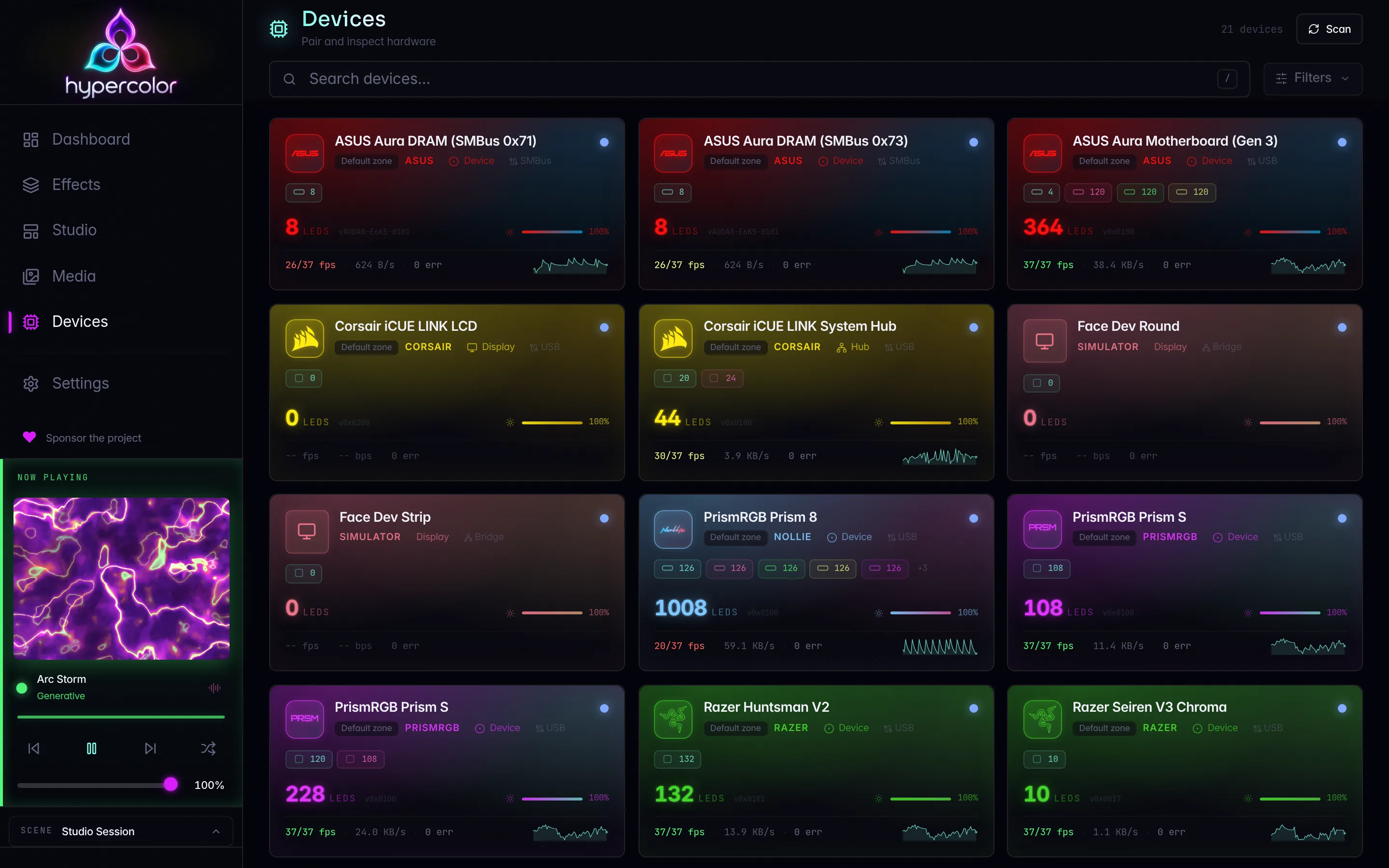
Open http://localhost:9420, navigate to Devices, and click Discover.
#Network requirements
Govee LAN discovery uses UDP multicast. For it to reach your devices:
- Hypercolor and your Govee devices must be on the same Layer 2 segment (same VLAN/subnet). Multicast does not cross VLANs.
- Your router or access point must not have AP isolation or multicast filtering enabled. These are the most common reasons Govee devices do not appear.
- Firewall rules must allow UDP on ports 4001, 4002, and 4003 between Hypercolor and the devices.
If your devices are on a separate subnet or behind a managed switch that drops multicast, use the known-IP fallback below.
#Known-IP fallback
When multicast cannot reach your devices, add their static IP addresses directly:
- Open the web UI, go to Drivers, and select the Govee driver settings.
- Add each device’s IP to the Known IPs list.
Hypercolor sends the scan command directly to each known IP in addition to the multicast address. Devices behind multicast-blocking infrastructure will still respond.
You can also set this in hypercolor.toml:
[drivers.govee]
known_ips = ["192.168.1.42", "192.168.1.43"]#Razer-streaming SKUs
A small number of Govee models support Razer’s LED streaming protocol in addition to the standard LAN protocol. Hypercolor detects this automatically from the device’s SKU at discovery time and selects the higher-performance path.
| Protocol | Max FPS | Max LEDs per frame |
|---|---|---|
| LAN UDP (standard) | 10 fps | Per-device segment count |
| Razer streaming | 25 fps | 255 LEDs |
When a device supports Razer streaming, Hypercolor enables it automatically. Razer streaming frames are binary packets, base64-encoded and sent over the standard Govee LAN command channel. No separate socket or configuration is required.
You can verify the detected capability in the device’s Diagnostics panel in the web UI: look for the Razer Streaming field.
Currently confirmed Razer-streaming SKUs in the capability database: H619A (RGBIC Pro Strip, 20 LEDs) and H70B1 (20 LEDs). Other models may be added as the SKU database grows.
#Optional: cloud API key
The Govee Developer API key is optional. When configured, Hypercolor queries the Govee Developer API v1 during discovery to enrich device inventory, adding cloud device IDs, supported command lists, and model metadata. This is useful for devices that appear via cloud only (no LAN control) or to supplement capability data for unlisted SKUs.
LAN control works without a cloud key. If all your Govee devices have LAN control enabled and are on the same network, you do not need this.
#Getting a cloud API key
- Open the Govee Home app.
- Go to Profile → Settings → Apply for API Key.
- Submit the request. Govee typically emails the key within minutes. The key format is a UUID:
xxxxxxxx-xxxx-xxxx-xxxx-xxxxxxxxxxxx.
#Configuring the key in Hypercolor
In the web UI, open the Govee driver’s pairing wizard (Pair Govee Account). Paste your key into the Govee API Key field and click Validate API Key. Hypercolor validates the key immediately against the Govee Developer API before storing it in the credential vault.
Via CLI:
hypercolor devices pair <device-id>#Cloud rate limits
Govee’s Developer API v1 enforces:
- 10 requests per endpoint per device per minute
- 10,000 requests per account per day
Hypercolor tracks both budgets internally and will not exceed them. Under normal use you should not encounter rate limit errors.
#Driver settings
Available in Drivers → Govee in the web UI or via driver controls in the CLI.
| Setting | Description | Applies via |
|---|---|---|
| Known IPs | Static IP addresses to probe in addition to multicast scan | Discovery rescan |
| Power Off On Disconnect | Send power-off command when Hypercolor disconnects | Backend rebind |
| LAN State FPS | Polling rate for standard LAN devices (1-60 fps) | Backend rebind |
| Razer FPS | Frame rate target for Razer-streaming devices (1-60 fps) | Backend rebind |
Changing Known IPs triggers a discovery rescan automatically. The FPS and power settings take effect on the next backend rebind (discovery or restart).
#Device diagnostics
Select a Govee device in the web UI and open its details panel to see:
- IP Address: current LAN address.
- SKU: model number used for capability lookups.
- MAC: stable hardware identifier used for fingerprinting.
- Firmware: version string from the scan response.
- LED Count: derived from the SKU profile.
- Max FPS: 10 for standard LAN devices, 25 for Razer-streaming devices.
- Razer Streaming: whether the SKU supports the higher-bandwidth protocol.
- Cloud Device ID / Cloud Controllable / Cloud Retrievable: populated only if a cloud API key is configured.
#Verifying the connection
After discovery, check the device list:
hypercolor devices listGovee devices show Network as the connection type. Use info for detail:
hypercolor devices info <device-id>To test that color output is reaching the device:
hypercolor effects activate breathingIf the LEDs do not respond, see Network device troubleshooting.
#Removing the cloud key
Open Drivers → Govee in the web UI and use the clear-credentials control. The key is removed from the credential vault and any cloud-only devices disconnect. LAN control continues to work normally.
#LAN versus cloud
Hypercolor uses the local LAN UDP protocol for high-rate frame output whenever a device has a LAN address. The cloud API key enriches discovery and also enables a coarse fallback for cloud-only SKUs: on/off, brightness, and solid color commands go through Govee’s Developer API v1 when LAN control is unavailable. If your internet connection is unavailable, devices with LAN control enabled continue to work.
For broader network device context (how mDNS and multicast work across drivers, VLAN configurations, and multi-vendor coordination), see Network devices.