Publishing effects
Ship a finished effect: what makes an artifact installable, where it lands, the effect-ID rule, and how the daemon picks it up.
You have a finished effect. Publishing means turning that source into a self-contained HTML artifact, clearing validation, and getting it into the running engine so it shows up in the catalog next to the built-ins. This page covers the contract an artifact has to satisfy, the two install destinations, the effect-ID rule, and how to confirm the daemon sees your work.
If you have not built or installed an effect yet, start with the dev workflow for the edit-build-ship loop, then come back here for the publishing details.
Every command below runs through bunx hypercolor inside your workspace, resolving the hypercolor dependency from npm (or your local file: override).
#What ships: the artifact contract
bunx hypercolor build compiles each effect into one self-contained HTML file. The JavaScript bundle, any inlined GLSL, palette tables, and every <meta> tag the daemon reads are all written into that single file. Display-face font controls can load selected Google Fonts at runtime unless capture mode disables remote fonts.
The build always stamps these tags from your effect definition:
<meta name="hypercolor-version" content="1">: the artifact format version.<title>: the effect display name.<meta description="...">and<meta publisher="...">: your description and author. When you omit an author, the publisher defaults toHypercolor, not your username, so setauthorin the effect options if you want attribution.<meta audio-reactive="...">and<meta screen-reactive="...">: the reactivity flags.- One
<meta property=...>per control, plus one<meta preset=... preset-controls='{json}'>per preset.
You do not hand-write any of this. Authoring the effect through canvas(), effect(), or face() and declaring controls is what produces the tags.
#Validation is the publish gate
Both install paths validate the artifact first and refuse to install anything that fails. Run the validator yourself before shipping:
bunx hypercolor validate dist/*.htmlA passing artifact prints PASS for each file. The validator separates hard errors (these block install) from warnings (these do not, unless you pass --strict).
These are errors that fail the build or the install:
- Missing render surface, missing
<title>, or no<script>tag. - An unknown control type, a duplicate control property, or a numeric control with
min >= max. - A combobox control declared with no values.
- An
assetcontrol with an unrecognized media kind (valid kinds areany,image,video,lottie). - A preset whose
preset-controlsJSON does not parse, or two presets that normalize to the same preset id. - A declared canvas width or height that is not a positive 32-bit integer.
These are warnings: the effect still installs, but clean them up before sharing:
- Missing
hypercolor-version,description, orpublishermetadata. - A control default that falls outside its declared range.
- An
audio-reactivemeta tag holding something other thantrueorfalse. - A preset referencing a control that does not exist, or a combobox preset value not in the control’s options.
- External
<script>or<link>references, which mean the artifact may not be self-contained, a hard rule for a publishable effect.
Treat --strict as your publish bar. bunx hypercolor validate dist/*.html --strict exits non-zero on any warning, so a clean strict pass means the artifact has full metadata, no external references, and consistent presets. That is the standard for an effect you intend to share.
Three more checks run at build time, before validation even sees the file, and all three fail the build hard. If your source reads audio (audio(), ctx.audio, getAudioData(), or engine.audio) but the effect options omit audio: true, the build throws. The same goes for input: reading getInputData(), engine.keyboard, engine.mouse, engine.touch, or engine.deviceButtons without input: true fails with “effect uses input helpers but is missing input: true”. And in a GLSL effect, every control must have a matching i<Key> uniform in the shader, or the build reports the missing uniforms. See effect troubleshooting for the full error catalog.
#The effect-ID rule
An effect’s ID is the name of the directory that contains its entry file, not the filename and not the <title>. The build derives it from the parent folder of main.ts:
src/effects/aurora-drift/main.ts → effect ID "aurora-drift" → dist/aurora-drift.htmlSo src/effects/aurora-drift/main.ts and src/effects/aurora-drift/main.glsl both belong to the effect aurora-drift. Pick the folder name deliberately: lowercase, hyphen-separated, stable. Renaming the folder later changes the ID and the output filename, which means the daemon treats it as a different effect.
#Install path one: local filesystem
The local install copies the validated HTML into your user effects directory:
bunx hypercolor install dist/*.html
# or the workspace alias:
bun run ship
Artifacts land in $XDG_DATA_HOME/hypercolor/effects/user/, falling back to ~/.local/share/hypercolor/effects/user/ when XDG_DATA_HOME is unset. If a file with the same name already exists, the installer does not overwrite it; it dedupes by appending a counter, so aurora-drift.html becomes aurora-drift-2.html, then aurora-drift-3.html, and so on.
The daemon scans the user effects directory on startup. To pick up a freshly installed effect without restarting, ask the running daemon to rescan with the system CLI:
hypercolor effects rescan#Install path two: through the running daemon
The daemon install uploads the artifact directly to a live daemon over HTTP, no restart and no rescan needed:
bunx hypercolor install dist/*.html --daemon
# or the workspace alias:
bun run ship:daemon
This POSTs each validated file as a multipart form (field name file) to the daemon’s install endpoint. By default it targets http://127.0.0.1:9420; override the target with --daemon-url or the HYPERCOLOR_DAEMON_URL environment variable.
/api/v1/effects/installMultipart upload of a single self-contained effect HTML file (form field file). The daemon validates, stores, and registers the effect, then returns the installed effect id, its name, the stored path, and how many controls and presets it parsed.
A successful daemon install returns an envelope whose data carries the registered id and name, the stored path, and the control and preset counts:
{
  "data": {
    "id": "aurora-drift",
    "name": "Aurora Drift",
    "path": "/home/you/.local/share/hypercolor/effects/user/aurora-drift.html",
    "controls": 4,
    "presets": 2
  }
}
The CLI surfaces this inline, for example ✓ dist/aurora-drift.html → …/aurora-drift.html (Aurora Drift, 4 controls). If the daemon rejects the artifact, the failure detail comes straight from the server response so you see exactly which check failed.
#Confirm the publish landed
Once installed, the effect is a first-class catalog entry. The catalog is the source of truth for how many effects exist and what they are, so verify against it rather than trusting the install log alone:
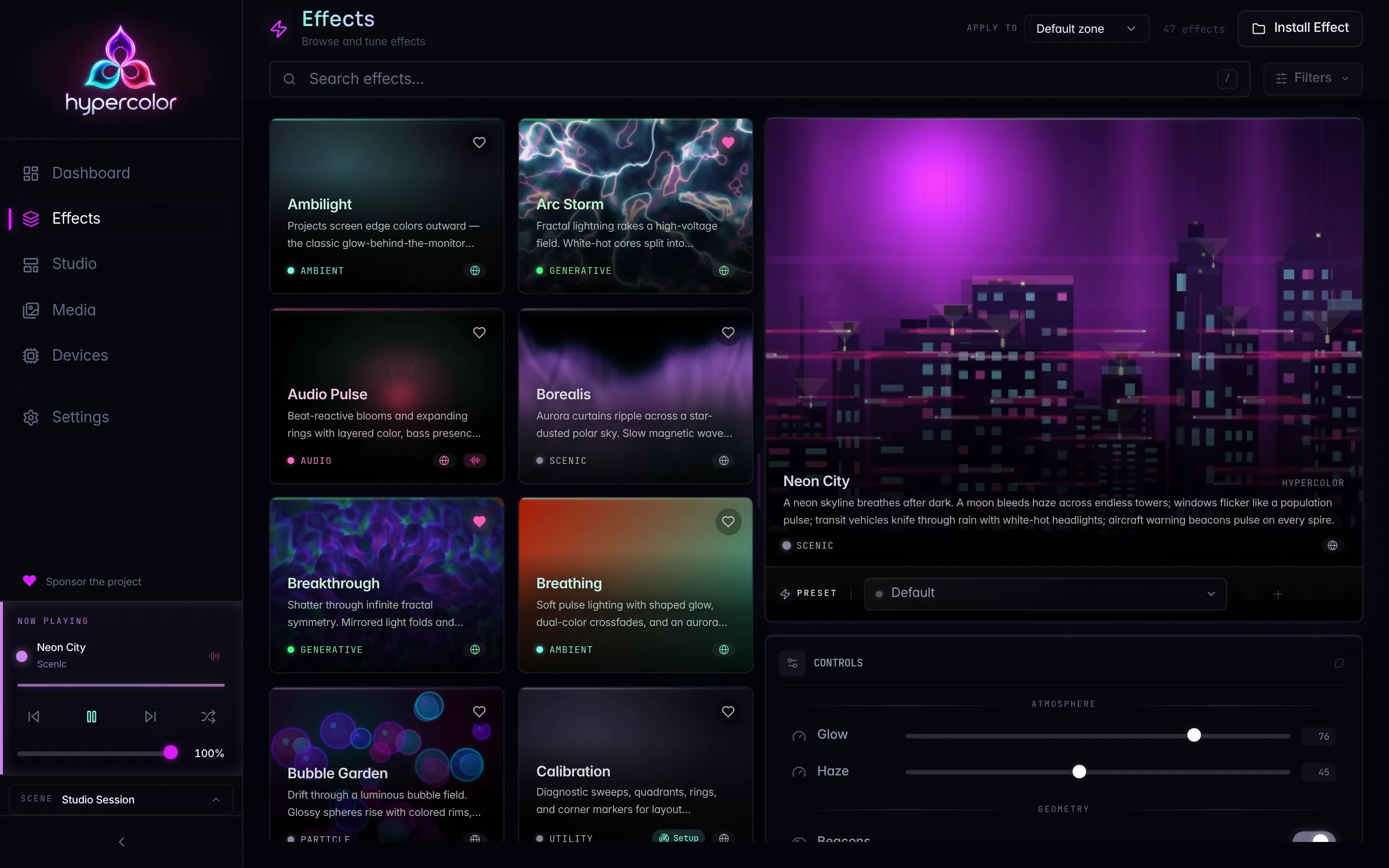
hypercolor effects listYour effect appears alongside the built-ins. The repository ships roughly 47 SDK-authored HTML effects plus the compiled-in native renderers, and that set grows, so browse the catalog instead of memorizing a count. You can also open the effects browser in the web UI to see your effect with its controls and presets wired up.
#The publish flow end to end
The whole sequence, from a clean workspace to a confirmed catalog entry:
graph TD
    A[Author effect in src/effects/<id>/main.ts] --> B[bunx hypercolor build]
    B --> C{bunx hypercolor validate --strict}
    C -->|warnings or errors| A
    C -->|PASS| D{install target}
    D -->|local| E[install → effects/user/]
    E --> F[hypercolor effects rescan]
    D -->|daemon| G[install --daemon → POST /api/v1/effects/install]
    F --> H[hypercolor effects list]
    G --> H
    H --> I[Effect live in the catalog]
#Where to go next
- Dev workflow: the full edit-build-ship loop and the authoring-vs-system CLI distinction.
- Effect troubleshooting: the build-time hard errors and how to clear them.
- SDK CLI reference: every
bunx hypercolorflag, exit code, and environment variable. - Display faces: the same publish path applies to full-screen faces for LCD devices.