GLSL shader effects
Fragment shaders via the SDK run as WebGL2 inside Servo. Full pixel control, audio uniforms, LED-safe patterns.
A GLSL effect runs a WebGL2 fragment shader for every canvas pixel on every frame. You write the pixel math; the SDK builds the full-screen quad, plumbs the uniforms, wires the audio pipeline, and bundles everything into a single HTML artifact. That artifact ships to the daemon as an HTML effect and renders through Servo’s WebGL2 context, exactly like a TypeScript canvas effect does.
That last point is the one thing to internalize before writing a line of GLSL: there is no native GPU shader lane. A .glsl effect is not compiled to SPIR-V, handed to wgpu, or run as a Rust renderer. It becomes a WebGL2 program inside a Servo session. The phrase “native shader” in older notes is wrong, and the runtime proves it.
GLSL effects render as WebGL2 in Servo, not on a native GPU pipeline. The daemon’s renderer factory has no runnable shader path: EffectSource::Shader returns shader effect '...' is not runnable yet, requesting gpu acceleration errors outright, and auto falls back to CPU with gpu effect renderer acceleration is not available yet. SDK GLSL effects sidestep all of that by shipping as EffectSource::Html. The wgpu lane is future work. See Renderer internals.
#The effect() signature
An effect is a TypeScript module that imports a GLSL string and hands it to effect():
import { effect, num } from "hypercolor";
import shader from "./fragment.glsl";

export default effect(
  "Borealis",
  shader,
  {
    intensity: num("Intensity", [0, 100], 82),
    palette: ["Aurora", "SilkCircuit", "Frost"],
    speed: num("Speed", [1, 10], 5),
  },
  { description: "Aurora curtains with layered shader motion" },
);
Everything else is GLSL.
effect(name, shader, controls, options?)| Parameter | Type | Purpose |
|---|---|---|
name | string | Display name |
shader | string | GLSL fragment shader source, usually imported from .glsl |
controls | ControlMap | Controls that become GLSL uniforms |
options | EffectFnOptions | Metadata + audio, preserveDrawingBuffer, setup, vertexShader |
Shader source is imported as a string. Scaffolded workspaces declare .glsl as a text import in bunfig.toml, so import shader from './fragment.glsl' works in bun run build with no extra wiring.
Scaffolded workspaces pull hypercolor from npm by default; engine-development workspaces pin it with a file: spec instead. The import line stays hypercolor either way. See Setup & workspace for how the spec resolves.
#Built-in uniforms
The SDK registers these uniforms automatically. You don’t declare them in controls, and you don’t register them in setup:
uniform float iTime;       // elapsed seconds
uniform vec2  iResolution; // canvas size in pixels
uniform vec2  iMouse;      // normalized pointer position, live when input: true
Declare input: true in the options and the SDK registers two more and drives all three from the host pointer every frame:
uniform float iMouseDown;  // 1 while any button is held, 0 otherwise
uniform float iWheel;      // accumulated line scroll
Always UV-normalize against iResolution so the shader is resolution-independent:
vec2 uv = (gl_FragCoord.xy - 0.5 * iResolution.xy) / iResolution.y;The daemon canvas defaults to 640×480 but is configurable, and it can resize mid-session at a frame boundary. Never assume a fixed aspect ratio or pixel size; derive everything from iResolution.
#Controls become uniforms
Every control you declare becomes a GLSL uniform. The name is derived by capitalizing the first letter of the control key and prefixing i (deriveUniformName in the SDK, key → iKey):
| Control key | Uniform |
|---|---|
speed | uniform float iSpeed; |
trailLength | uniform float iTrailLength; |
palette | uniform int iPalette; |
mirror | uniform int iMirror; (booleans become ints) |
tintColor | uniform vec3 iTintColor; (color picker) |
Write the uniform declaration at the top of your shader; the SDK pushes the value before every draw. Boolean and combobox controls upload through integer uniform calls (uniform1i), so declare them as int, not float.
uniform float iSpeed;
uniform float iIntensity;
uniform int   iPalette;

void main() {
    vec2 uv = (gl_FragCoord.xy - 0.5 * iResolution.xy) / iResolution.y;
    float t = iTime * (0.25 + iSpeed * 0.08);
    // ...
}
You can override the uniform name per control with the uniform option on any control factory:
speed: num("Speed", [1, 10], 5, { uniform: "uSpeed" });The build step validates this binding. bun run build parses your shader for uniform <type> i<Name>; declarations and cross-checks them against the controls you declared. A control with no matching uniform is a hard error; a uniform with no matching control is a warning. Keeping the default names is the path of least friction.
#Magic controls
Two control keys carry special behavior in shaders:
speed. A control namedspeedtriggers automatic normalization: the SDK maps the raw slider value out of its declared range into a usable scalar before writing the uniform. You still declareuniform float iSpeed;and multiply it into time.palette. Every combobox control uploads as an integer uniform carrying the selected index, so a control namedpalettearrives asuniform int iPalettewhichever way you declared it:combo(),paletteControl(),font(), or a bare string-array shorthand. Branch oniPaletteinside apalette()function to pick the color math.
What paletteControl() changes is not the uniform but the value your setup and frame hooks read from ctx.controls. If you want to sample the registry in TypeScript rather than branch on an index in GLSL, do it there. See Palettes for that pattern.
#Audio uniforms
Set audio: true in the options and the SDK registers a full set of audio uniforms, pushing fresh values every frame:
uniform float iAudioLevel;            // overall RMS (0-1)
uniform float iAudioBass;             // bass band (0-1)
uniform float iAudioMid;              // mid band (0-1)
uniform float iAudioTreble;           // treble band (0-1)
uniform float iAudioBeat;             // 1 on detected beat frame, 0 otherwise
uniform float iAudioBeatPulse;        // decaying pulse (1 -> 0)
uniform float iAudioBeatPhase;        // phase inside current beat (0-1)
uniform float iAudioBeatConfidence;   // confidence (0-1)
uniform float iAudioOnset;            // 1 on transient onset frame
uniform float iAudioOnsetPulse;       // decaying onset (1 -> 0)
uniform float iAudioSpectralFlux;     // overall spectrum change rate
uniform float iAudioHarmonicHue;      // Circle of Fifths hue (0-360)
uniform float iAudioChordMood;        // -1 minor ... +1 major
uniform float iAudioBrightness;       // spectral centroid (0-1)
uniform float iAudioMomentum;         // level derivative (-1..1)
uniform float iAudioSwell;            // positive momentum (0-1)
uniform float iAudioTempo;            // estimated BPM
uniform vec3  iAudioFluxBands;        // band-specific flux [bass, mid, treble]
Shaders get a deliberate subset of the audio surface. There are no chromagram, melBands, or dominantPitch uniforms; those exist in the canvas API only. If a shader genuinely needs pitch-class energy, drop to a TypeScript canvas effect instead. The full per-frame audio model and the Rust-vs-TypeScript field-name split live in Audio reactivity.
Typical shader uses:
// a subtle breathing that tightens on beats
float pulse = max(iAudioBeatPulse, iAudioBass * 0.8 + iAudioLevel * 0.4);

// harmonic tinting across the screen
vec3 hueCol = vec3(
    0.5 + 0.5 * cos(radians(iAudioHarmonicHue) + vec3(0.0, 2.094, 4.189))
);

// minor chords cool, major chords warm
float mood = iAudioChordMood;
vec3 warm = mix(vec3(0.2, 0.4, 0.8), vec3(1.0, 0.6, 0.2), clamp(mood * 0.5 + 0.5, 0.0, 1.0));
Drive beats through motion, not raw brightness. Mapping the binary iAudioBeat straight onto luminance strobes the LEDs. Reach for iAudioBeatPulse (a decaying envelope) and gate it by iAudioBeatConfidence so non-rhythmic music doesn’t twitch the whole rig.
#A minimal shader effect
#version 300 es
precision highp float;

out vec4 fragColor;

uniform float iTime;
uniform vec2  iResolution;
uniform float iSpeed;
uniform float iIntensity;
uniform int   iPalette;
uniform float iAudioBeatPulse;
uniform float iAudioBass;

vec3 paletteColor(float t, int mode) {
    if (mode == 1) return mix(vec3(0.95, 0.35, 0.18), vec3(1.00, 0.80, 0.25), t);
    if (mode == 2) return mix(vec3(0.05, 0.18, 0.42), vec3(0.25, 0.85, 0.95), t);
    return mix(vec3(0.12, 0.58, 0.95), vec3(0.68, 0.22, 1.00), t);
}

void main() {
    vec2 uv = (gl_FragCoord.xy - 0.5 * iResolution.xy) / iResolution.y;
    float t = iTime * (0.25 + iSpeed * 0.08);
    float pulse = max(iAudioBeatPulse, iAudioBass * 0.8);
    float swirl = sin(uv.x * (3.0 + pulse * 2.0) + t) + cos(uv.y * 4.5 - t * 1.4);
    float bloom = smoothstep(1.15, 0.12, length(uv) - swirl * (0.08 + pulse * 0.12));
    float intensity = clamp(iIntensity / 100.0, 0.0, 1.0);

    vec3 col = paletteColor(0.5 + 0.5 * sin(t + swirl + pulse * 3.0), iPalette);
    col *= mix(0.28, 1.2, bloom) * mix(0.35, 1.1, intensity + pulse * 0.2);

    fragColor = vec4(clamp(col, 0.0, 1.0), 1.0);
}
Paired with the TypeScript stub:
import { effect } from "hypercolor";
import shader from "./fragment.glsl";

export default effect(
  "Swirl",
  shader,
  {
    intensity: [0, 100, 70],
    palette: ["Aurora", "Fire", "Ocean"],
    speed: [1, 10, 5],
  },
  { audio: true, description: "A layered audio-reactive swirl" },
);
Two shader-shape rules the SDK assumes: target GLSL ES 3.00 (#version 300 es on the first line) and write to a single out vec4 fragColor. The default vertex shader the SDK supplies draws a full-screen quad from an aPosition attribute, so your fragment shader is the entire surface. If you need a custom vertex stage or a persisting drawing buffer, pass vertexShader or preserveDrawingBuffer: true in the options.
#GLSL patterns for LED work
Fragment shaders on LED hardware are not the same as fragment shaders on a monitor. The daemon samples your canvas at LED positions, so every “pixel you draw” is a color being emitted from a real diode. Rules that actually help:
Normalize UV once and reuse it.
vec2 uv = (gl_FragCoord.xy - 0.5 * iResolution.xy) / iResolution.y;This gives you [-aspect/2, aspect/2] horizontally and [-0.5, 0.5] vertically. Centered, aspect-corrected, resolution-independent.
Clamp final output. Let the shader blow out internally if it wants, but saturate before the fragment color. Otherwise the daemon samples out-of-range values and the LED output becomes unpredictable.
col = clamp(col, 0.0, 1.0);
fragColor = vec4(col, 1.0);
Suppress white blowout. When all three channels converge on 1.0, the LED looks flat white and loses all hue. A hue-preserving soft clamp keeps saturation:
float peak = max(col.r, max(col.g, col.b));
if (peak > 1.0) col /= peak;
For a stronger version, cap the floor-to-peak ratio so the darkest channel never climbs too close to the brightest:
float peak = max(col.r, max(col.g, col.b));
float floor = min(col.r, min(col.g, col.b));
if (peak > 1e-5 && floor / peak > 0.34) {
    float target = peak * 0.34;
    col = max((col - vec3(floor)) * (peak - target) / (peak - floor) + vec3(target), 0.0);
}
Prefer cosine palettes for generative gradients. They’re cheap, smooth, and don’t need a texture upload. Inigo Quilez’s four-vec3 form is the ergonomic classic:
vec3 cosPal(float t, vec3 a, vec3 b, vec3 c, vec3 d) {
    return a + b * cos(6.28318 * (c * t + d));
}
Gamma-adjust before returning. LEDs are close to linear PWM; eyes are logarithmic. A gentle mid-lift keeps colors readable at low brightness without blowing out highlights:
vec3 liftMids(vec3 color, float amount) {
    vec3 lifted = pow(max(color, vec3(0.0)), vec3(0.86));
    return mix(color, lifted, clamp(amount, 0.0, 1.0));
}
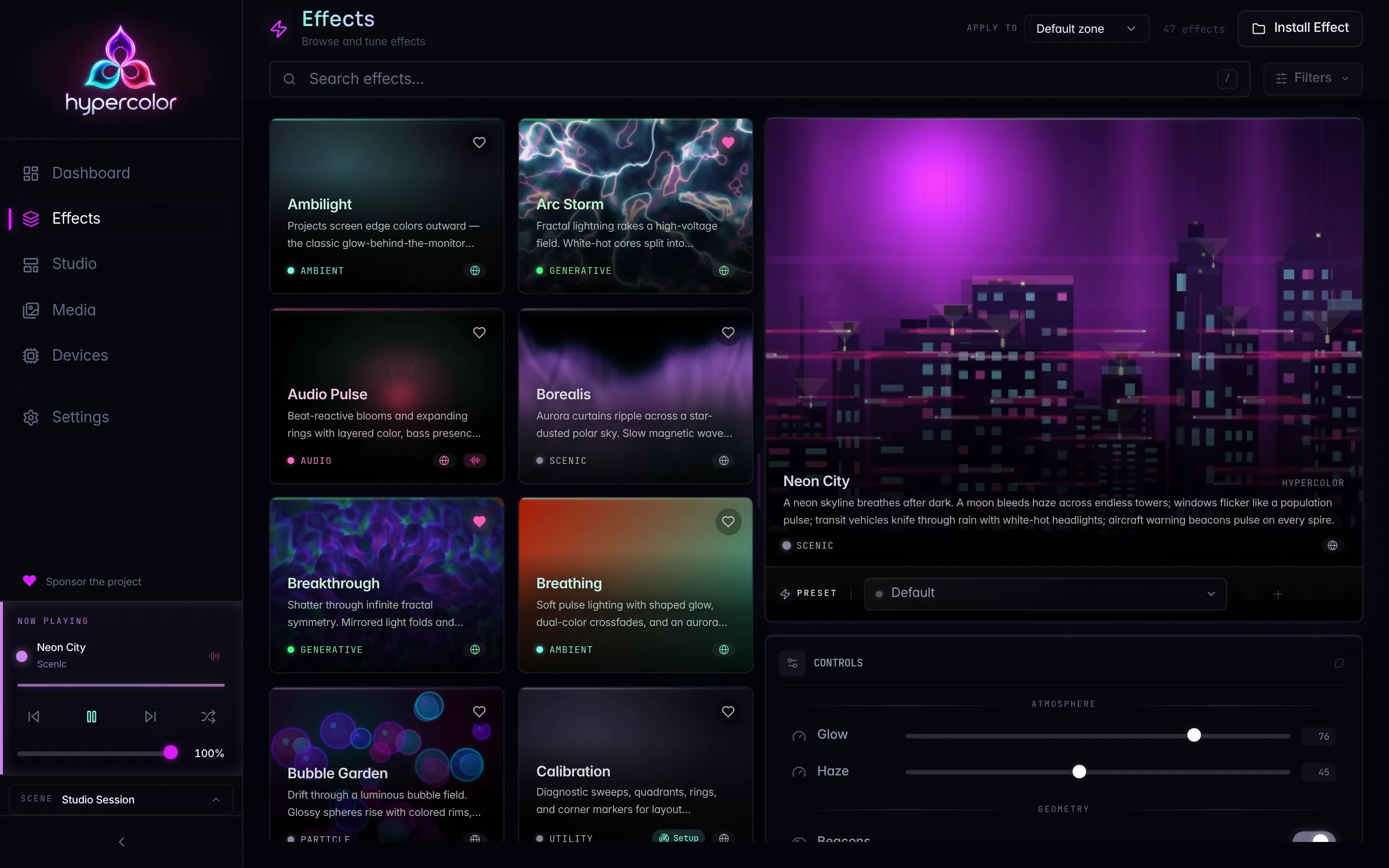
See Color science for LEDs for the theory behind every clamp above. The sdk/src/effects/breakthrough/fragment.glsl shader is a working reference that uses the full toolkit, and the breakthrough tile in the effect gallery is what it renders to.
#Servo WebGL2 compatibility
Because GLSL effects run through Servo’s WebGL2 context rather than a desktop GL driver, a few habits keep you on the supported path:
- GLSL ES 3.00 only. Start the fragment shader with
#version 300 esandprecision highp float;. Usein/outandtexture(), not the legacyvarying/gl_FragColor/texture2Dforms. - Single
out vec4. Multiple render targets and framebuffer ping-pong are not part of the SDK’s quad setup. One fragment output, one pass. - No frame-to-frame state by default. Each draw clears unless you opt into
preserveDrawingBuffer: true. Even then, prefer recomputing fromiTimeover relying on accumulated buffer state; the canvas can resize and the session can restart. - Keep it within the render budget. The daemon targets adaptive FPS across five tiers up to 60. A shader heavy enough to miss the frame budget makes the loop downshift. Profile expensive loops and raymarchers against the real canvas size, and lean on cheap analytic math (cosine palettes, signed-distance fields) over brute-force iteration.
#Debugging shaders
bun run build catches shader compile and uniform-binding errors before install. Useful patterns:
- Drop intermediate values straight into
fragColor.rgbto eyeball them:fragColor = vec4(pulse, pulse, pulse, 1.0); - Add a temporary toggle control (
debug: toggle('Debug', false)) and branch oniDebug > 0to render a diagnostic pass. - Color-code the aspect ratio (
iResolution.x / iResolution.y) against the daemon canvas sizes you care about, so you catch a stretched UV before it ships.
When you ship, make sure bun run validate passes. The validator won’t catch logic bugs, but it will catch a missing render surface, missing metadata, or unparseable controls before the daemon refuses the artifact. The full build-validate-install loop lives in Dev workflow.
#When to choose canvas instead
Shaders are the right tool for noise fields, warped coordinate systems, kaleidoscopes, raymarched scenes, and “every pixel is a function of its position” effects. They are the wrong tool for:
- particle systems with state that needs to persist across frames
- physics or interactive simulation
- effects that depend on the chromagram, mel bands, or dominant pitch
- logic that reads more cleanly as imperative code than as math
For anything on that list, TypeScript canvas effects are cleaner, faster to iterate on, and expose the full SDK audio surface. And if you want a renderer compiled into the engine itself rather than shipped as an HTML artifact, that’s the native Rust path: a hand-written EffectRenderer registered in core/src/effect/builtin/mod.rs. Eleven of those built-in renderers ship today (solid color, gradient, rainbow, breathing, audio pulse, color wave, color zones, screen cast, media player, calibration, and the Servo-gated web viewport). They are pure-Rust CPU renderers, the only true “native” effects, and Native Rust effects covers authoring one.