Effects overview
Build effects by reading. The authoring paths (TypeScript canvas, GLSL, native Rust, display faces) and when to pick each.
Effects are web pages. Your desk is the canvas.
Every Hypercolor effect renders into a single RGBA canvas, and the daemon samples that canvas at each LED’s physical position before pushing colors to hardware. The default render surface is 640x480 at up to 60 FPS, retuned live across five adaptive tiers. Both dimensions and the target FPS flow from daemon.canvas_width, daemon.canvas_height, and the active render tier, so treat them as live values, never constants.
#Resolution independence is the whole game
The same effect lights a 60-LED strip, a 600-LED matrix, and a 24-LED ring without edits. That works because spatial coordinates are normalized to [0.0, 1.0] and the canvas is decoupled from the LED count. Two rules keep an effect portable:
- Read
ctx.canvas.widthandctx.canvas.heightevery frame. The daemon resizes the canvas live, and a hardcoded size breaks the moment someone retunes it. - Animate off elapsed time, not frame counts. FPS shifts adaptively, so
timeand delta seconds stay correct whereframeNumberdrifts.
Design for broad strokes. The maximum detail a strip can resolve is roughly 1 / (2 × LED_spacing), so thin lines, small text, and fine fractal filigree alias to mush on real hardware. The color science page covers why LEDs are not screens and how to make colors actually sing.
#Pick an authoring path 🎯
Four paths, one canvas contract. The first two are the SDK’s TypeScript surface, the third compiles into the daemon as Rust, and the fourth targets LCD display surfaces. There is a fifth escape hatch below for one-file ports.
The TypeScript SDK is published to npm as hypercolor. Scaffold a workspace with bun create hypercolor; setup covers the details, including developing against a local engine checkout.
#TypeScript canvas effects
The primary path, and where most new work starts. Write a canvas() draw function, declare your controls inline, and ship. The SDK hands you palette sampling, audio analysis, typed controls, and math and motion helpers, then bundles each effect into one self-contained HTML artifact. Choose this for particle systems, procedural animation, state-driven motion, or anything that feels like a demoscene party in code.
Start at TypeScript effects. Reach for controls, palettes, and audio as you go.
#GLSL shader effects
A fragment shader runs per canvas pixel. Controls become uniforms automatically (speed becomes iSpeed), audio bands arrive as uniforms, and the SDK wraps the whole thing in a WebGL2 pipeline through effect(). Choose this for noise fields, domain-warped fractals, kaleidoscopes, and anything where describing “what every pixel is” beats “what to draw next.”
These run as WebGL2 inside Servo, shipped as a self-contained HTML artifact. They are not a native GPU path.
There is no runnable wgpu or SPIR-V shader lane today. EffectSource::Shader bails with a “not runnable yet” error, and requesting gpu effect-renderer acceleration errors outright while auto falls back to CPU (the compositor’s GPU lane is separate and does ship). Treat a native GPU shader-effect path as future work. Every shader effect you ship runs as WebGL2 in Servo.
Read GLSL effects for the uniform contract and LED-specific shader patterns.
#Native Rust effects
A compiled-in EffectRenderer written in Rust, living in crates/hypercolor-core/src/effect/builtin/. This is the CPU canvas path behind EffectSource::Native: the effect’s source-file stem is the lookup key, matched in create_builtin_renderer, and you register it by editing builtin/mod.rs. Choose this for the always-available baseline effects that ship inside the daemon, where you want the render loop’s full FrameInput (timing, audio, interaction, screen, sensors) without a Servo session.
This is the only documentation for the native Rust authoring path. Read native Rust effects for the trait lifecycle, the Canvas API, control dispatch, and the builtin/mod.rs registration step.
#Display faces
Full-fidelity HTML faces for LCD surfaces such as AIO pump screens and the Ableton Push 2 strip. Author with face() in the SDK: a setup function runs once and returns a per-frame update closure with access to sensors, audio, now-playing media, network, and scene lighting. Faces render through Servo, lay out with flexbox (CSS grid is not reliable under Servo), and adapt to the device shape the daemon injects through the display descriptor.
Choose this when you’re filling a real screen, not a strip. Read display faces for the contract, the canonical displays a face must satisfy, and the Servo CSS matrix.
#Raw HTML escape hatch
Below all four: a standalone LightScript-compatible HTML file with one canvas, one script tag, and a few meta tags. No SDK, no build step, no TypeScript. Hypercolor reads the wire format directly. It’s the least-encouraged path for new work because you give up palettes, typed audio data, and authoring ergonomics, but it’s right for porting, one-file oddities, and effects that must travel without a workspace. See raw HTML.
#How a frame becomes light
Every path produces the same thing: a canvas the spatial sampler reads. The renderer is polymorphic, so wgpu, Servo, and native Rust all satisfy one trait and slot into the same loop.
graph TD
  A[FrameInput: timing, audio, interaction, screen, sensors] --> B[EffectRenderer.render_into]
  B --> C[RGBA Canvas]
  C --> D[SpatialEngine samples canvas at each LED position]
  D --> E[ZoneColors written to devices]
FrameInput carries time_secs, delta_secs, frame_number, the audio snapshot, interaction and screen data, sensors, and the target canvas dimensions. Control values arrive separately through ordered apply_controls batches, so a slider change applies on the next frame without restarting the effect.
#Before you write anything
Even the most ambitious effect starts with a workspace and a real build loop.
- Setup: install Bun, scaffold a workspace, and pick a template (
canvas,shader,face, orhtml). - Creating effects: scaffold to first effect to build, with the canvas and shader shapes side by side.
- Dev workflow: the build, validate, install, and verify-in-the-running-daemon loop, plus the authoring CLI versus the system CLI.
#Reference
Once you’ve picked a path, pair it with the deeper pages.
- Controls: sliders, dropdowns, colors, toggles, fonts, sensors, viewports. Shorthand inference, explicit factories, presets.
- Palettes: the registry, Oklab-interpolated sampling, the shorthand-only
palettegotcha, and the shader index path. - Audio: the full audio surface, which field matters for which mood, and the shader uniform subset.
- Color science: why LED lighting differs from screens, and how to make colors look great.
- SDK API reference: every export from
hypercolor, grouped by module. - SDK CLI reference: the
bunx hypercolorauthoring CLI, its flags, and environment variables. - Performance and troubleshooting: keeping inside the frame budget and the build-time failure modes.
- AI prompt template: a drop-in prompt for asking a model to write an effect that fits the SDK and the hardware.
#Browse what already ships
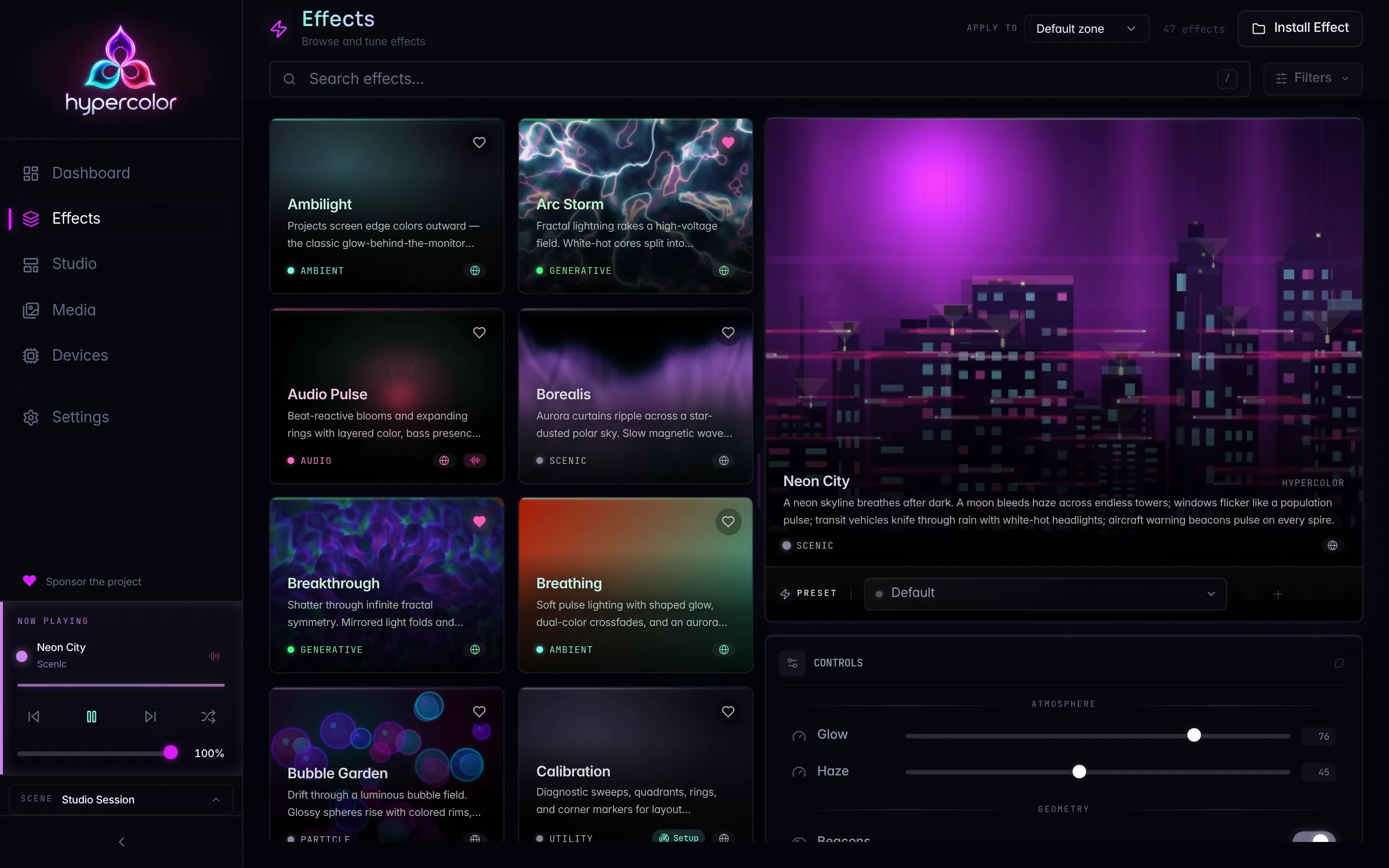
Hypercolor ships a stack of native built-in effects compiled into the daemon (the builtin/ set: solid_color, gradient, rainbow, breathing, audio_pulse, color_wave, color_zones, screen_cast, media_player, calibration, web_viewport, and friends) plus a large library of SDK HTML effects. Rather than memorize a count that moves every release, open the catalog for the gallery, or hit GET /api/v1/effects on a running daemon to list exactly what’s loaded.
/api/v1/effectsList every effect the daemon knows about (native built-ins and installed HTML effects alike), wrapped in the standard { data, meta } envelope. This is the source of truth for what you can apply right now. See the REST reference for the full effects domain.
In this section
Setup & workspace
Bun, the scaffold, and the SDK dependency. One bun create command gives you a ready-to-author workspace.
Creating effects
Scaffold a Hypercolor effect workspace, write your first effect, build, validate, and ship it to the daemon, no hardware required.
TypeScript canvas effects
The canonical canvas() reference: stateless vs stateful, lifecycle, time in seconds, scale context, viewport control.
Controls reference
The full Hypercolor SDK controls API: shorthand inference, every factory, groups, the speed magic, palettes, presets, and build-time meta.
Palettes
The Hypercolor palette registry: Oklab LUTs, paletteControl, and the one rule that decides whether you get a function or an index.
Audio API
The full AudioData surface for canvas effects, the Rust snake_case vs TS camelCase split, and the shader-uniform cross-reference.
Color science for LEDs
Why LED lighting differs from screens, and how to make colors look stunning on real hardware.
GLSL shader effects
Fragment shaders via the SDK run as WebGL2 inside Servo. Full pixel control, audio uniforms, LED-safe patterns.
Native Rust effects
Author a compiled-in EffectRenderer: the trait lifecycle, FrameInput, the Canvas API, control dispatch, registration, and tests.
Raw HTML / LightScript
The LightScript-compatible single-file HTML effect format: meta tags, controls, presets, and the daemon's validation rules.
Display faces
Build cinematic HTML faces for the LCDs on your rig: pump screens, the Push 2 strip, and virtual simulators.
Dev workflow
The authoring loop from code to LEDs: build standalone HTML, validate it, ship it to the running daemon, preview on real hardware.
SDK API reference
Flat export-by-export reference for hypercolor: effects, controls, audio, palettes, math, layout, motion, gauges, faces.
SDK CLI reference
The bunx hypercolor authoring CLI: build, validate, install, add. Flags, exit codes, and env vars for the effect workspace toolchain.
Effect build troubleshooting
The build-time hard errors the Hypercolor SDK throws, what each one means, and the exact fix for every failure mode.
Effect performance
Keep your effect inside the render budget: adaptive FPS tiers, canvas tuning, Servo memory, and time-based motion that survives every tier.
AI prompt template
A drop-in prompt for generating Hypercolor effects with Claude, GPT, or any coding model, plus a review checklist.
Publishing effects
Ship a finished effect: what makes an artifact installable, where it lands, the effect-ID rule, and how the daemon picks it up.
Effect catalog
Browse the Hypercolor effect library from the CLI, REST API, web UI, or an MCP agent: counts, categories, filters, and a visual gallery.