Render pipeline
The dedicated-thread render loop, compositor latch-per-producer, spatial sampler, backend manager, and adaptive FPS controller.
Every frame Hypercolor renders flows through the same pipeline on a dedicated OS thread. Understanding the pipeline is the foundation for writing performant effects, tuning layouts, and contributing to the engine.
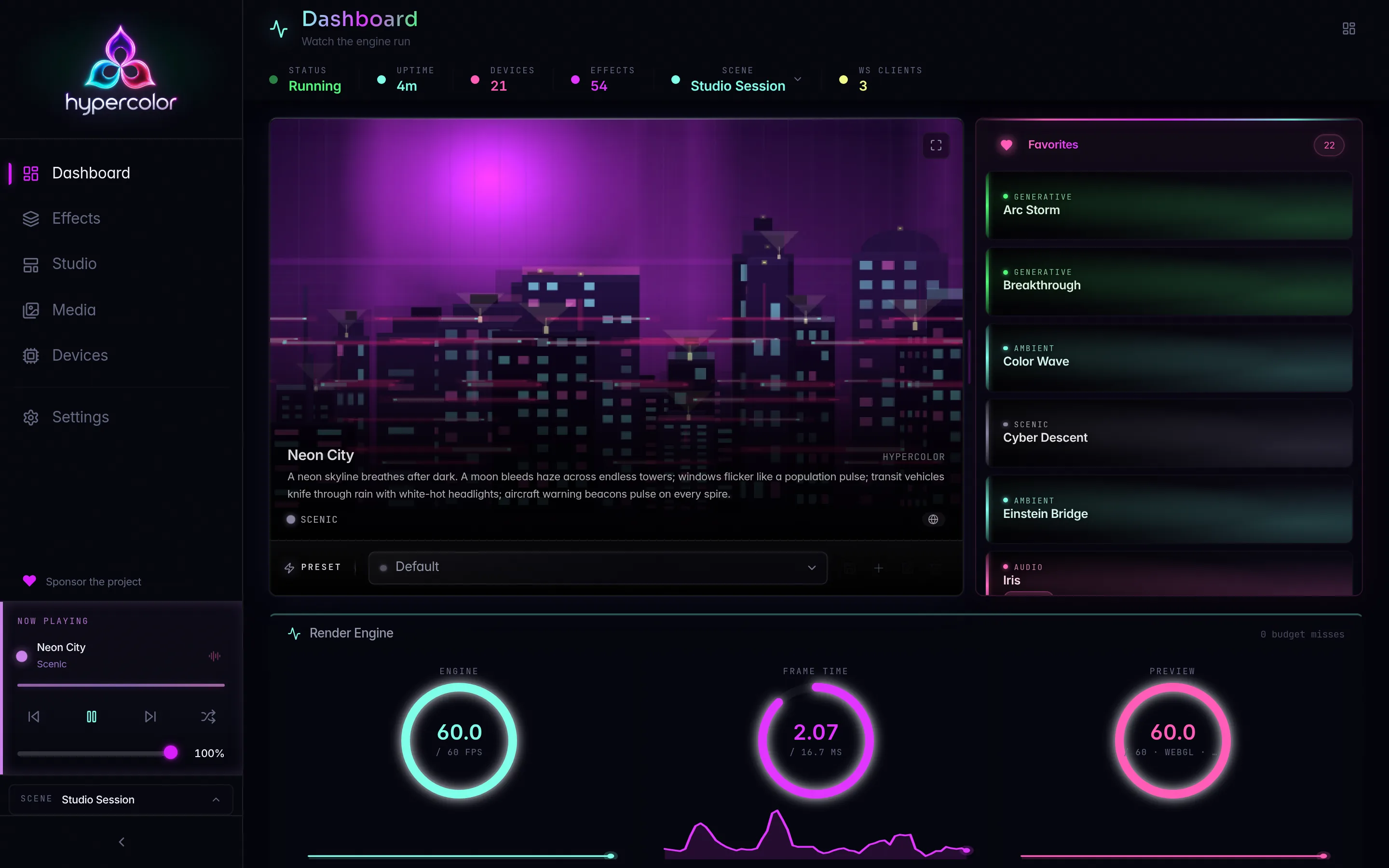
#Pipeline overview
The render thread owns its own Tokio runtime (2 workers, 4 max blocking threads). On every iteration it executes these stages in order:
RenderLoop::tick()               - timing gate + FPS control
InputManager::sample_all()       - collect audio, screen, sensor data
render active scene groups       - Servo / native / media producers
SparkleFlinger::compose()        - canonical scene canvas
sample LED output                - spatial sampler → ZoneColors
BackendManager::write_frame()    - staged hardware output
publish scene/display canvases   - watch streams on HypercolorBus
RenderLoop::frame_complete()     - pressure metrics + tier adaptation
sleep_until(next_deadline)       - pace to target FPS
Stage timing targets (at 60 fps, 16.6 ms total budget):
| Stage | Target |
|---|---|
| Input sampling | ~1.0 ms |
| Effect render | ~8.0 ms |
| Spatial sample | ~0.5 ms |
| Device push | ~2.0 ms |
| Bus publish | ~0.1 ms |
#Stage 1: Input sampling
InputManager::sample_all() polls every registered InputSource in registration order and assembles a FrameInput snapshot. The snapshot carries:
time_secsanddelta_secs: effect timing; always animate off these, notframe_number, because the tier is adaptive.frame_number: monotonically increasingu64starting at 0.audio: &AudioData: always present;AudioData::silence()when no source is active.interaction: &InteractionData: keyboard and mouse state for interactive HTML effects.screen: Option<&Arc<ScreenBranchPublication>>: latest screen publication, shared by reference count so queueing renderers retain it without copying pixels. GPU-resident publications carry no CPU pixels and read as absent to CPU renderers.sensors: &SystemSnapshot: CPU, temperature, and network telemetry.sources: FrameDataSources: media (MPRIS), network stats refreshed at 1 Hz, and lighting state for display faces.canvas_widthandcanvas_height: current canvas dimensions (default 640×480, configurable viadaemon.canvas_width/daemon.canvas_height).
One broken source never crashes the render loop; InputSource implementations are isolated by design.
#Stage 2: Effect rendering and SparkleFlinger
Each active zone holds a Box<dyn EffectRenderer> behind the engine’s Mutex (the trait is Send but not Sync: Servo’s renderer is inherently single-threaded). The render thread calls each producer’s render_into method, which writes pixels into a caller-owned Canvas.
SparkleFlinger::compose() takes the per-producer canvases and blends them into a single canonical scene canvas. The compositor uses a latch-per-producer model: it latches the newest completed surface from each producer and blends them in layer order. Producers run at their own cadences; the compositor never blocks waiting for a slow producer; it uses whatever the last committed frame was. Layer blend modes are defined by BlendMode in hypercolor-types/src/layer.rs: Replace, Alpha (the default), Add, Screen, Multiply, Overlay, SoftLight, ColorDodge, Difference, Tint, and LumaReveal. The eight alpha-composable ones map into the per-pixel kernel PixelBlendMode in hypercolor-color/src/blend.rs and are applied in premultiplied linear-light sRGB; Replace, Tint, and LumaReveal are handled by the compositor rather than the pixel kernel.
#The Canvas
Canvas is a 2D RGBA pixel buffer in sRGB gamma space, backed by an Arc<Vec<u8>>. The default size is 640×480 (about 1.2 MB at 4 bytes per pixel). Coordinates are normalized [0.0, 1.0] throughout the pipeline, so effects are resolution-independent by design.
// Key Canvas methods for effect authors:
canvas.fill(Rgba::BLACK);
canvas.set_pixel(x, y, color);
canvas.get_pixel(x, y);                          // → Rgba (opaque black for out-of-bounds)
canvas.sample(nx, ny, SamplingMethod::Bilinear); // normalized coords
canvas.as_rgba_bytes_mut()                        // direct buffer access
Canvas resize is a frame-boundary operation. Spatial coordinates are normalized so effects require no change when the canvas is resized.
#Renderer backends
The factory (crates/hypercolor-core/src/effect/factory.rs) dispatches on EffectSource:
EffectSource::Nativedispatches to a compiled-in Rust CPU renderer incrates/hypercolor-core/src/effect/builtin/. The source file stem is the lookup key intocreate_builtin_renderer. This is the path for native Rust effects; see @/effects/native-rust-effects.md for the authoring guide.EffectSource::Htmldispatches to Servo, which renders the HTML effect in an embedded browser engine and returns frames as RGBA canvas pixels. TypeScript canvas effects and GLSL shaders (wrapped by the SDK as WebGL2) both travel this path. See @/effects/typescript-effects.md and @/effects/glsl-effects.md.EffectSource::Shaderis not runnable: the factory bails withshader effect '<name>' is not runnable yet. A native wgpu/WGSL shader lane does not exist today. GLSL effects run via WebGL2 inside Servo rather than via wgpu; treat the native shader lane as future work.
There is no GPU shader-effect renderer today: the effect-renderer lane downgrades a GPU request to CPU. The compositor is a separate lane, and it does run on the GPU: when compositor_acceleration_mode resolves to gpu, scene composition and spatial area sampling execute as wgpu compute passes. See the GPU compositor lane in renderer internals.
#Stage 3: Spatial sampling
SpatialEngine::sample(&canvas) maps the composed canvas pixels to physical LED positions.
SpatialLayout  →  SpatialEngine  →  Vec<ZoneColors>
(zone defs)       (precomputed       (RGB per LED)
                   LED positions)
LED positions are generated once from each zone’s LedTopology and cached in prepared_zones. Call SpatialEngine::update_layout() after any topology or geometry change to recompute positions.
The engine supports seven topology types:
| Topology | Description |
|---|---|
Strip | Linear LEDs along one axis |
Matrix | 2D grid with configurable start corner |
Ring | Circular arrangement with winding direction |
ConcentricRings | Multiple rings at different radii |
PerimeterLoop | LEDs tracing a rectangle’s boundary |
Point | Single LED centered at (0.5, 0.5) |
Custom | Arbitrary normalized positions |
All zone-local coordinates are in [0.0, 1.0] space; the engine transforms them to canvas coordinates for sampling. Three sampling strategies are available:
SamplingMethod | Cost | Best for |
|---|---|---|
Nearest | 1 pixel read | High-density LEDs, fastest path |
Bilinear | 4 reads + 12 multiplies | Default; smooth gradients |
Area { radius } | (2r+1)² reads on the CPU path; four summed-area-table lookups on the GPU path | Low-density zones spanning large canvas regions |
Bilinear sampling operates in linear light: canvas pixels are gamma-decoded via the precomputed 256-entry SRGB_TO_LINEAR_LUT before blending, then re-encoded on output with the 4096-entry LINEAR_TO_SRGB_U8_LUT. This makes gamma-correct bilinear essentially free; before these LUTs existed, the spatial sampler consumed ~60% of render-thread CPU on powf calls.
#Stage 4: Bus publish
HypercolorBus distributes frame data to all subscribers via two patterns:
- Broadcast channel (capacity 256) carries discrete events: device connected, effect changed, scene activated. Every subscriber receives every event. Non-blocking; drops silently when the channel is full.
- Watch channel (latest-value semantics) carries high-frequency frame data, canvas previews, spectrum data, and device output. Subscribers always get the newest frame and skip stale ones automatically. The render thread never blocks waiting for a slow subscriber.
HypercolorBus channels:
  broadcast         → device/effect/scene events
  watch(frame)      → per-zone ZoneColors for device output
  watch(canvas)     → RGBA canvas preview for the web UI
  watch(spectrum)   → audio spectrum for the TUI visualizer
Use broadcast for events, watch for data streams. See @/architecture/event-bus.md for the full channel reference.
#Stage 5: Device output
BackendManager::write_frame() groups ZoneColors by device, converts Rgb values to each device’s native wire format (Rgb, Rgbw, RgbW16), and dispatches async sends to every connected backend. Long-running I/O is dispatched internally; the render thread is never blocked by a slow device.
Device fingerprinting ensures a rediscovered device keeps its DeviceId even if transport details (IP address, USB path) change between connections.
#Adaptive FPS controller ⚡
FpsController manages frame timing automatically. It tracks actual render durations using an EWMA (exponentially weighted moving average, α = 0.05 by default) and shifts across five tiers:
| Tier | FPS | Frame budget |
|---|---|---|
Minimal | 10 | 100 ms |
Low | 20 | 50 ms |
Medium | 30 | ~33.3 ms |
High | 45 | ~22.2 ms |
Full | 60 | ~16.6 ms |
Downshift is aggressive: 2 consecutive budget misses triggers an immediate drop to the next lower tier. Upshift is conservative: the EWMA frame time must stay below 70% of the current tier’s budget (upshift_headroom_ratio = 0.7) for a sustained 5-second window (upshift_sustain_secs = 5.0) before an upshift occurs. This asymmetry prevents tier oscillation under transient load.
The default start tier is Full. The controller exposes set_tier() for forced overrides and set_max_tier() to cap automatic upshifts. Both the tier ceiling and the performance baselines are product contracts: never lower them as a performance workaround. Profile the root cause and fix it at the source.
// The controller is a pure timing state machine: no threads or I/O.
fps_controller.begin_frame();
// ... render work ...
let stats = fps_controller.end_frame();  // → Option<FrameStats>
// Tier transitions checked automatically inside frame_complete():
fps_controller.maybe_transition();
FrameStats surfaces tier, frame_time, headroom, ewma_frame_time, consecutive_misses, and frames_since_tier_change, all forwarded to the event bus and visible in the dashboard.
#Canvas resize and layout updates
Two operations trigger mid-run reconfigurations without stalling the render thread:
- Canvas resize changes
canvas_width/canvas_heightat the next frame boundary. The frame executor detects the new dimensions at the top of a frame, callsRenderPipeline::prepare_canvas_resize, and commits the prepared surfaces withcommit_canvas_resize. Effects are resolution-independent so no effect code changes are needed. SpatialEngine::update_layout()recomputes all topology-derived LED positions after the user edits zone geometry in the layout editor.
Both operations are queued and applied at safe frame boundaries.
#Color pipeline
Pixel data flows through two color spaces across the pipeline:
- Canvas storage:
Rgba(u8, sRGB gamma-encoded). Effects write sRGB byte values usingCanvas::set_pixel,Canvas::fill, or direct buffer access. - Spatial sampling: samples decode to linear-light
LinearRgbavia the precomputed LUT, blend in linear space, then re-encode toRgb(u8) for device output vialinear_to_srgb_u8.
The canvas pixel type is Rgba (sRGB u8); the float intermediate is LinearRgba (linear sRGB, [0.0, 1.0] per channel). The engine also exposes Oklab and Oklch types for perceptually uniform interpolation in native effects. See @/effects/color-science.md for the color science reference.
#Related pages
- @/architecture/event-bus.md: the
HypercolorBusbroadcast and watch channels in depth. - @/architecture/renderer-internals.md:
EffectRenderertrait lifecycle and the Servo session model. - @/effects/native-rust-effects.md: authoring compiled-in Rust effects.
- @/effects/typescript-effects.md: TypeScript canvas effects via the SDK.
- @/studio/layouts.md: the spatial layout editor and topology types.
- @/troubleshooting/performance.md: canvas tuning, Servo memory, and render budget debugging.