REST API reference
Full /api/v1 HTTP reference for the Hypercolor daemon: the JSON envelope, every route group, and the concurrency model.
The Hypercolor daemon serves a REST API over /api/v1 on port 9420 by default. Every route group below is enumerated from the daemon’s own router (build_router() in crates/hypercolor-daemon/src/api/mod.rs), so this page is the contract, not a curated subset. The same daemon also speaks WebSocket, the CLI, and an MCP server; this page covers HTTP only.
#Base URL and surfaces 🎯
http://localhost:9420Two paths sit outside the /api/v1 tree:
| Path | Purpose |
|---|---|
/health | Liveness check, no auth, returns 200 OK when the daemon is up. |
/mcp | MCP server (Streamable HTTP), mounted only when mcp.enabled is true. |
Everything else lives under /api/v1. Axum 0.8 path parameters use brace syntax, so a device route is /api/v1/devices/{id}, not :id.
#Response envelope
Every JSON response, success or error, carries a meta block. Success responses put the payload under data; errors put it under error. The two keys never both appear.
{
  "data": {},
  "meta": {
    "api_version": "1.0",
    "request_id": "req_019b1f9a-3f4b-7c8d-a2e1-91b4c0d86a25",
    "timestamp": "2026-06-25T18:03:11.482Z"
  }
}
The meta fields are fixed by the daemon:
| Field | Shape | Notes |
|---|---|---|
api_version | string "1.0" | The literal envelope version. It is unrelated to the v1 URL segment and never reads "v1". |
request_id | string req_<uuid-v7> | A req_ prefix plus a time-ordered UUID v7. Quote it when filing a bug or correlating logs. |
timestamp | ISO 8601 UTC | Millisecond precision with a trailing Z. |
#List responses
Every route that returns a collection puts the same shape under data: items, a total count of everything that matched, and an optional page block.
{
  "data": {
    "items": [],
    "total": 0,
    "page": {
      "offset": 0,
      "limit": 50,
      "has_more": false
    }
  }
}
page is present only where the route genuinely pages, so its absence means the response is complete rather than implying a page size nobody enforces. Three routes page today: GET /api/v1/devices, GET /api/v1/layouts, and GET /api/v1/attachments/templates. Each defaults limit to 50 and rejects a limit above 200 with validation_error. Read every item by following page.has_more, advancing offset by the number of items the last page returned.
Error bodies replace data with error:
{
  "error": {
    "code": "validation_error",
    "message": "brightness must be between 0 and 100"
  },
  "meta": {
    "api_version": "1.0",
    "request_id": "req_019b1f9a-3f4b-7c8d-a2e1-91b4c0d86a25",
    "timestamp": "2026-06-25T18:03:11.482Z"
  }
}
The code is a snake_case string that maps to an HTTP status. The full set:
code | HTTP status |
|---|---|
malformed_request | 400 |
unauthorized | 401 |
forbidden | 403 |
{resource}_not_found (scene_not_found, zone_not_found, layer_not_found, device_not_found, effect_not_found, layout_not_found, route_not_found, and so on, one per resource kind) | 404 |
conflict | 409 |
control_bound | 409 |
precondition_failed | 412 |
payload_too_large | 413 |
unsupported_media_type | 415 |
validation_error | 422 |
rate_limited | 429 |
internal_error | 500 |
device_unavailable | 503 |
service_unavailable | 503 |
validation_error is 422 Unprocessable Entity, not 400. A well-formed request that fails a business rule (out-of-range brightness, an effect that isn’t runnable) lands here, while a structurally malformed request is malformed_request / 400.
#Authentication
Loopback clients are exempt from API keys, which is why the local CLI, TUI, and web UI work with no configuration. When you bind the daemon to a non-loopback address or configure a key, send it as a Bearer token:
Authorization: Bearer <your-api-key>There are two keys: HYPERCOLOR_API_KEY grants control (writes), and HYPERCOLOR_READ_API_KEY grants read-only access. CORS allows loopback origins unconditionally; configured cors_origins are only honored once API auth is enabled. The auth and rate-limiting model is documented in full on the auth and security page.
#Concurrency: revisions and If-Match
The live scene document has one concurrency token: revision. GET /scene returns it in the document and in the ETag header. Structural mutations may send that value as If-Match; a stale value returns 412 Precondition Failed with the current revision instead of overwriting a concurrent edit.
The atomic membership route, POST /scene/members/edit, requires a numeric If-Match revision. A quoted or bare integer is accepted; a missing header or * is rejected.
Control-value patches never use If-Match. They address a real layer id read from the live document. Replacing a layer mints a fresh id, so a stale control write returns 404 layer_not_found rather than landing on the replacement.
#System
/healthLiveness check. Returns 200 OK when the daemon is running. No authentication, no envelope. Use this in your reconnect loop and readiness probes.
The daemon answers as soon as its port is bound, before startup finishes. While it is still starting, /health returns 503 with "status": "starting" and a startup block naming the current phase, a sequence counter that advances each time startup completes a unit of work (a phase, or a step inside one such as loading one effect file or compiling one compositor pipeline), and, while a step is running, a detail naming it. Every other route returns 503 service_unavailable. Only 200 means the daemon is ready.
{
  "status": "starting",
  "version": "0.6.2",
  "uptime_seconds": 4,
  "checks": { "render_loop": "starting", "device_backends": "starting", "event_bus": "starting" },
  "startup": {
    "phase": "starting_render_thread",
    "sequence": 17,
    "detail": "SparkleFlinger GPU area horizontal tile scan"
  }
}/api/v1/systemDaemon identity plus authorized runtime status. identity is always present so discovery probes can verify the daemon. status is present for loopback clients and requests with a valid read or control key. Anonymous remote requests to a keyed daemon receive the public identity without the status block.
Response:
{
  "data": {
    "identity": {
      "instance_id": "studio-daemon",
      "instance_name": "Studio",
      "version": "0.3.2",
      "device_count": 3,
      "auth_required": true
    },
    "status": {
      "running": true,
      "version": "0.3.2",
      "device_count": 3,
      "effect_count": 59,
      "active_effect": "borealis",
      "global_brightness": 85,
      "audio_available": true,
      "screen_capture_capacity": {
        "admission_enforced": true,
        "physical_transition_byte_capacity": 268435456,
        "physical_transition_backend_capacity": 4,
        "physical_reserved_bytes": 33177600,
        "physical_available_bytes": 235257856,
        "steady_total_byte_budget": 134217728,
        "steady_total_backend_capacity": 2,
        "steady_publication_byte_budget": 134217728,
        "transition_publication_backend_capacity": 2
      },
      "input": {
        "enabled": true,
        "host_capture_registered": true,
        "host_capturing": true,
        "devices_opened": 3,
        "devices_denied": 1,
        "degraded": "access_denied",
        "backends": ["evdev"],
        "source_graph_generation": 2,
        "sources": []
      },
      "render_loop": {
        "state": "running",
        "target_fps": 60,
        "capacity_fps": 60.0,
        "delivered_fps": 59.8,
        "actual_fps": 60.0
      }
    }
  },
  "meta": {
    "api_version": "1.0",
    "request_id": "req_019b1f9a-3f4b-7c8d-a2e1-91b4c0d86a25",
    "timestamp": "2026-06-25T18:03:11.482Z"
  }
}
status.effect_count reflects whatever the registry holds at request time (native built-ins plus discovered HTML effects); treat it as live, not a fixed product number.
status.screen_capture_capacity reports the byte fences that gate screen-capture publication admission. The fences are installed on Linux and Windows, where admission_enforced is true and the capacity fields are populated; on other platforms the object collapses to { "admission_enforced": false } with every fence field omitted. When an analysis plan is active, additional analysis_* fields describe its resolution, byte budgets, and compute capacity.
status.input is the host keyboard/mouse capture health snapshot. enabled is the consent gate from config, host_capturing reports whether a host backend is actively reading input, and devices_opened versus devices_denied separates “input is off” from “input is on but blocked”. The denied counter counts device nodes that are present but unreadable, a Linux-specific failure (udev rules missing); Windows has no per-node denial, so its session-level failure arrives through degraded instead, as one of no_interactive_session, access_denied, or unavailable. Each entry in sources carries per-source lifecycle, freshness, and issue detail.
/api/v1/system/sensorsLatest hardware sensor snapshot: CPU temperature, GPU load, RAM usage, and raw component readings. These feed sensor-bound effect controls.
/api/v1/system/audio-devicesList available audio capture devices for reactive effects. Pick the monitor of your output, not a microphone, if you want lights to follow what’s playing.
/api/v1/system/auditRecent state-changing requests, newest first, from the daemon’s audit trail. Each entry has the time, transport (http, websocket, or mcp), method, path without its query string, MCP tool name, status, the socket peer’s address, any X-Forwarded-For or X-Real-IP claim (as forwarded_for, never trusted for remote), user agent, and the durable stores the request changed. A request whose client disconnects before the response is recorded with status 499. ?limit= caps the page (default 100, at most 1000). Request bodies, query strings, credentials, and tool arguments are never recorded. The same entries live on disk in ${XDG_STATE_HOME:-~/.local/state}/hypercolor/logs/api-audit.jsonl; see Undoing an unwanted change.
/api/v1/system/openrgbInspect OpenRGB on the daemon host: installation path and version, configured SDK endpoints, negotiated protocol versions, controller counts, permission checks, and installation hints. The response includes native and bridge coverage plus the output-disabled route count. Endpoints are probed even when the bridge is disabled, so setup can check readiness before enabling output.
/api/v1/system/conflictsList RGB software running on the daemon host that competes with Hypercolor for devices, such as SignalRGB, L-Connect, or Razer Synapse. The response carries supported (false where the host can’t list running software, macOS today), scanned, scan_failed (the latest scan failed, so conflicts holds the last successful result), and conflicts: each entry has an id, a display name, the process and service names it matched, the driver_ids it competes with (or all_drivers), whether it drives SMBus lighting, and a remedy for the user. The daemon rescans every 30 seconds, after discovery, and when a device fails, and publishes software_conflicts_changed whenever that status changes. See Conflicting software.
/api/v1/system/conflicts/scanScan for competing RGB software now and return the same body as GET /api/v1/system/conflicts.
#Media
/api/v1/media/authorizeRequest macOS Automation access for an already-running media application. The endpoint requires a control credential and accepts either Apple Music or Spotify:
{
  "adapter": "music"
}
The response reports the selected adapter and whether access was authorized. The daemon returns 422 when the application is not running and 409 when Automation access is unavailable or denied.
#Effects
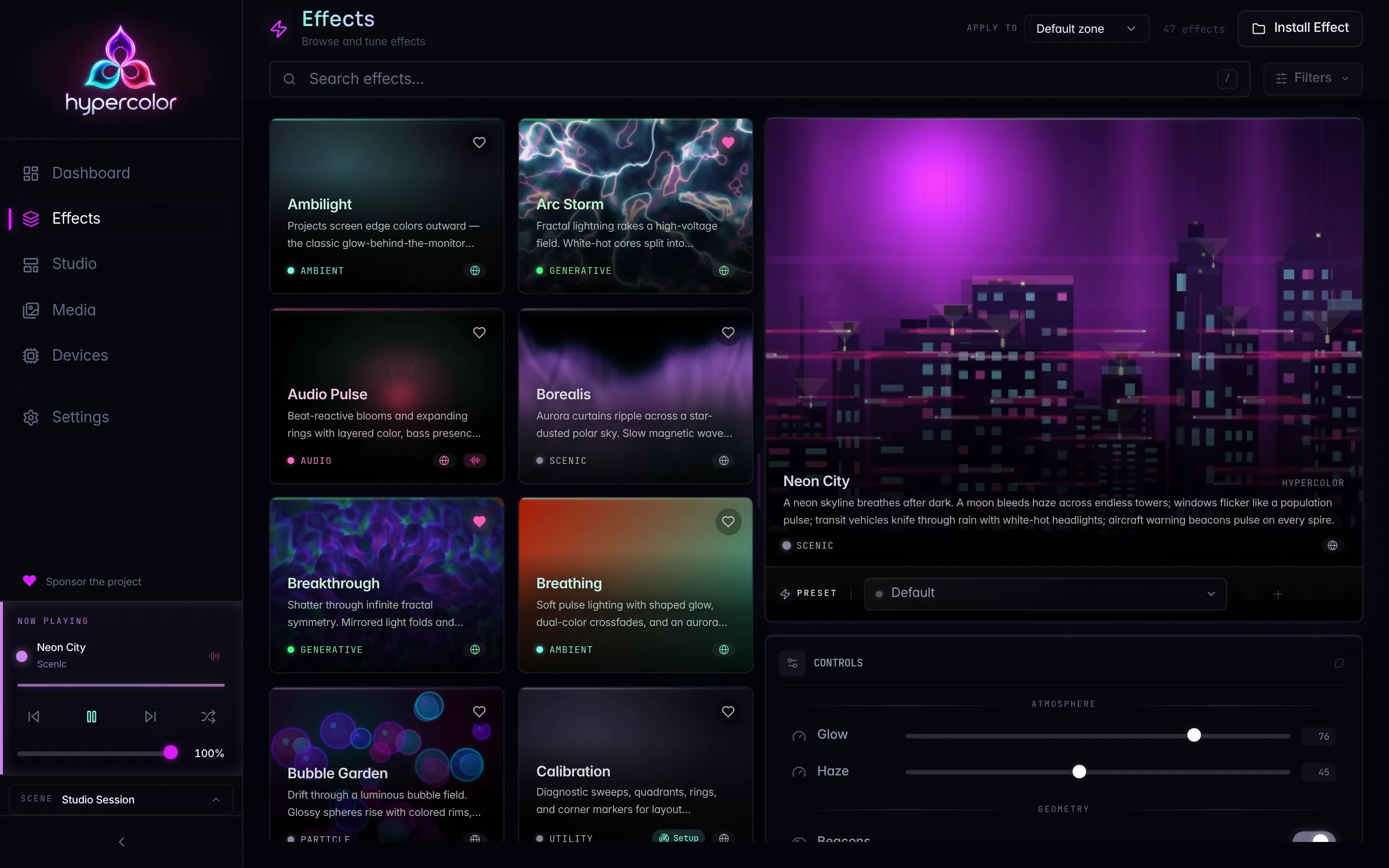
/api/v1/effectsList the effect catalog. Returns data.items (effect summaries) and data.total.
Filter with category, source, audio_reactive, screen_reactive, input_reactive, and q (a case-insensitive substring match over name, description, author, and tags). Expand each summary with include=controls,presets. The catalog route answers complete, so it carries no data.page block.
Response:
{
  "data": {
    "items": [
      {
        "id": "borealis",
        "name": "Borealis",
        "description": "Aurora borealis with domain-warped fBm noise",
        "author": "Hypercolor",
        "category": "ambient",
        "source": "html",
        "runnable": true,
        "tags": ["ambient", "shader"],
        "version": "1.0.0",
        "audio_reactive": false
      }
    ],
    "total": 59
  },
  "meta": {
    "api_version": "1.0",
    "request_id": "req_019b1f9a-3f4b-7c8d-a2e1-91b4c0d86a25",
    "timestamp": "2026-06-25T18:03:11.482Z"
  }
}
The catalog combines around a dozen native Rust built-ins with the HTML/GLSL effects discovered on disk. Don’t hardcode the count; read data.total.
/api/v1/effects/{id}Full detail for one effect, including its control definitions (types, ranges, defaults). The controls array is what a UI renders into sliders, color pickers, and dropdowns.
/api/v1/effects/{id}/applyReplace the target zone’s layer stack with one new layer running this effect. The server validates the effect, zone, and controls before committing, mints a fresh layer id, then wakes paused output.
Request body (optional):
{
  "zone": "84b20af9-0700-4b82-8488-88314b87fb5c",
  "controls": {
    "speed": { "kind": "float", "value": 7.0 },
    "palette": { "kind": "enum", "value": "SilkCircuit" }
  },
  "transition": { "type": "cut" }
}
Omit zone to target the primary zone, which the daemon creates if needed. The response contains the updated zone resource, including the new layer id, the applied transition, and the output-wake outcome. A post-commit wake failure is reported inside a 200 response. Repair output through PATCH /output instead of retrying apply, because every apply creates another layer id.
/api/v1/effects/{id}/presetsList bundled and saved presets available for one effect.
/api/v1/effects/{id}/presets/{preset}/applyApply one effect-scoped preset through the same stack-replacement contract as POST /effects/{id}/apply. Preset CRUD remains under /library/presets, but the library does not expose a second apply route.
/api/v1/effects/rescanRescan the effects directory and pick up newly built effects without restarting the daemon. Call this after shipping an effect from the SDK.
/api/v1/effects/installInstall an effect from an uploaded file via multipart form upload, so a freshly built HTML bundle reaches the library without a manual file copy.
/api/v1/effects/{id}/coverCover image for one effect.
Live effect state belongs to GET /scene. Patch controls through the real layer id embedded in that document, and clear the show through POST /scene/clear. Spatial layout selection belongs to scene.layout_id; effects do not carry layout associations.
#Devices
/api/v1/devices/unclaimedList USB hardware no enabled native driver claims. Each item includes vendor and product IDs, identifying strings, bus path, interface classes, and a claimable_by driver when native support exists but is disabled. The response uses items and total without pagination. Subscribe to unclaimed_devices_changed to refresh after arrivals and removals.
/api/v1/devices/coverageJoin native devices, OpenRGB routes, and unclaimed hardware by physical identity. Each row reports its native and bridge matches and active owner: native, bridge, none, or conflict. A bridge match includes its effective output state and disabled reason. The response uses items and total without pagination.
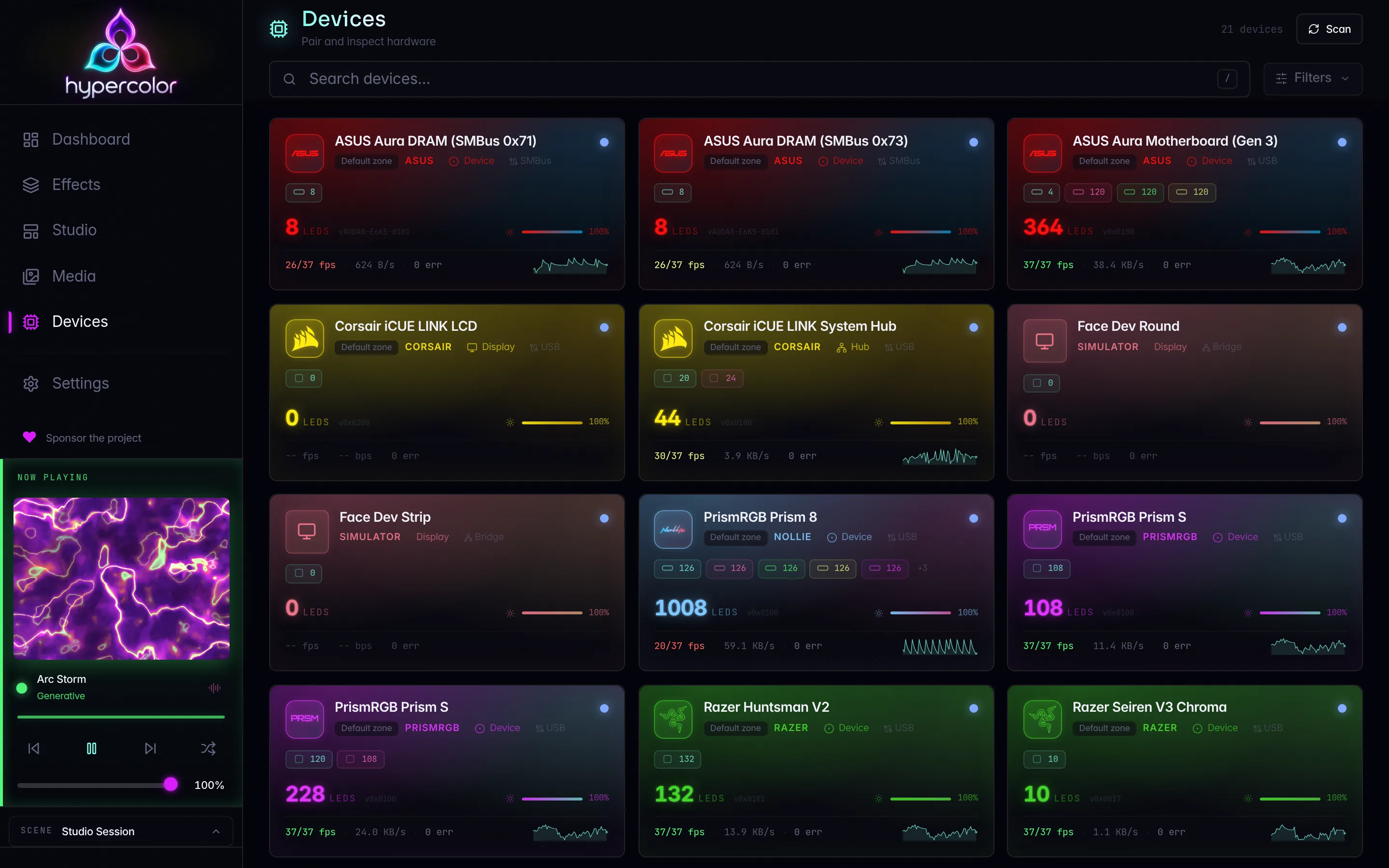
/api/v1/devicesList discovered and connected devices. Returns data.items, data.total, and a data.page block, because this route genuinely pages: limit defaults to 50 and anything above 200 is rejected. Follow page.has_more, advancing offset by the number of items you received, until it reads false. Add ?include=attachments to embed each device’s attachment profile in the same response.
Response:
{
  "data": {
    "items": [
      {
        "id": "razer-blackwidow-v4-001",
        "layout_device_id": "razer-blackwidow-v4-001",
        "name": "Razer BlackWidow V4",
        "status": "connected",
        "brightness": 100,
        "total_leds": 126,
        "segments": []
      }
    ],
    "total": 1,
    "page": {
      "offset": 0,
      "limit": 50,
      "has_more": false
    }
  },
  "meta": {
    "api_version": "1.0",
    "request_id": "req_019b1f9a-3f4b-7c8d-a2e1-91b4c0d86a25",
    "timestamp": "2026-06-25T18:03:11.482Z"
  }
}/api/v1/devices/{id}Full detail for one device: segments, LED layout, firmware version, attachment configuration.
/api/v1/devices/{id}Update device settings: name, enabled, brightness (0 to 100), and, for display-capable devices, display_rotation (deg0, deg90, deg180, deg270), which is how the panel is mounted so everything drawn on it turns to read upright. Sending display_rotation for hardware without a panel answers 422.
/api/v1/devices/{id}Remove a device from tracking and delete its saved outputs, attachments, and logical segments from all layouts and scenes, including the default scene.
/api/v1/devices/forgetDelete a saved controller by its layout identity, even when the hardware is absent from device tracking. Send { "layout_device_id": "..." }. Removal clears its outputs from all layouts and scenes, including the default scene. When retained ownership identifies the physical controller, removal also clears its attachments and logical segments. An empty identity returns 422; repeating a completed removal succeeds. Temporary disconnection preserves saved content.
/api/v1/devices/discoverTrigger a discovery scan across every backend. Returns newly found devices.
/api/v1/devices/{id}/pairInitiate pairing for a device that requires authentication (Hue link button, Nanoleaf hold-to-pair token). This is the credential path for network devices; see the per-vendor hardware guides for the timed pairing windows.
/api/v1/devices/{id}/pairForget a device’s stored pairing credentials.
/api/v1/devices/{id}/identifyFlash a device’s LEDs so you can spot it physically.
/api/v1/devices/{id}/segments/{segment}/identifyFlash one segment on a device to identify it.
/api/v1/devices/{id}/attachments/{slot}/identifyFlash one attachment slot’s LEDs to identify it.
/api/v1/devices/{id}/controlsControl surface for a device: fields, types, and current values.
/api/v1/devices/{id}/attachmentsAttachment configuration for a device.
/api/v1/devices/{id}/attachmentsUpdate a device’s attachment configuration. Send "validate_only": true to return the computed profile without persisting it, publishing events, or changing the live device.
/api/v1/devices/{id}/attachmentsClear a device’s attachment configuration.
#Drivers
/api/v1/driversList registered driver modules with their ID, name, and connection state.
/api/v1/drivers/{id}/configConfiguration for one driver module.
/api/v1/drivers/{id}/controlsControl surface for one driver module: fields, types, current values.
#Displays and faces
Display devices are physical screens (AIO LCD modules, Ableton Push 2) that show full-screen HTML faces. See display faces for the authoring contract.
/api/v1/displaysList connected display devices.
/api/v1/displays/{id}/frameA JPEG preview frame from a display device. Live frame streaming runs over the display_preview WebSocket channel.
/api/v1/displays/{id}/faceThe active face configuration on a display device.
/api/v1/displays/{id}/faceSet the face effect on a display device. Binds an HTML effect to the device in the active scene.
/api/v1/displays/{id}/faceRemove the face assignment from a display device.
/api/v1/displays/{id}/face/controlsPatch control values on a display’s active face.
/api/v1/displays/{id}/face/compositionPatch composition parameters (blend mode, z-order, opacity) for a face render group.
#Simulators
Virtual display simulators let you build and test face effects with no physical display attached.
/api/v1/simulators/displaysList simulated displays.
/api/v1/simulators/displaysCreate a simulated display.
/api/v1/simulators/displays/{id}Get one simulated display.
/api/v1/simulators/displays/{id}Update a simulated display’s configuration.
/api/v1/simulators/displays/{id}Delete a simulated display.
/api/v1/simulators/displays/{id}/frameThe latest composited frame from a simulated display.
#Attachments
Attachment templates describe physical accessories (keycaps, case panels, stands) that clip onto device slots and carry their own LED zones.
/api/v1/attachments/templatesList attachment templates (built-in and user-defined).
/api/v1/attachments/templatesCreate a user-defined attachment template.
#Control surfaces
Control surfaces expose typed fields and actions for dynamic device or driver configuration (WLED protocol selection, Hue bridge IP, and the like). The web UI reads these to render device-specific settings panels.
/api/v1/control-surfacesList every registered control surface across devices and drivers.
/api/v1/control-surfaces/{id}Get one control surface with its current field values.
/api/v1/control-surfaces/{id}/valuesApply typed field values to a control surface. The body is the same control-patch shape the layer-control route takes, keyed by field id. Control surfaces have no input bindings, so a non-empty clear_bindings is rejected here.
Request body:
{
  "values": {
    "protocol": { "kind": "enum", "value": "ddp" },
    "ip": { "kind": "ip", "value": "10.0.0.50" }
  }
}/api/v1/control-surfaces/{id}/actions/{action}Invoke a typed control-surface action (Discover, Sync, Reset, and so on).
#Scenes
Scenes are whole-rig configurations: the effects, zones, and assignments that define how your entire setup lights up. Switching scenes swaps the whole rig.
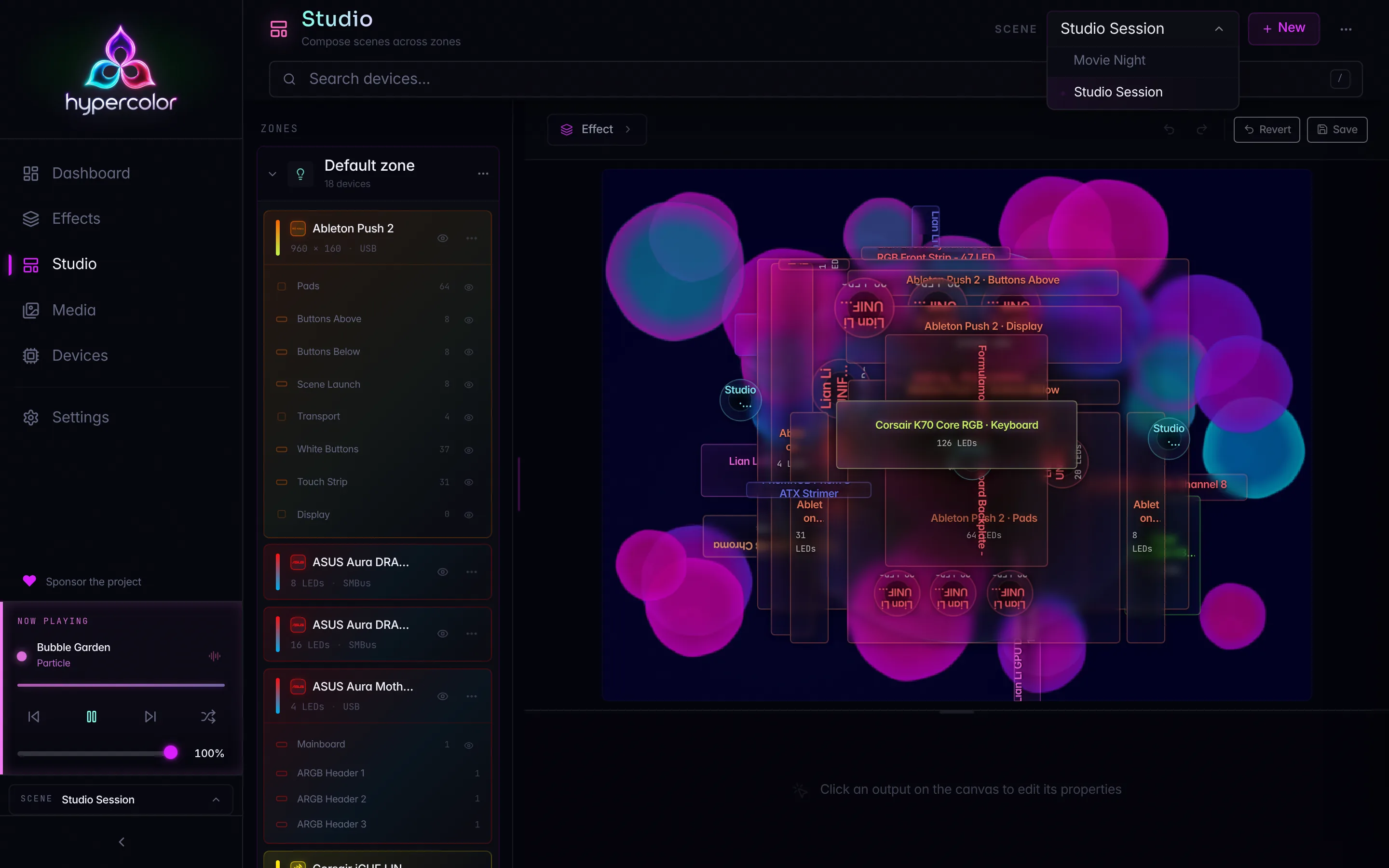
/api/v1/scenesList defined scenes.
/api/v1/scenesCreate a named scene. New scenes are born with a default Primary zone, live mutation mode, and the engine’s default scene transition.
Request body:
{
  "name": "Late Night",
  "description": "Dim amber for late sessions",
  "enabled": true,
  "mutation_mode": "live"
}/api/v1/scenes/snapshotCapture the complete live scene as a new snapshot-mode scene. The snapshot keeps the active scene’s zones, members, layers, controls, display faces, and current named layout reference. Global output brightness is not captured.
Request body:
{
  "name": "Current Rig",
  "description": "Captured after tuning the desk"
}/api/v1/sceneRead the complete live scene document. The response always exists and embeds every authored zone, each zone’s member device segments, and every layer with its real id. The document’s revision is also returned as ETag.
/api/v1/scenes/{id}Read one stored scene as a complete document, including its zones, members, layouts, and layer stacks. The response carries the document’s revision and the same value as an ETag header.
/api/v1/scenes/{id}Replace one stored scene in full. Read the current document first, remove the server-owned revision and is_default fields, apply the intended edits, and send the result with the previous revision in If-Match.
The route id is authoritative. If the body includes id, it must match the route or the daemon returns 422 Unprocessable Entity. Existing zone and layer ids must already belong to this scene. Omit either id only when creating that resource, and the daemon mints it. Omitted optional fields are cleared, so partial update bodies are not accepted. A stale If-Match returns 412 Precondition Failed with the current revision.
/api/v1/scenes/{id}Delete a scene.
/api/v1/scenes/{id}/activateActivate a scene, applying its effects and controls with the configured transition. The response reports the post-commit layout and brightness outcomes separately, because either side effect may fail after the scene switch has committed. Send {} to use the scene’s authored transition, or pass { "transition_ms": 250 } to override its duration for this activation.
/api/v1/scenePatch the live scene’s name or unassigned_behavior. The default scene cannot be renamed. This structural write optionally accepts If-Match.
/api/v1/scene/deactivateReturn to the default scene and receive the new live scene document.
/api/v1/scene/clearClear every non-display layer stack, or pass { "zone": "<zone_uuid>" } to clear one non-display zone. Display zones remain owned by the display API, and a targeted display clear is rejected. This is the canonical stop gesture and optionally accepts If-Match.
#Scene zones
Zones are flexible partitions of the live scene’s canvas. Each zone owns member device segments and a layer stack. Fine-grained editing is live-tree-only under /scene; stored scenes use whole-document PUT /scenes/{id}.
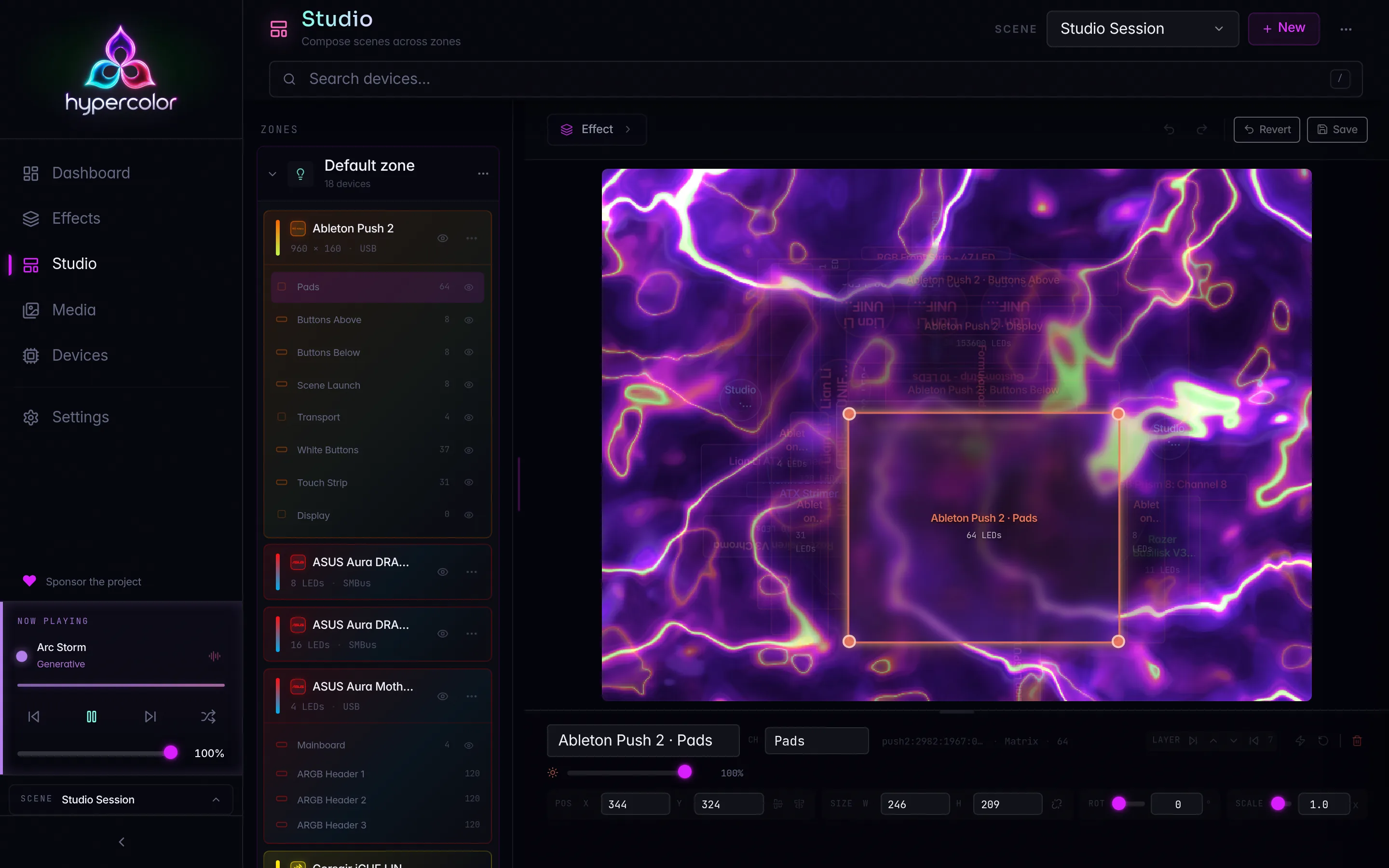
/api/v1/scene/zonesCreate a custom zone. Send If-Match with the last seen scene revision when you need optimistic concurrency; a stale revision returns 412 Precondition Failed.
Request body:
{
  "name": "Desk",
  "color": "#80ffea"
}/api/v1/scene/zones/{zone}Get one live zone resource.
/api/v1/scene/zones/{zone}Update a zone’s name, enabled state, brightness, or color. The structural write optionally accepts If-Match.
Request body:
{
  "name": "Desk halo",
  "brightness": 0.8,
  "enabled": true
}/api/v1/scene/zones/{zone}Delete a zone. The default and display zones cannot be deleted through this route.
/api/v1/scene/zones/{zone}/membersAssign one device’s segments to a zone. The response carries the minted member ids, which are the resource identities for later removal.
Request body:
{
  "device_id": "razer:huntsman-v3",
  "segments": ["left", "right"]
}/api/v1/scene/zones/{zone}/members/{member}Remove one membership by the member id returned in the live zone document.
/api/v1/scene/members/editAdd, move, or remove outputs in one atomic transaction. Supply the active scene_id and a numeric If-Match revision, then choose one request form:
- Explicit changes: a
changesarray containingbeforeandafterstates. Each state containszone_id, the completeoutput, and its orderedindex. A nullbeforeadds an output; a nullafterremoves it. - Device assignment: an
assignmentobject containing the targetzone_id,device_id, optionalsegments, and optionalplacements. Leavechangesempty. The daemon creates canonical outputs for the device; placement hints preserve prepared geometry without choosing device bindings.
All changes validate before committing. A failed request leaves membership unchanged. The response contains the committed document and canonical changes receipts with complete output snapshots for undo and redo. The committed revision is available in document.revision and the response ETag.
Omitting If-Match or sending * is rejected. A stale revision returns 412. Explicit edits also validate their before states, so rebasing requires fresh member states from the current document.
/api/v1/scene/zones/{zone}/layoutReplace the zone-scoped spatial placement override. The compact body contains placements, keyed by member id. Add or remove members through the member routes. This structural write optionally accepts If-Match.
#Scene layers
Each zone stacks layers bottom to top. Clients use the layer ids returned by GET /scene; they never derive an id from the zone.
/api/v1/scene/zones/{zone}/layersList the layers in a zone.
/api/v1/scene/zones/{zone}/layersAppend a layer to a zone. The server mints its id. This structural write optionally accepts If-Match.
/api/v1/scene/zones/{zone}/layers/orderReorder the stack with every layer id exactly once, from bottom to top.
/api/v1/scene/zones/{zone}/layers/{layer}Replace a whole layer. Every successful replacement mints a fresh layer id, even when the effect is unchanged.
/api/v1/scene/zones/{zone}/layers/{layer}Delete a layer.
/api/v1/scene/zones/{zone}/layers/{layer}/controlsPatch an effect layer with { "values": {...}, "clear_bindings": [...] }. Control patches never use If-Match. A vanished layer returns 404 layer_not_found.
#Layouts
Layouts define how the effect canvas maps onto physical LED positions, in normalized [0.0, 1.0] coordinates so effects stay resolution-independent.
/api/v1/layoutsList spatial layouts.
/api/v1/layoutsCreate a spatial layout.
/api/v1/layouts/activeThe active layout.
/api/v1/layouts/active/previewPreview a layout without applying it. Returns the zone-to-LED mapping that would result, so a UI can render it visually.
/api/v1/layouts/{id}One layout’s configuration: device outputs, positions, LED mappings.
/api/v1/layouts/{id}Update a layout.
/api/v1/layouts/{id}Delete a layout.
/api/v1/layouts/{id}/applyApply a layout as the active spatial mapping.
#Library
The library holds favorites, presets, and playlists.
#Favorites
/api/v1/library/favoritesList favorited effects.
/api/v1/library/favoritesAdd an effect to favorites.
Request body:
{
  "effect_id": "borealis"
}/api/v1/library/favorites/{effect}Remove an effect from favorites. The path key is the effect ID, not a favorite ID.
#Presets
/api/v1/library/presetsList saved presets (effect plus control-value combinations).
/api/v1/library/presetsSave the current effect and controls as a named preset.
/api/v1/library/presets/{id}Get one preset.
/api/v1/library/presets/{id}Update a preset.
/api/v1/library/presets/{id}Delete a preset.
Apply a preset through POST /api/v1/effects/{effect}/presets/{preset}/apply. The effect-scoped route is the only apply contract; the library owns storage and CRUD.
#Playlists
/api/v1/library/playlistsList playlists.
/api/v1/library/playlistsCreate a playlist of effects with transition timing.
/api/v1/library/playlists/activeThe currently running playlist, if any.
/api/v1/library/playlists/{id}Get one playlist.
/api/v1/library/playlists/{id}Update a playlist.
/api/v1/library/playlists/{id}Delete a playlist.
/api/v1/library/playlists/{id}/activateStart a playlist. Effects cycle on the playlist’s timing.
/api/v1/library/playlists/deactivateDeactivate the running playlist.
#Output
Global output has one resource and two knobs. Pausing preserves the live scene, its effects, and their controls: devices hold the configured static off color until you set power back to running.
/api/v1/outputRead global output power and brightness.
Response:
{
  "power": "running",
  "brightness": 0.8
}
power is running or paused. A destructive stop leaves outputs dark, so it reads as paused here; the stop’s other consequences are visible on the effect surface. brightness is a float on 0.0 to 1.0.
/api/v1/outputSet power, brightness, or both. Every field is optional, but a document that sets neither returns 422 rather than quietly succeeding, so a client that drops its payload hears about it. Use GET to read.
Request body:
{
  "power": "paused",
  "brightness": 0.35
}
A brightness outside 0.0 to 1.0 returns 422 naming the offending field, and it is refused before power moves, so a rejected patch changes nothing.
#Screen capture
The four protected capture operations below require protected control: the control-tier HYPERCOLOR_API_KEY, the desktop app’s session credential, or a trusted in-process connection. Every other caller receives 403 Forbidden, including a keyless loopback client, a read key, and a credential from a downstream credential authority. Where the request comes from plays no part.
The system status response keeps the selected session source identifier only for a caller with protected control. Every other response replaces application and window selection identifiers with session_scoped; stable display UUIDs remain available for diagnostics.
/api/v1/input/authorizeRequest Input Monitoring authorization from the process that owns host keyboard capture. The response reports whether access is currently authorized and names the process topology that owns the grant.
/api/v1/capture/authorizeRequest Screen Recording authorization from the process that owns screen capture. The response reports whether access is currently authorized and names the process topology that owns the grant.
/api/v1/capture/sourceOpen the platform picker so the user can choose a display, window, or application for screen-reactive effects. An accepted display persists by its stable display UUID. Window and application choices persist as session_scoped, so Hypercolor remembers the privacy boundary without writing the selected window ID or bundle ID to configuration. Cancelling the picker leaves the current source unchanged.
/api/v1/capture/monitorsNew in 0.3.0. List the display outputs the capture backend can address, for building a monitor picker. Each entry carries a ready-to-store value for the capture.source config key.
Response:
[
  {
    "index": 0,
    "id": "DP-1",
    "name": "\\\\.\\DISPLAY1",
    "width": 2560,
    "height": 1440,
    "primary": true,
    "value": "monitor:DP-1"
  }
]
The list is empty on platforms where the backend picks its own source (the XDG portal on Linux); a UI uses that emptiness to decide between a monitor dropdown and the portal picker button.
#Configuration
/api/v1/configShow the full current configuration.
Secret-classified sections render masked as {"redacted": true}: every drivers entry, plus any top-level section this build does not model. Driver settings are read and edited through /api/v1/drivers/{id}/config.
/api/v1/config/keys/{key}Read one configuration value. The dotted key is a single path segment.
/api/v1/config/keys/{key}Write one configuration value and persist it. The request body is the value itself:
trueAdd ?live=false to persist without re-applying the change to the running daemon; the default re-applies every live-classified key.
The response carries the effective value, whether the daemon applied it live, whether the key is boot-frozen (requires_restart), and which sections are currently waiting on a restart (pending_restart).
The response also says whether the config file holds the change. When the file write fails (a read-only config directory, a full disk), the change still takes effect in the running daemon, which keeps retrying the file, and the response reports "persisted": false with the failure in persistence_error. A restart before a retry lands loads the older file. The config diagnose check reports the same lag until it clears. The reset routes report it the same way.
Writes that rebuild the live screen-capture source are the exception: a key in the capture section, or a whole-config reset, with live apply on. They stage the new file before touching the running source, so a config directory that refuses the staged file fails the request with 500 and leaves the live value unchanged.
/api/v1/config/keys/{key}Merge a JSON object into a configuration value. Unmentioned entries survive; null removes an entry. The daemon merges and validates against the current config under its write lock, so concurrent patches to different OpenRGB controllers or zones preserve each other’s sizes. The response and ?live= option match PUT.
/api/v1/config/keys/{key}Restore one configuration value to its default. Takes the same ?live= query parameter as the write.
/api/v1/config/resetRestore the whole configuration to defaults. The drivers map, unmodeled extension sections, and the include list survive the reset.
/api/v1/config/schemaDescribe every configuration key: how a change applies (live with a section, live_on_read, next_scan, restart, or inert), how it renders on read surfaces, whether the daemon validates it beyond type checking, and which writes need a protected-control credential (protection: open, section_root, or tree). Clients derive their live and restart affordances from this table.
#Diagnostics
/api/v1/diagnoseRun system diagnostics: device connectivity, audio capture, effect-engine health, memory, and configuration validity. Memory failures are reported as the named memory check in the same response. The conflicts check scans for competing RGB software before it reports, as devices.competing_software. On Windows the devices checks include devices.smbus_broker, which fails when the HypercolorSmBus broker is installed but not running. The diagnose CLI command and MCP tool use this exact check vocabulary.
#Assets
User media (images, video) used by media layers.
/api/v1/assetsList media assets.
/api/v1/assetsUpload a media asset.
/api/v1/assets/{id}Get asset metadata.
/api/v1/assets/{id}Update asset metadata.
/api/v1/assets/{id}Delete an asset.
/api/v1/assets/{id}/blobFetch the raw asset bytes.
/api/v1/assets/{id}/thumbnailFetch the asset thumbnail.
#Where to go next
For the streaming side of the daemon (live frames, spectrum, preview canvases, and REST-over-WebSocket), see the WebSocket protocol. To drive the same surface from a shell or an agent, see the CLI reference and the Agents and MCP guide. The request and response body shapes for the devices, effects, scenes, and zones domains are defined once in hypercolor-types::api and shared by the daemon and both UIs.