API overview
REST, WebSocket, CLI, and MCP: the four interfaces for driving the Hypercolor daemon on :9420.
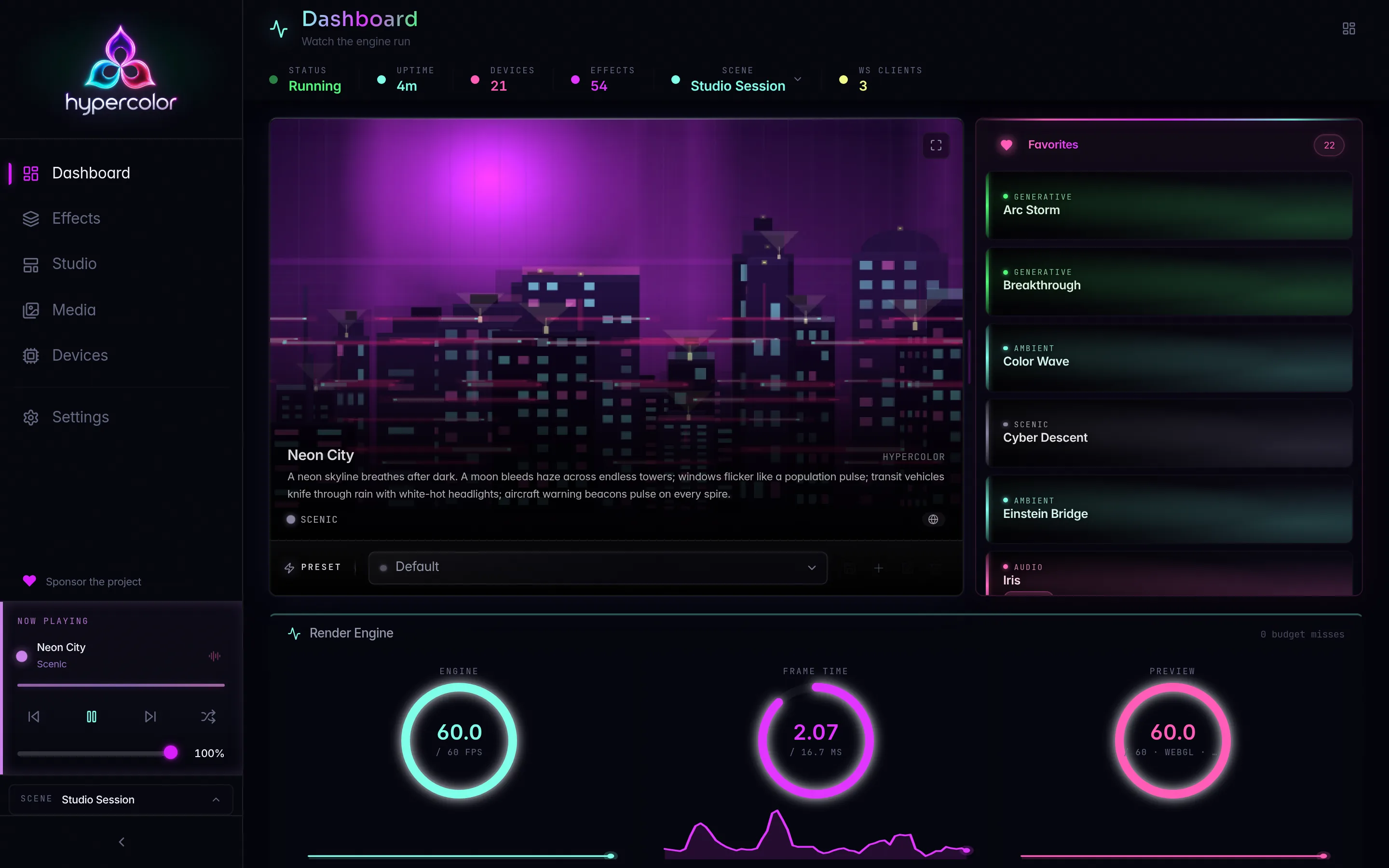
Hypercolor is a daemon with four front doors. Every interface (REST, WebSocket, the hypercolor CLI, and the MCP server) talks to the same engine state through the same event bus, so a brightness change made over the CLI shows up instantly in the web UI’s preview and in any subscribed WebSocket client. There is one source of truth and four ways to reach it.
#Pick your interface
| Interface | Transport | Reach for it when |
|---|---|---|
| REST API | HTTP on :9420 | Scripting, automation, one-shot reads and writes |
| WebSocket | WS on :9420 | Live state, canvas previews, spectrum streaming, low-latency UIs |
| CLI | HTTP client to the daemon | Terminal workflows, shell scripts, agent tooling |
| MCP server | Streamable HTTP at /mcp | AI assistants and agents (18 tools, 5 resources, 4 prompts) |
REST and WebSocket share the same port and the same AppState. The CLI is a thin HTTP client over the REST surface with table/JSON/plain rendering on top. MCP is a separate protocol mounted at /mcp, and it is the canonical AI-control path; the Agents & MCP section owns its full reference.
#Base URL and the surface map
Everything the daemon serves lives at one of three places:
/api/v1/...: the REST and WebSocket surface (the bulk of the contract)/health: top-level, not under/api/v1/mcp: the MCP server, top-level, mounted only when MCP is enabled
The REST router groups routes by resource domain: assets, attachments, capture, control surfaces, devices, drivers, displays, effects, layouts, library, scenes, simulators, system, diagnostics, output, and the WebSocket upgrade at /api/v1/ws. Live render state has one root at /api/v1/scene. The REST reference documents the complete surface.
Fine-grained edits target the live scene. There is no top-level /api/v1/zones collection and no nested mutation tree under stored scenes. Read /api/v1/scene, then address its zones, members, and real layer ids below /api/v1/scene/zones/.... Scene and zone semantics are explained in the Studio docs.
#The response envelope
Every JSON response wraps its payload in a consistent envelope, so clients can read data (or error) and meta the same way on every endpoint.
{
  "data": { "...": "endpoint-specific payload" },
  "meta": {
    "api_version": "1.0",
    "request_id": "req_0190f3c2-7a4e-7b21-9c83-2f6e1a4d5b90",
    "timestamp": "2026-06-25T18:03:11.482Z"
  }
}
Errors swap the top-level key from data to error and keep the same meta:
{
  "error": {
    "code": "validation_error",
    "message": "canvas_width must be positive"
  },
  "meta": { "api_version": "1.0", "request_id": "req_...", "timestamp": "..." }
}
A few details worth pinning down. The api_version field is the literal string "1.0" and is unrelated to the v1 URL segment. The request_id is req_ followed by a time-ordered UUID v7, not a bare UUID. Error codes serialize in snake_case, and validation_error maps to HTTP 422 (Unprocessable Entity), not 400. The REST reference carries the complete error-code to HTTP-status table.
#Authentication and access
Local clients work with zero configuration. Requests from loopback addresses (localhost, 127.0.0.1, ::1) are exempt from API-key checks, which is why the CLI, TUI, and web UI all talk to a local daemon out of the box.
Once you expose the daemon beyond loopback, two-tier bearer auth applies:
HYPERCOLOR_API_KEY: full control (read and write)HYPERCOLOR_READ_API_KEY: read-only access
Both are sent as Authorization: Bearer <token>. The CLI’s --api-key flag sets the control key for you. CORS follows the same logic: loopback origins are always allowed, and configured cors_origins are honored only when API auth is enabled.
#MCP transport
The MCP server speaks Streamable HTTP (not stdio, not plain SSE), mounted at /mcp by default and configurable through McpConfig::base_path. It is off by default, so enable it before any agent can connect.
MCP must be turned on. Set mcp.enabled = true in your config (or use the config endpoints), then restart the daemon. The MCP setup guide leads with enabling it and provides copy-paste client config for Claude Code, Claude Desktop, Cursor, and Zed.
#How the surfaces relate
graph TD
Engine[Engine + AppState] --> Bus[HypercolorBus event bus]
Bus --> REST["REST /api/v1"]
Bus --> WS["WebSocket /api/v1/ws"]
Bus --> MCP["MCP /mcp"]
REST --> CLI[hypercolor CLI]
REST --> UI[Web UI + TUI]
WS --> UI
MCP --> Agents[AI agents]
#Where to go next
- REST API reference: every
/api/v1endpoint, grouped by domain, with the envelope and error model. - WebSocket protocol: the
hypercolor-v1subprotocol, JSON channels, and binary canvas/spectrum frames. - CLI reference: the command tree, global flags, and environment variables. Note that
server,servers, andserviceare three distinct commands:servertargets this daemon,serversis the multi-daemon registry, andservicemanages the system service. - MCP server: the pointer into the canonical Agents & MCP reference for tools, resources, and prompts.
In this section
REST API reference
Full /api/v1 HTTP reference for the Hypercolor daemon: the JSON envelope, every route group, and the concurrency model.
Envelope & errors
The shared REST envelope: meta fields, success and error shapes, and the full error-code-to-HTTP-status table.
WebSocket protocol
The /api/v1/ws protocol: subprotocol token, JSON client/server messages, all 15 subscription topics, and the binary frame wire format.
Binary frame format
The wire format for Hypercolor's binary WebSocket frames: tag bytes, header layouts, and the preview, spectrum, zone, and screen-zones codecs.
CLI reference
The hypercolor command-line tool: 18 commands, global flags, env vars, and scripting-friendly JSON output.
Auth & security
Dual-key API auth, protected local controls, CORS, network allowlists, and rate limiting for the Hypercolor daemon on :9420.
OpenAPI / generated spec
Reach the utoipa-backed OpenAPI document, the bundled Swagger UI, and the hypercolor-openapi export binary.
MCP server
Hypercolor's Model Context Protocol server: 18 tools, 5 resources, 4 prompts over Streamable HTTP. Canonical docs live in Agents.