Tools reference
All 18 Hypercolor MCP tools: arguments, defaults, enums, read-only and idempotency flags, and a worked call for each.
The Hypercolor MCP server exposes 18 tools, the verbs an agent uses to read and reshape the lighting state. This page is the authoritative reference: every tool’s arguments, defaults, enums, annotations, and a worked call. All facts here are pulled from the daemon source in crates/hypercolor-daemon/src/mcp/tools/, not paraphrased.
The MCP server is off by default. Until you enable it in config, http://127.0.0.1:9420/mcp returns 404. Turn it on first in MCP setup, then come back here.
If you have not met the three-primitive model yet, start at the Agents & MCP overview. Tools are one of the three primitives; the others are resources (browsable state) and prompt templates (guided flows).
#How tools are annotated 🎯
Every tool carries four annotations the daemon reports to MCP clients.
| Annotation | Meaning |
|---|---|
read_only | The tool only reads state and never mutates it. Most clients skip the confirmation dialog for read-only tools. |
idempotent | Repeating the call with the same arguments lands on the same state. Safe to retry. |
destructive | The tool overwrites state you cannot get back. Reported per tool, not as a blanket value. |
open_world | Always false; the tool set is closed and known. |
Of the 18 tools, 9 are read-only: get_status, list_effects, get_devices, get_audio_state, get_sensor_data, list_scenes, get_layout, diagnose, and openrgb_status. The other 9 mutate state. Four tools are non-idempotent: set_effect and set_color mint fresh layer identities, create_scene mints a scene, and set_display_face replaces an assignment.
Five of the nine mutating tools are destructive: set_effect, set_color, clear_zone, activate_scene, and set_display_face each discard state the caller did not supply and cannot recover. The other four are not: set_brightness and set_output_power are reversible value writes, adjust_controls patches named values and bindings, and create_scene only adds.
Read-then-act is the through-line. The server’s own instructions tell every client to call get_status or read hypercolor://state before making changes, and to call list_effects before applying visuals. Follow that order and your calls land predictably.
#Errors and the call envelope
Tool calls return a structured JSON payload on success. On failure they return a structured error object with a JSON-RPC code, message, and details when the caller can act on them:
{
  "code": -32602,
  "message": "invalid parameter 'query': selector 'aur' is ambiguous",
  "details": {
    "kind": "ambiguous",
    "parameter": "query",
    "query": "aur",
    "candidates": [
      { "id": "aurora", "name": "Aurora" },
      { "id": "aurora-rain", "name": "Aurora Rain" }
    ]
  }
}
The code maps from the daemon’s ToolError type:
| Code | Condition |
|---|---|
-32601 | Tool name not found |
-32602 | Missing or invalid parameter |
-32000 | State conflict (the current state rejects the mutation) |
-32603 | Internal execution error |
Tool output schemas are intentionally broad right now. The shapes shown below are what the live handlers actually return, read straight from the source, not from the declared output schema, which is a placeholder that will tighten as the surface stabilizes.
Named resources use one deterministic selector policy: exact serialized ID, exact case-insensitive name, then a unique case-insensitive name substring. No match and ambiguous substrings return structured candidate details. Candidates are sorted by lowercase name, original name, then ID. Unnamed layers resolve by ID only. The color parser is separate and still accepts CSS forms and natural-language color descriptions.
#Effects
#set_effect
Replace the primary zone’s layer stack with one lighting effect. The query argument resolves by exact effect ID, exact case-insensitive name, or a unique case-insensitive name substring. Use list_effects before applying when the catalog name is unknown.
- Mutates state.
read_only: false,destructive: true,idempotent: false. - Required:
query(string): effect ID, exact name, or unique name substring. - Optional:
controls(object): parameter overrides keyed by control ID;transition(closed object):{ "type": "cut" }.
The schema is closed. The transition object accepts exactly one field and one value: { "type": "cut" }. Omitting it also performs a cut. Any extra field or aspirational transition type is rejected instead of ignored.
A display-face effect cannot be applied through set_effect; it returns an invalid-parameter error pointing you at set_display_face.
{
  "name": "set_effect",
  "arguments": {
    "query": "Borealis",
    "controls": { "speed": 0.2 },
    "transition": { "type": "cut" }
  }
}
Response (abridged):
{
  "zone": {
    "id": "...",
    "name": "Primary",
    "layers": [
      {
        "id": "...",
        "source": { "type": "effect", "effect_id": "...", "controls": {} }
      }
    ]
  },
  "transition": { "type": "cut" },
  "output": { "applied": true }
}
The returned zone carries the freshly minted layer ID. Use that zone and layer identity with adjust_controls for later tuning. Reapplying the effect would replace the stack and mint another layer, so it is not a retry-safe adjustment path.
#list_effects
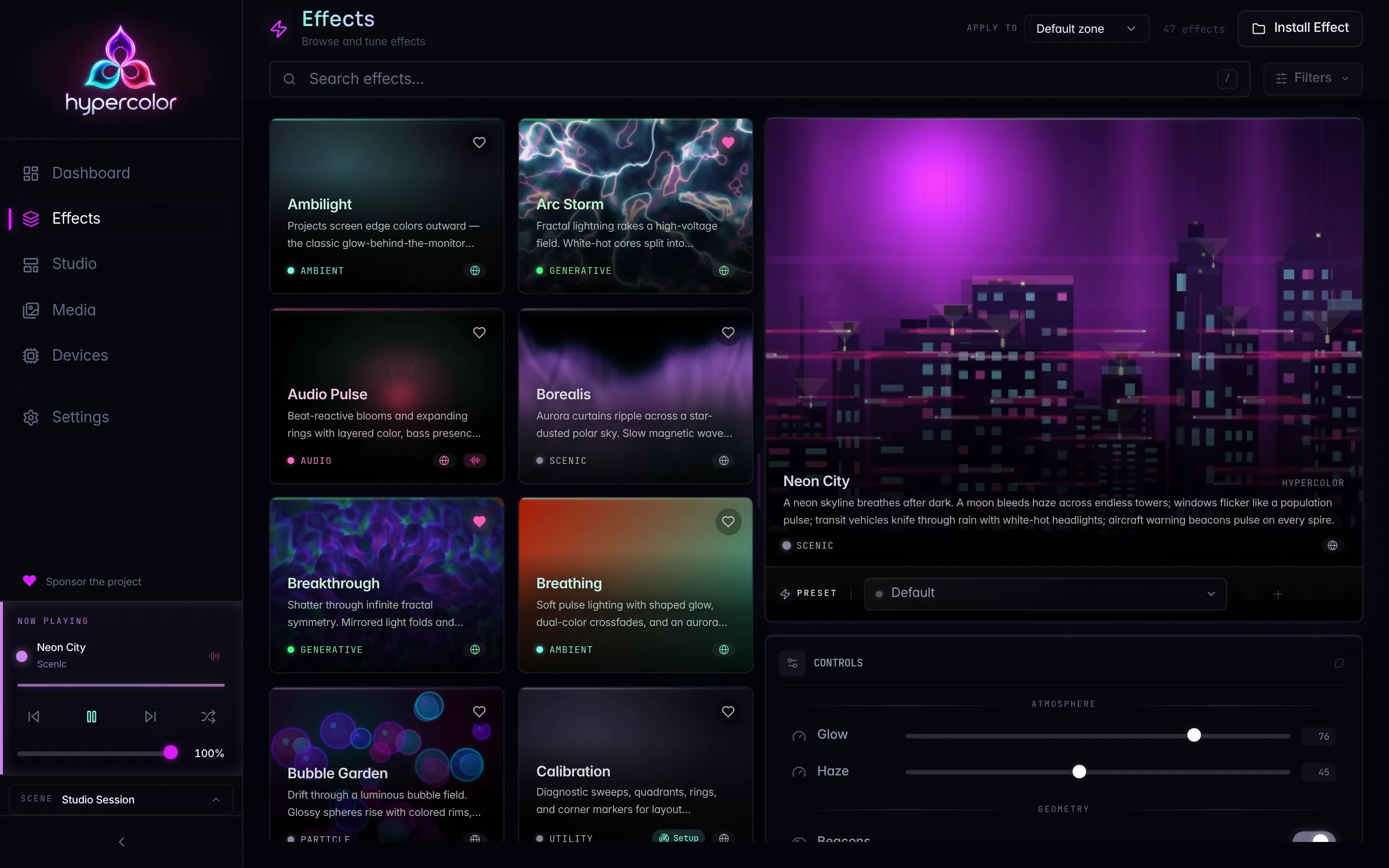
Browse the effect catalog with optional filters. Read-only, idempotent. Returns effect names, descriptions, categories, tags, and each effect’s control schema.
- Optional:
category(enum): one ofambient,audio,generative,particle,scenic,interactive,fun,source,utility,display;audio_reactive(boolean): filter to audio-reactive effects;query(string): full-text search across names, descriptions, and tags;limit(integer, default20, range 1-100);offset(integer, default0).
{ "name": "list_effects", "arguments": { "category": "audio", "limit": 10 } }The response carries effects, total, has_more, limit, and offset. The catalog is large and growing, so always page rather than hardcoding a count; browse the effects gallery for the visual side.
#set_color
Set a solid color globally. Under the hood this replaces the primary zone’s layer stack with the solid_color effect; it is not a separate device mode. Mutates state, destructive, and non-idempotent.
The color argument accepts CSS color names (coral, dodgerblue), hex (#ff6ac1), rgb(), hsl(), and natural-language descriptions (warm sunset orange, deep ocean blue), all resolved by the daemon’s fuzzy color resolver.
- Required:
color(string). - Optional:
brightness(integer, range 0-100): an override on the new solid-color layer.
{ "name": "set_color", "arguments": { "color": "#e135ff", "brightness": 70 } }The response has the same canonical { zone, transition, output } shape as set_effect. The transition is always { "type": "cut" }, and the returned zone carries the new layer identity for later tuning.
#set_output_power
Pause or resume all output without discarding the active scene, layers, or controls. Mutates state, idempotent, and not destructive. Use it for a reversible blackout. Use clear_zone only when the layer stack itself should be discarded.
- Required:
state(enum):runningorpaused.
{ "name": "set_output_power", "arguments": { "state": "paused" } }The response echoes the resulting state. Pausing blacks out the rig while the render pipeline keeps its place, so resuming picks up exactly where it left off.
#Devices
#get_devices
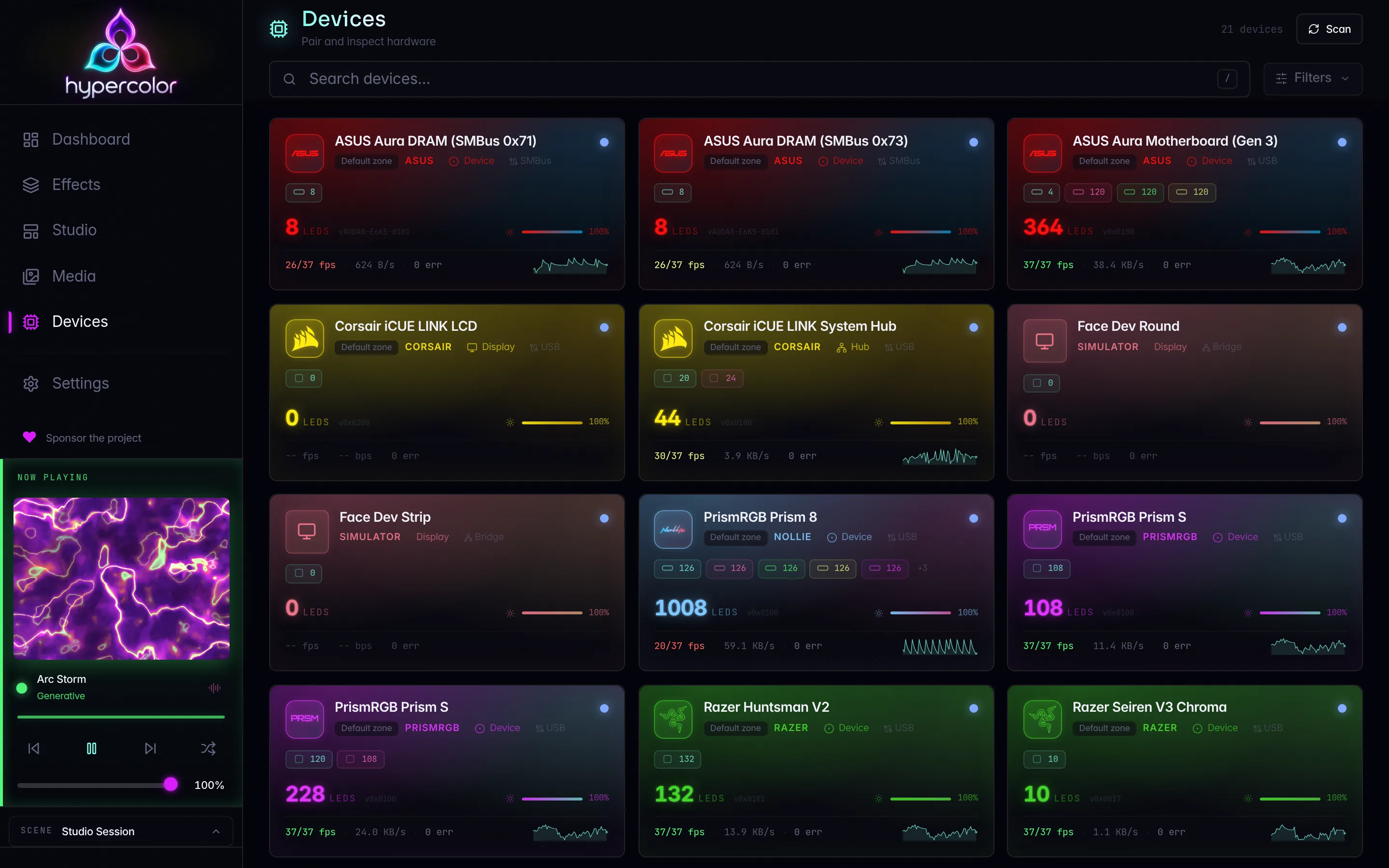
Enumerate known RGB devices with connection status, driver origin, presentation, transport, LED count, and segment count. Read-only and idempotent. An unfiltered call uses the same payload builder as hypercolor://devices, so the two are exact equals.
- Optional:
status(enum, defaultall): one ofall,connected,disconnected;driver_id(string): filter by driver module id;backend_id(string): filter by output backend id.
{ "name": "get_devices", "arguments": { "status": "disconnected" } }The response carries a devices array plus a summary with total, connected, and total_leds.
#set_brightness
Set the global brightness level. Brightness is a percentage from 0 to 100 (not a 0.0-1.0 float); the daemon normalizes it internally. Mutates state, idempotent.
- Required:
brightness(integer, range 0-100). - Arguments:
brightnessonly. Brightness is global and the change is immediate, so the tool exposes neither a device target nor a fade duration.
{ "name": "set_brightness", "arguments": { "brightness": 35 } }The response reports the applied brightness, its scope (always global), and the previous global brightness.
#Scenes
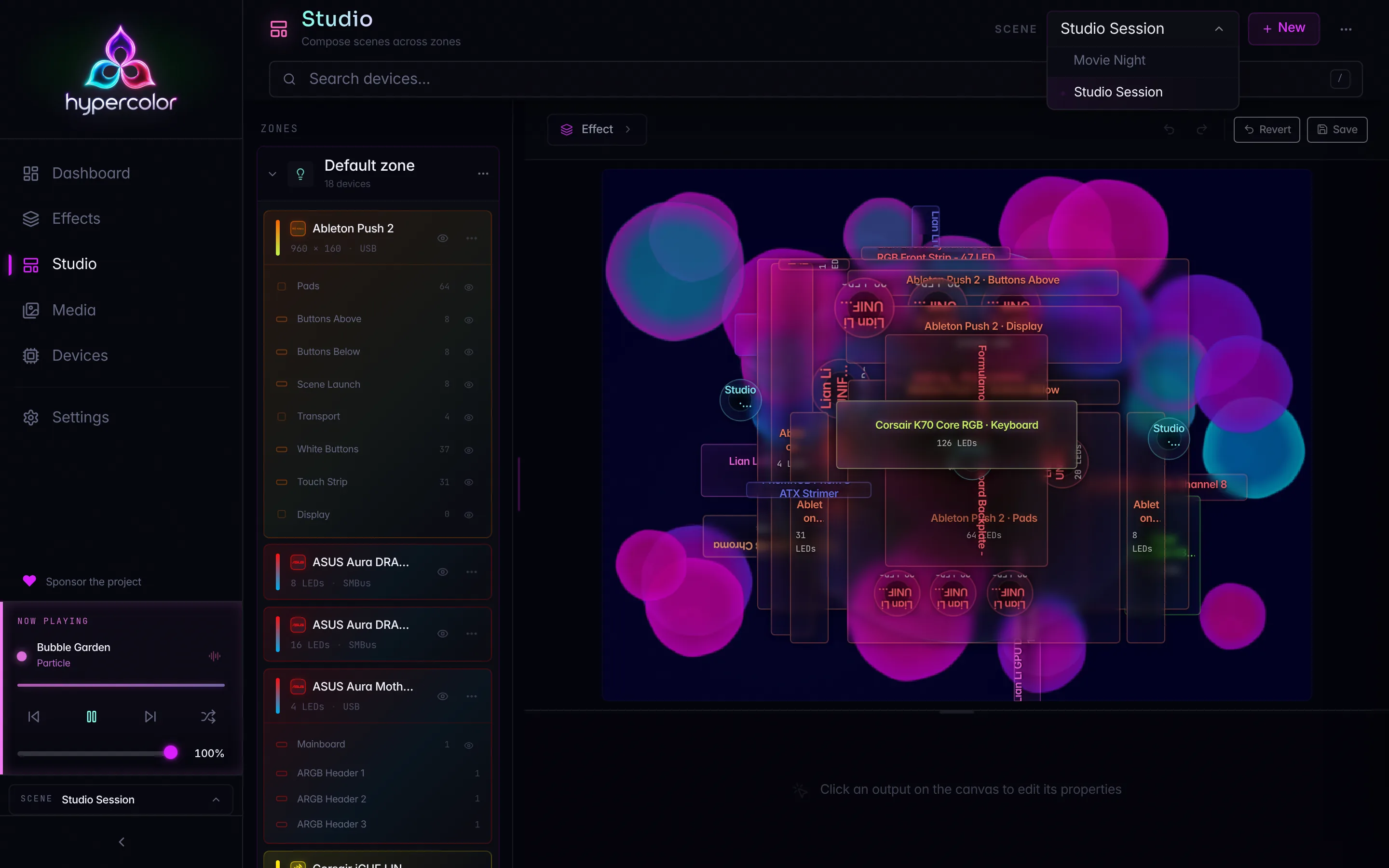
Scenes are whole-rig configurations: a scene bundles effects, device assignments, brightness, and transitions into one preset. (Within a scene, zones are flexible canvas partitions; they are not the same thing.)
#activate_scene
Activate a scene by exact ID, exact case-insensitive name, or unique case-insensitive name substring. Mutates state, destructive, and idempotent.
- Required:
name(string). - Optional:
transition_ms(integer, default1000, range 0-10000).
{ "name": "activate_scene", "arguments": { "name": "Evening Calm" } }No match or an ambiguous substring returns the structured selector error described above. A scene that exceeds current media limits returns a structured conflict without changing the active scene.
#list_scenes
List available scenes with names, descriptions, mutation modes, and activation state. Read-only, idempotent. Ephemeral scenes are excluded.
- Optional:
enabled_only(boolean, defaultfalse).
{ "name": "list_scenes", "arguments": { "enabled_only": true } }Each entry includes id, name, description, enabled, mutation_mode, and an active flag.
#create_scene
Create a new scene. The tool is non-idempotent: read_only: false, destructive: false, idempotent: false. It creates a reusable scene with a seeded Primary zone. It does not capture the current runtime state and it does not configure automation.
- Required:
name(string). - Optional:
description(string);enabled(boolean, defaulttrue);mutation_mode(enum, defaultlive):livelets runtime effect and display-face actions rewrite the scene,snapshotfreezes it. There is no transition argument: creating a scene renders nothing.
{
  "name": "create_scene",
  "arguments": {
    "name": "Sunset Warmth",
    "description": "Warm lighting for an external sunset automation"
  }
}
The response returns scene_id, name, enabled, and mutation_mode.
#clear_zone
Clear one non-display zone’s layer stack, or every non-display zone when zone is omitted. Mutates state, destructive, and idempotent. Clearing the whole scene also quiesces output. Display zones are refused because display assignments have their own tool.
- Optional:
zone(string): zone ID, exact name, or unique name substring.
{ "name": "clear_zone", "arguments": { "zone": "Primary" } }The response is the complete canonical scene document after the clear. Omit zone only when the intent is to discard every non-display layer stack and quiesce the rig. For a reversible blackout that preserves every layer, use set_output_power.
#adjust_controls
Atomically patch typed values and remove bindings on one live scene layer. Mutates state, non-destructive, and idempotent. Zones and named layers use the shared deterministic selector. Unnamed layers require their ID.
- Required:
zone(string);layer(string). - Optional:
values(object, default{}): canonicalControlValueentries keyed by control ID;clear_bindings(string array, default[]): bindings removed in the same commit.
{
  "name": "adjust_controls",
  "arguments": {
    "zone": "Primary",
    "layer": "0199...",
    "values": { "speed": { "kind": "float", "value": 0.2 } },
    "clear_bindings": ["speed"]
  }
}
At least one value or binding must be present. Writing a still-bound control returns a conflict; clear that binding in the same call to take ownership atomically. A layer replaced after it was read returns not found instead of applying values to a different effect. The response contains the updated zone and its scene revision.
#System
#get_status
Get the current daemon state: active effect, global brightness, connected device count, effect and scene counts, FPS metrics, input health, and uptime. Read-only, idempotent. Takes no arguments. The same payload builder serves hypercolor://state, so an empty call and the resource are exact equals.
This is the tool to call first. The reported fps.target is the current adaptive tier (the render loop shifts between 10/20/30/45/60 Hz). fps.capacity is a capacity estimate: the theoretical throughput derived from smoothed frame time, capped at the tier. fps.actual mirrors fps.capacity, so it is not measured delivery; the real delivery rate is the separate fps.delivered field. Never read any of them as a fixed ceiling.
{ "name": "get_status", "arguments": {} }Response (abridged):
{
  "running": true,
  "paused": false,
  "brightness": 70,
  "fps": { "target": 60, "capacity": 59.4, "delivered": 58.7, "actual": 59.4 },
  "effect": { "id": "...", "name": "Borealis" },
  "effect_count": 59,
  "scene_count": 4,
  "devices": { "connected": 3, "total": 4, "total_leds": 412 },
  "inputs": {
    "audio": "enabled",
    "screen": "disabled",
    "input": "enabled",
    "input_devices_opened": 2,
    "input_devices_denied": 0,
    "input_degraded": null,
    "source_graph_generation": 7,
    "sources": []
  },
  "uptime_seconds": 8123,
  "version": "..."
}#get_audio_state
Get the current audio analysis: overall level, bass/mid/treble energy, beat detection, beat confidence, and a BPM estimate. Read-only, idempotent. Takes no arguments.
{ "name": "get_audio_state", "arguments": {} }The response carries enabled, a levels object (overall, bass, mid, treble), a beat object (detected, confidence, bpm_estimate), and spectrum_bins. For a streaming view of the same data, read the hypercolor://audio resource, which updates at roughly 10 Hz.
#get_layout
Get the current spatial layout: device positions, zones, and topology. Read-only, idempotent. Takes no arguments.
{ "name": "get_layout", "arguments": {} }The response carries a layout object (id, name, description, canvas_width, canvas_height, zone_count), a zones array, and total_devices plus total_leds. The canvas defaults to 640×480 but is configurable, so read the reported dimensions rather than assuming them.
#get_sensor_data
Get the latest system telemetry snapshot, or one named sensor reading: CPU, GPU, memory, and raw component temperatures. Read-only, idempotent.
- Optional:
label(string): a sensor label such ascpu_temp,gpu_load,ram_used, or a normalized raw component label. Omit for the full snapshot.
{ "name": "get_sensor_data", "arguments": { "label": "gpu_load" } }The response returns a snapshot object and a reading field (populated only when a matching label was requested).
#diagnose
Run the canonical safe system diagnostic pass. Read-only and idempotent. The tool calls the same collector as REST instead of maintaining a second diagnostic engine.
- Arguments: none. The input schema is an empty closed object.
checks,device_id,system, and every other undeclared field are rejected.
{ "name": "diagnose", "arguments": {} }The response is the canonical REST data object: checks[] entries carry category, name, status, and detail; summary counts passed, warning, and failed checks; snapshot carries input, render, usb, display_output, and device_output. MCP always runs the safe default checks: daemon, render, devices, conflicts, config, input, memory, and openrgb. It does not expose the protected macos_screen_parity check. This is the backbone of the diagnose flow in agent workflows.
#OpenRGB setup status (openrgb_status)
Inspect OpenRGB on the daemon host before recommending fallback hardware support. Read-only and idempotent; takes no arguments.
{ "name": "openrgb_status", "arguments": {} }The response includes the compiled and enabled bridge state, ownership settings, host platform, installation path and version, SDK endpoint probes, permission checks and remedies, install hints, coverage rows, and output-disabled count. Endpoint probes run even when bridge output is disabled. The CLI command hypercolor openrgb status and GET /api/v1/system/openrgb use the same typed payload. The openrgb_setup prompt guides the next steps.
#Displays
#set_display_face
Assign or clear an HTML display-face effect on a display device (an LCD or similar). Mutates state, destructive, and non-idempotent.
The target effect must be in the Display category and be an HTML source; anything else returns an invalid-parameter error. This is the only path to drive a display face; set_effect will refuse a display effect.
- Required:
device(string): display device ID, exact name, or unique name substring. - Optional:
effect_id(string): display-face effect ID, exact name, or unique name substring; omit when clearing.clear(boolean): when true, removes the assignment on the chosen scope.scope(enum):default(the default) persists the face across scenes;scenewrites the active scene’s display zone and wins while that scene is active.controls(object): control overrides stored on the display-face zone.
{
  "name": "set_display_face",
  "arguments": {
    "device": "AX Display",
    "effect_id": "clock-face",
    "scope": "default"
  }
}
To clear a face, pass "clear": true and the same scope. See display faces for authoring the HTML side.
#A note on installing effects
There is no MCP tool to install or rescan effects. Agents can apply, browse, tune, and clear effects, but installing a freshly built effect crosses transports: the SDK authoring CLI uploads it, then hypercolor effects rescan makes it visible, after which set_effect can apply it. That cross-transport pattern is walked end to end in agent workflows and CLI scripting for agents.
#Where to go next
- Resources reference: The 5
hypercolor://resources an agent reads to orient itself. - Prompt templates: The 3 guided flows that compose these tools.
- Agent workflows: Worked playbooks with real call-and-response pairs.
- MCP server reference: Transport, config keys, and the raw protocol surface.