RGB lighting is fragmented. Vendor tools that don’t talk to each other, half-working daemons, and effects that look like they were designed in 2012. Hypercolor is the fix.
One app. Every device you own. Keyboards, mice, LED strips, case fans, smart lights: all driven by the same engine at adaptive 10-60 fps. Effects aren’t hardcoded routines. They’re web pages, rendered by an embedded Servo browser and sampled onto your physical LED layout every frame. And it runs on Linux, Windows, and macOS.
#How it works
The render pipeline runs on a dedicated thread. Each tick:
- Input sources (audio FFT, screen capture, keyboard and mouse) feed the renderer.
- SparkleFlinger composes all active producers into one canonical RGBA canvas (640×480 by default, tunable via
daemon.canvas_width/daemon.canvas_height), on the CPU or the GPU. - The spatial sampler maps every LED’s physical position to a pixel on that canvas.
- Encoded frames go to devices over USB/HID, SMBus, or the network, all in parallel.
Effects use normalized [0.0, 1.0] coordinates and stay resolution-independent. Canvas size and target FPS retune live; you never restart the daemon for it.
#Seven things that make Hypercolor different
Effects are web pages. Author a lighting effect with HTML Canvas, WebGL2 and GLSL shaders (via Servo), or the TypeScript SDK. Browse the effect catalog or author your own.
One engine, all your hardware. Razer, Corsair, ASUS Aura, Lian Li, QMK, WLED, Philips Hue, Nanoleaf, Govee: driven from one process, on any of the three platforms. See the full compatibility matrix.
Audio-reactive out of the box. Beat detection, FFT, mel-band analysis, chromagram, and a 200-bin spectrum. The render loop never blocks on audio; effects react to bass hits and BPM without frame drops.
Interactive effects. Effects can react to your keyboard and mouse through a consent-gated input pipeline that stays off until you enable it and only opens devices while an interactive effect is running. See input capture.
Spatial layout engine. Drag devices onto a 2D canvas in the Studio, define LED topologies, and the sampler resolves canvas pixels to physical LEDs with configurable interpolation: nearest, bilinear, area average, or Gaussian.
AI-native from the start. The daemon exposes a built-in MCP server with 18 tools, 5 resources, and 4 prompt templates. Claude Code, Cursor, and any MCP-compatible assistant can control your lights directly. See the MCP server docs to get started.
Rust all the way down. The daemon, CLI, TUI, tray, and HAL drivers are Rust. The web UI is Rust compiled to WASM via Leptos. Even the embedded browser is Servo. An adaptive render loop with zero-copy frame encoding across 5 FPS tiers.
#The interfaces
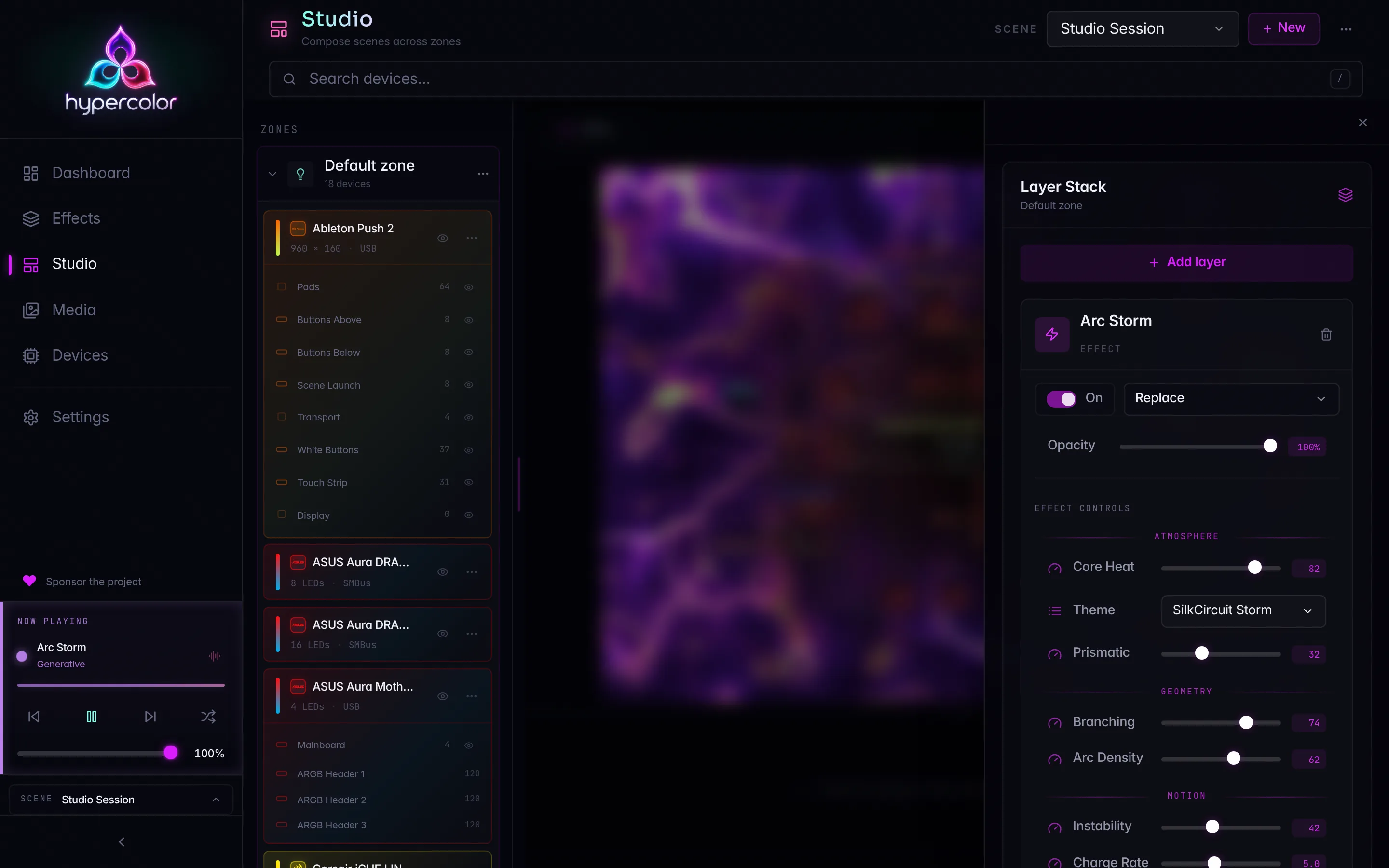
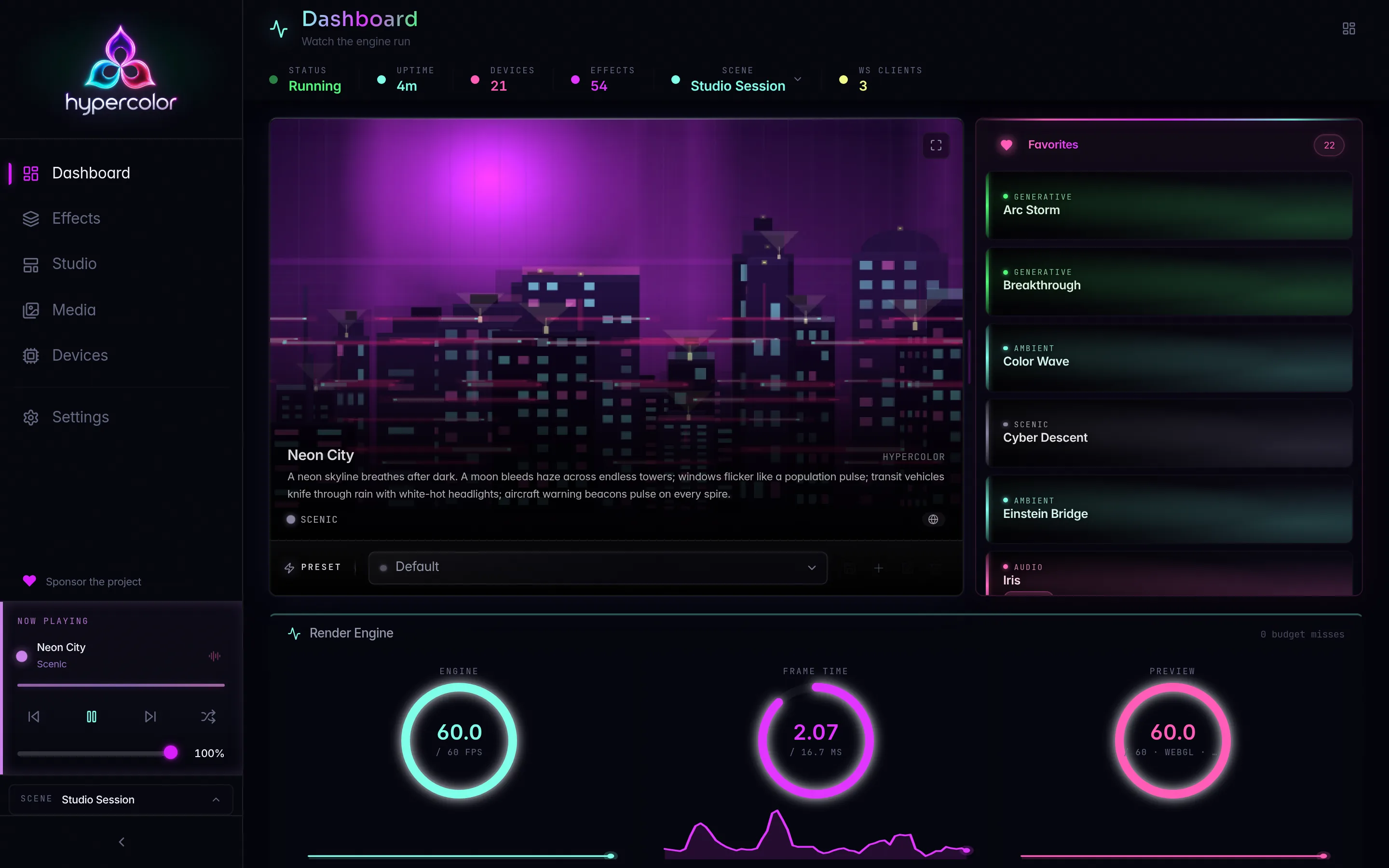
Web UI: served directly by the daemon at http://localhost:9420. Browse effects, tweak live controls, design spatial layouts, manage scenes and zones. Ambient reactivity tints the UI edges to match the active effect, and the responsive shell works as a phone remote for the rig.
Studio: the multi-zone workspace inside the web UI. Assign different effects to different zones across your rig, then save the whole layout as a scene.
TUI: a Ratatui terminal dashboard with true-color LED preview and fullscreen effect rendering. Runs wherever you have a terminal. Launch with hypercolor tui.
CLI: hypercolor effects list, hypercolor effects activate "Neon City", hypercolor devices list, hypercolor scenes activate <id>. JSON output for scripting. Full reference at API: CLI.
#Get started
Choose your path:
- New to Hypercolor? Start at Your first 10 minutes: install, launch, and get lights running.
- Browsing effects? The Effects section covers the catalog and every authoring path.
- Building an effect? Creating effects walks through the TypeScript SDK from scratch.
- Integrating with an AI assistant? The MCP server is off by default; that page shows how to enable it and what the 18 tools do.
- Hardware questions? Compatibility lists 414 tracked devices across 32 vendors, with driver status for each.
#Sections
- Guide: Installation, first launch, configuration, and the desktop app.
- Studio: Multi-zone workspace: scenes, zones, layers, layouts, and the effect cabinet.
- Effects: The TypeScript SDK, GLSL shaders, native Rust effects, the catalog, and publishing.
- API: Full REST surface, WebSocket binary frames, CLI reference, and the MCP server: 18 tools, 5 resources, and 4 prompt templates.
- Hardware: Compatibility matrix, USB and SMBus devices, network drivers (Hue, Nanoleaf, WLED, Govee), and device quirks.
- Troubleshooting: Devices not found, audio not reacting, performance, and common issues.
- Architecture: Render pipeline, event bus, and renderer internals.
- Contributing: Adding effects, adding drivers, debugging.
- Theme: The Luminary design system as ported to this docs site.